
A prospect research checklist is the difference between an email that gets a reply and an email that reads like it went to 400 people. The checks are not clever. They are the same seven fields, written in the same order, for every company you plan to contact.
Here is the short version. A prospect research checklist records who the company is, where each fact came from, when you read it, how big the company looks, how you would reach a person, what changed recently, and why you might walk away.
Seven fields, one row, about twelve minutes of work. What to research before a sales call is a smaller question than most people expect, and a filled row answers it before the call starts. A prospect research template turns those fields into a habit, and a habit is what keeps a list alive past the second week.
Why does a prospect research checklist beat memory?
Memory is generous with details it never had. Three days after reading a site you will remember that the team page looked small and that the blog seemed quiet, and you will not remember the date, the page or the wording. A first email built on that memory sounds vague, and vague is what a busy owner deletes.
A prospect research checklist fixes that by making each claim carry its own evidence. When you write “no blog post since August 2025, seen on the news page”, the sentence has a date and a location. When you write “blog looks dead”, you have a feeling.
There is a second gain that matters more over time. A prospect research checklist makes two companies comparable. Ten rows built the same way let you rank by a real difference, which is the only way to decide who gets the careful email this week.
The last reason is defence. If a client or a manager asks why one name sits above another, the row answers for you. The file turns a judgement call into a record you can open and read aloud, and that record is also what makes the next hire productive in an afternoon.
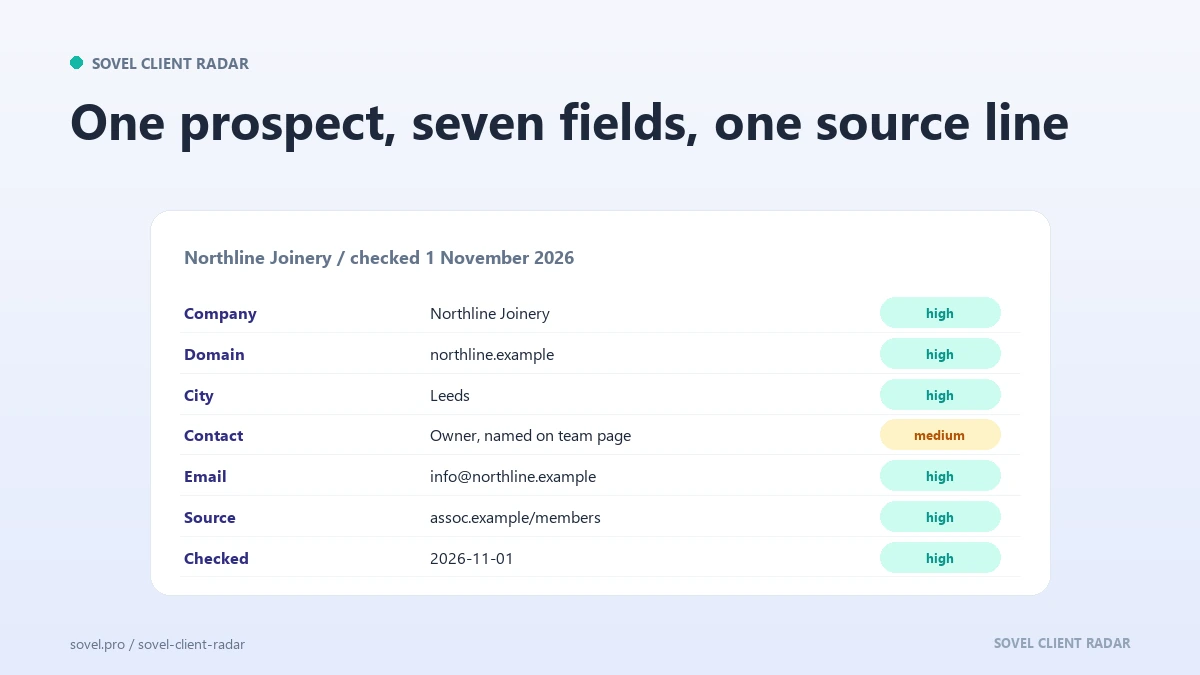
Check 1: the company record
Start with the plain facts: the trading name, the website, the town or country, and what the business actually sells. Write the name as the company writes it, not as the directory spelled it. The first field on a prospect research checklist is also the one that decides whether the rest is worth reading.
This sounds trivial until you meet a list where the same firm appears twice under a trading name and a legal name. One company can also live at several addresses: with and without www, on http and https, with a tracking parameter stuck on the end. Google’s guidance on consolidating duplicate URLs explains the canonical problem for sites, and the same logic applies to your list. Count one company once.
Add one line of description in your own words. Not the tagline from the homepage. Something you noticed: “family bakery, two shops, wholesale page added this year”. That line is what you will read when you open the row in a month, and it is the part a reader remembers.
If the company record is wrong, the email opens with the wrong name and the rest of the work is wasted. Spelling is the cheapest form of respect in outreach. What to research before a sales call starts here, with the name and the trade, before any clever observation.
Check 2: the source url
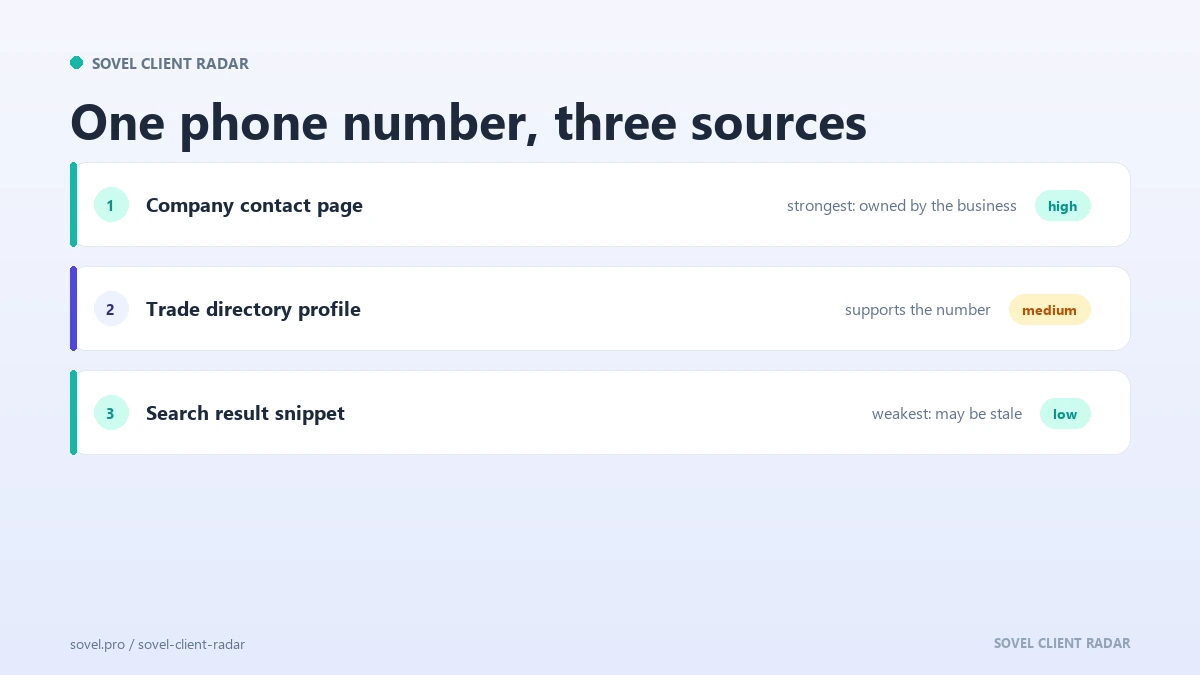
Every field on the row needs a source url. The phone number came from the contact page, the address came from the footer, the owner’s name came from an about page. Write the exact address, not the domain, because the exact address is what saves you a search later.
The source url does two jobs. It lets you check the fact again without hunting for it, and it tells you how much weight to give the fact. A value with no page behind it cannot be defended when a colleague challenges the row.
Build the habit of pasting the address as you copy the value. A prospect research checklist that stores values without sources becomes a list of claims you cannot verify, and the first time one is wrong you will stop trusting the whole file.
There is a ranking worth knowing. A page the company controls outranks a page someone else wrote about the company, which outranks a page that only mentions the name. When two sources disagree, keep both and note which one you would use.
A prospect research checklist with a link on every row also survives staff changes. The next person can follow the address, read the same page and reach the same conclusion without asking you what you meant.
Check 3: the retrieval date
A retrieval date is the day you read the page, written as a date, not as “last week”. It sits next to the source address, because a fact is only as good as the pair. The third field on a prospect research checklist exists so nobody has to guess when the reading happened.
Dates protect you from the most common embarrassment in outreach: quoting something that changed. A business that removed a service, fixed a broken form or hired a new manager between your check and your email makes your careful sentence wrong. The retrieval date tells you how much risk you are carrying.
The field also decides when to recheck. Notes older than a month get re-read before a send. Notes older than a quarter get rebuilt or dropped. A prospect research checklist with dates becomes a maintenance schedule without any extra work.
Use one format everywhere. The ISO form, 2026-02-12, sorts correctly and cannot be confused with 02/12. A prospect research checklist that mixes formats turns every sort into a guess, and a guess in a date column hides stale rows.
When a page shows no date of its own, your reading date is the only date you have, and it is enough for a prospect research checklist row. It says when the fact was true as far as you could see.
Check 4: the company size estimate
A company size estimate is a range, not a number, and it should name the evidence behind it. “About 12 people, from the team page and 9 named staff on the about page” is usable. “Small” is not. This is the field where a prospect research checklist saves the most wasted pitching.
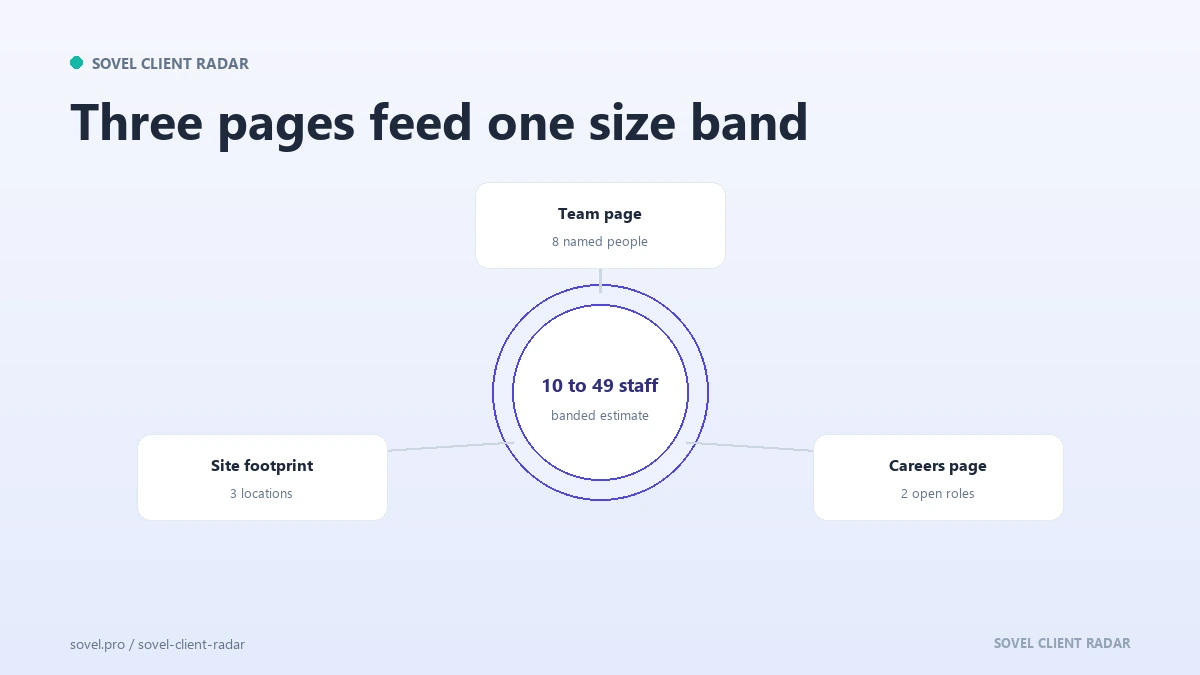
Three sources give a decent range without paid data. The team or about page lists names. The careers page shows how many roles are open and what they are. The site footprint, meaning how many pages and locations the site covers, hints at the operation behind it.
Write the estimate as a band: 1 to 5, 6 to 20, 21 to 50, 51 to 200, above that. Bands are honest about uncertainty and they sort well when you want to work one slice of the market. A company size estimate also tells you which pitch to prepare.
Size changes the message. A five person firm wants a fixed price and a fast start. A fifty person firm wants a scope, a schedule and someone to own the work. The same email does not fit both, and the row is where you decide which one you are writing.
Treat the estimate as provisional and say so. If the company turns out to be twice the size you guessed, the note explains why you guessed low, and nobody has to rebuild the reasoning. A prospect research checklist should carry its own footnotes.
Check 5: the contact route
The contact route answers one question: who do I write to, and at which address. Record the person, the role, the address type and where you found it. A prospect research checklist row with a name and no route is a row you cannot use.
Not every company publishes a name. A role inbox such as hello@ or sales@ is a legitimate route and often the only one. Note the type, because it changes the opening line. A role inbox gets a shorter message with a clear ask. A named person gets a message that mentions their work.
Keep a second route in the same row. A phone number, a contact form, a social profile the company actually updates. A prospect research checklist with one route fails the moment the first address bounces, and a bounce is the one error that costs you your domain.
If the site publishes no address at all, write “none published” and move on. Do not construct firstname@domain and hope. A guessed address bounces, and a bounce costs more than a missing field. A contact form counts as a route, and a slow one, so record it as a fallback rather than a first choice.
Check 6: the buying signal
A buying signal is a dated reason to write now. A vacancy posted on the company’s careers page, a blog that has gone quiet, a branch opening, a page that gained a paragraph since your last visit. The buying signals guide applies the same discipline to a whole list.
One signal is enough, and two is better. A prospect research checklist that records five signals for every company is one nobody finishes, and a half-finished file is worse than a small one. Pick the strongest signal and give it a date.
Write the signal as a sentence with a date: “open role for a marketing manager, posted 3 February 2026, careers page”. That sentence becomes your first line without further work, which is the whole point of keeping a prospect research checklist at all.
The signal field is where a prospect research checklist earns its name. Without it you have a directory. With it you have a reason to write this week rather than next quarter.
Check 7: the disqualifier
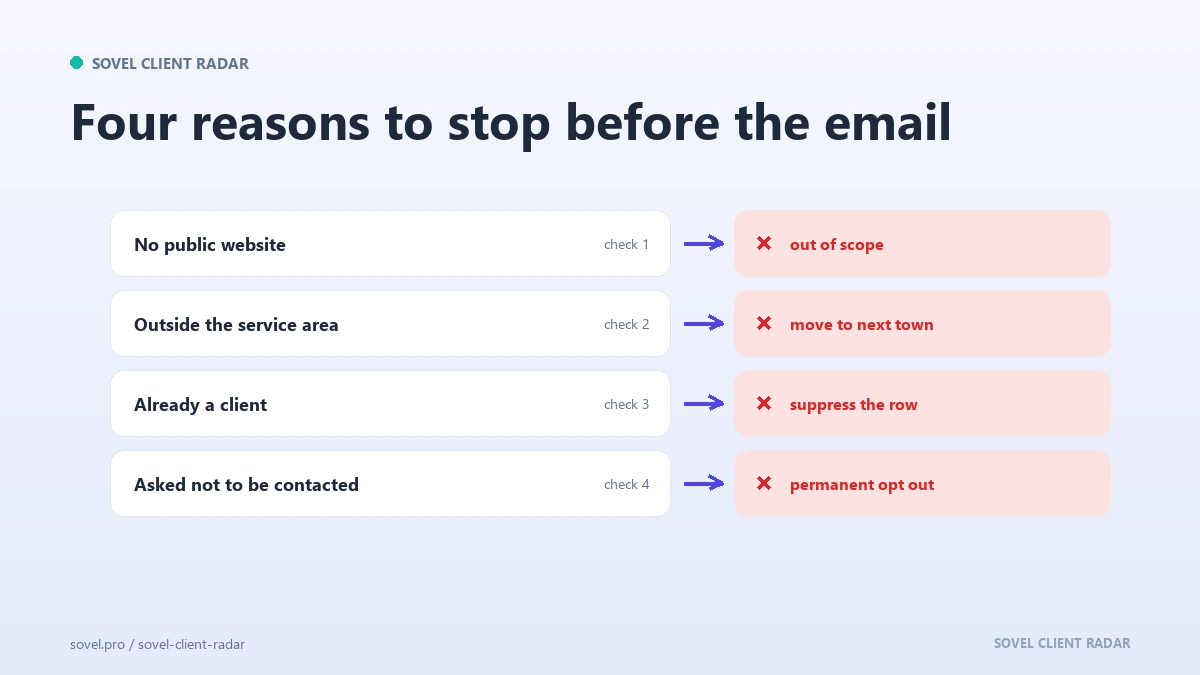
The disqualifier is the field most people skip, and it is the one that saves the most time. Before you write, note what would make the company a bad fit: too small, wrong country, a competitor, a franchise with no local control, a site that is already well built.
Write the disqualifier even when you decide to keep the company. “Kept despite the size, because the owner posted about a rebuild” is a decision with a reason attached. A prospect research checklist that records only the positives is a list that flatters itself.
Set the criteria before you start, not while you are reading. Two or three disqualifiers are enough: a budget floor, a service area, a conflict with an existing client. The prospect data quality guide covers the verification side of the same discipline.
A disqualifier saves a stamp, a follow up and a week of hoping. Naming it early is cheaper than discovering it on the call, and it keeps the rest of the prospect research checklist honest.
What does the whole prospect research checklist look like?
Seven fields, seven sources, and one reason each. The table below is the whole prospect research checklist on one screen, which is how it should look when you print it.
| Field | Where it comes from | Why it matters |
|---|---|---|
| Company record | Homepage, about page, directory | Names the row and stops duplicates |
| Source url | The exact page for each fact | Lets anyone re-check the claim |
| Retrieval date | The day you read the page | Tells you when the fact expires |
| Company size estimate | Team page, careers page, site footprint | Matches the pitch to the buyer |
| Contact route | Contact page, footer, team page | Decides who receives the email |
| Buying signal | Careers page, blog, feed, sitemap | Gives a reason to write now |
| Disqualifier | Your own criteria, checked against the row | Stops wasted work early |
Read the table as an order of work. The company record first, then the source and the date, then the estimate, the route, the signal and the disqualifier. A prospect research checklist read in that order never asks you to hold two unknowns at once.
Some fields will stay empty. A company with no published address, a site with no team page, a blog that never existed. Empty is a finding, and a finding is worth writing down, because it tells the next reader what the company does not publish.
A prospect research checklist is also the cheapest way to train a new researcher. Give them the template and three finished rows, and the standard is clear: every claim has a link, every link has a date, every row has a reason for existing. The file teaches judgement by example, faster than any document about best practice, and it makes the eighth week look like the first.
How do you store it and hand it over?
Store the file as a table with one row per company and one column per field. A spreadsheet is enough. A CRM works too if the fields exist, but a tool you avoid using is worse than a file you open.
Keep the columns in the order above, every time. Consistency is what makes the file sortable, and sortable is what turns a research habit into a decision. A prospect research checklist with columns in three different orders is three files pretending to be one.
A prospect research template helps here, and it does not need to be clever. Seven columns, a date format, one row per company, a notes field at the end. Share the template rather than the finished file when a colleague starts, so the next hundred rows match the first hundred. The evidence based content strategy article makes the same case for writing: the record is the product, and a prospect research template protects it.
Handing the file over takes one line per row. “Strong fit, certificate lapsed, owner named on the about page, call rather than email.” That sentence is a briefing, and it costs twenty seconds.
Name the file by month and niche. A search for bakery rows in March then returns one file instead of four, and the name costs five seconds to type.
Where does the engine fit this work?
SOVEL CLIENT RADAR fills the mechanical half of this prospect research checklist. It reads the public pages a company publishes at a polite pace, and it stores the address and date of the page behind each email, phone number and profile, which is the typing the checklist would otherwise cost you.
The output folder mirrors the fields above: a contacts file, a signals file with a date and a weight on each signal, a six sheet workbook, a lead sheet with 84 columns, and a Markdown or HTML report. The scoring inputs sit in the file, so a row can be audited line by line.
Three lifetime editions exist. Personal costs ₹5,999 for one seat and 50 leads per run. Pro costs ₹12,999 for one seat and 200 leads per run, which covers a deeper weekly list. Agency costs ₹39,999 for five seats and 500 leads per run. Every edition has the full feature set and the optional AI layer, and no daily or monthly run limit applies. The SOVEL Client Radar product overview lists what each licence covers.
FAQ
What should I record on a prospect?
Record the company name and site, a link to the page behind each fact, the date you read it, a size band, the contact route, one dated buying signal and the reason you might disqualify them. Seven fields, one row, and enough context to write a specific first line.
How long should research take?
About twelve minutes per company once the template exists, and six of those minutes are reading. Twenty companies take an afternoon. If a row takes an hour, the company is either a large account or the wrong target.
Do I need a CRM?
No. A spreadsheet with seven columns does the job and is easier to keep honest, because you can see every field at once. Move to a CRM when two people need the same rows at the same time, not before.
How do I keep the checklist current?
Re-read any row older than a month before you send, and rebuild anything older than a quarter. The date field tells you which rows need attention, so the check is a sort rather than a memory exercise.
What if I cannot find a contact?
Write “none published” and record the route you did find, such as a form or a phone number. Never guess an address. A missing field is honest and fixable, and a bounced email costs you the domain’s reputation.
Can I use AI to fill the checklist?
For summarising a page you have already read, yes. For contact details, only from a source you can open. Any model can produce a plausible address that never existed, so every field it drafts needs a link beside it before the row counts.
How many prospects should one person research in an hour?
Four is realistic with a template, because reading takes longer than typing. What to research before a sales call is a small question: seven fields, no more, and the call gets easier as soon as the row is full.