
You are not searching for a technical feature. You are describing your website. You want to publish tools, sell or give away ebooks, and keep a resource library. You want one place to do all three without building each content type from scratch.
That is a content-model problem, not a design problem, and it is why most theme searches end in frustration. A theme can look right and still leave you building three custom post types, three archives, three single templates and three card partials by hand before your first piece of content goes live.
This article covers the eight things that actually save that time, with the real URLs, the real section names and the real shortcode syntax. It also states the limits, because a theme that is right for a tools-and-ebooks site is wrong for plenty of others.
Feature 1: Three Content Types With Real URLs
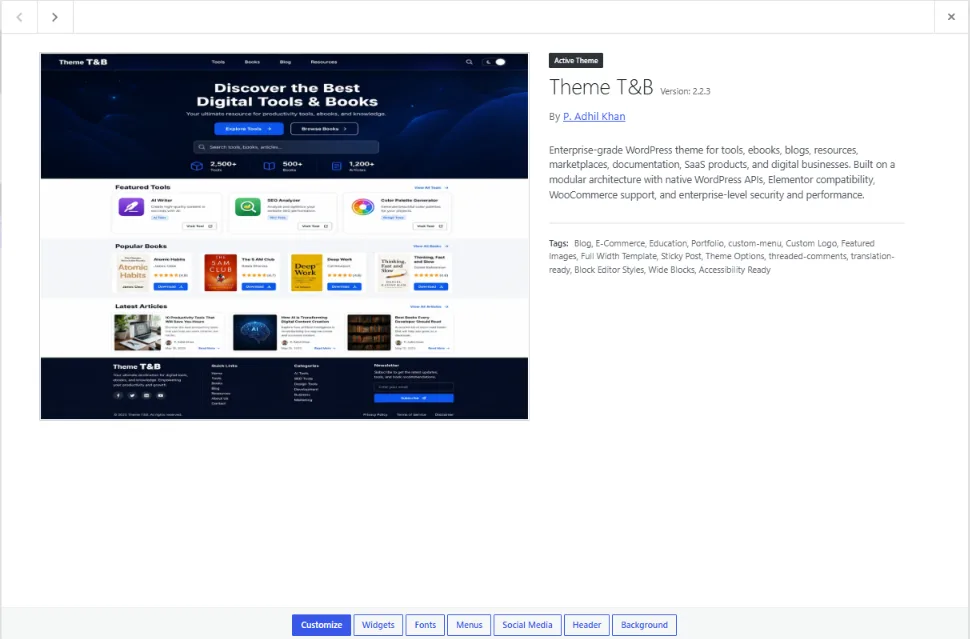
The single biggest time saver is that the content model already exists. SOVEL Studio registers three custom post types, each with its own archive and single template:
- Tools at
/tools/ - Books at
/books/ - Resources at
/resources/
Those are not placeholder URLs. They are the registered rewrite slugs, which means your tool pages live at /tools/tool-name/ and your book pages at /books/book-name/ without you touching a rewrite rule.
Why this matters more than it sounds: building three CPTs properly is not a five-minute job. It involves registering the types, registering the taxonomies, deciding the rewrite slugs, building archive templates, building single templates, building card partials for use in grids, and handling pagination and 404 states for each. Done properly, with accessibility and responsive behaviour included, that is weeks of work before you write a word of content.
Feature 2: 13 Homepage Sections You Configure
A homepage for this kind of site has a predictable shape, and the theme ships it as thirteen toggleable sections rather than as a template you have to rebuild.
The thirteen, in their real order, are: Hero Banner, Search Box, Featured Tools, Tool Categories, Latest Tools, Featured Books, Latest Articles, Featured Resources, Statistics, Testimonials, Newsletter, Call To Action and Donation.
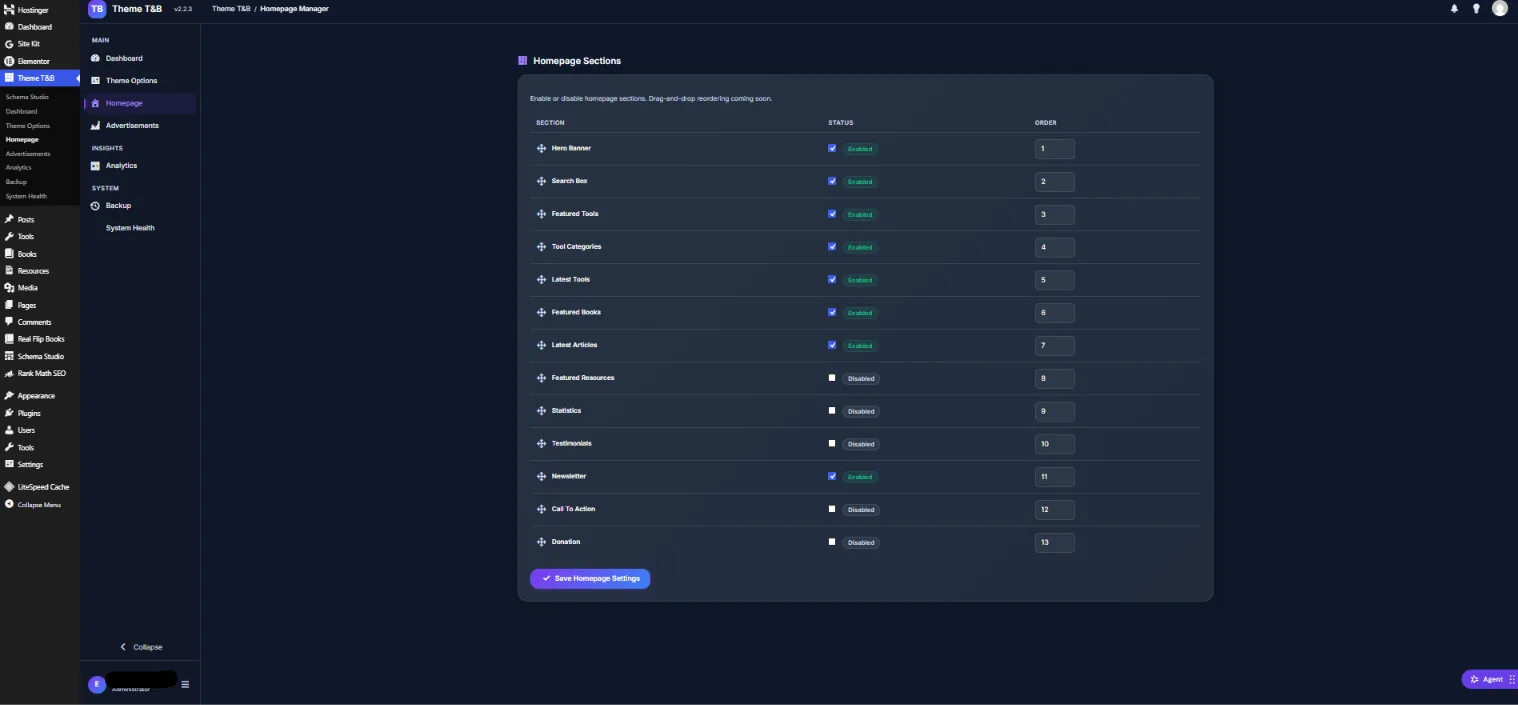
Eight of the thirteen are enabled by default and five are off. The default state is deliberate: the content-bearing sections are on, and the marketing sections wait until you have something to say. Statistics with no numbers, testimonials with no customers and a donation block with no cause are worse than an empty space.
The practical question is which to switch on first. For a new site, the honest answer is the default eight. Turn on Statistics once you have real counts. Turn on Testimonials once you have real quotes. Turn on Call To Action when you have a specific action. Turn on Donation last, if at all.
One note visible in the interface itself: sections are ordered by number, and drag-and-drop reordering is listed as coming soon. The control works; it just is not the interaction you might expect from a modern page builder, and it is better to know that before you buy than after.
Feature 3: Native Single Templates and Card Partials
Archives are the easy half. The harder half is that the same item has to render in two contexts: as a card inside a grid on the archive and homepage, and as a full page on its own URL.
The theme ships both. Each of the three content types has a card partial used by the homepage sections and archive grids, and a single template used on the item’s own URL. The blog has the same treatment, with reading-time indicators on cards, which is a small thing that measurably changes how long people stay on an index page.
The benefit is consistency. A tool card looks the same whether it appears in Featured Tools, Latest Tools or the archive, because it is the same partial in all three places. Change it once and every instance follows.
Feature 4: Six Shortcodes for Placement Anywhere
Content types cover the archive and single pages. Shortcodes cover everywhere else: a landing page, a sales page, a sidebar, a blog post that should end with a relevant book.
The six shortcodes, with their documented parameters:
| Shortcode | What it renders |
|---|---|
[tb_tools count="6" category="" featured="1"] | A grid of tools, filterable by category and featured state |
[tb_tool id="123"] | A single tool card by ID |
[tb_books count="6" category=""] | A grid of books, filterable by category |
[tb_book id="123"] | A single book card by ID |
[tb_blog count="3" category=""] | Recent blog posts, filterable by category |
[tb_resources count="6" category=""] | A grid of resources, filterable by category |
The featured="1" parameter on the tools grid is the one worth noticing. It lets a landing page show a curated selection rather than the latest six, which is the difference between a page that sells and a page that lists.
Two honest notes. These shortcode definitions come from the theme’s own documentation rather than from a live test of every parameter combination, so verify the specific parameters you rely on before launch. And shortcodes are a classic-theme pattern; if you are building entirely in the block editor, a shortcode block is how you use them.
Feature 5: Schema Built Into the Content Model
This is the feature that separates the theme from a generic tool-and-ebooks theme, and it is worth understanding properly.
Because the theme built the content types, it knows what each item is. A post in Books is a book, so the theme can generate Book or Ebook schema from the content model rather than from a manual rule. A post in Tools is a tool, so SoftwareApplication or Tool schema applies. The registry carries 35 schema types, of which 29 are buyer-selectable, alongside 15 condition types that decide which pages are allowed to emit which block.
Compare that to the alternative: a generic theme plus a schema plugin. The plugin has no idea what your content model is, so it either applies one generic type to everything or asks you to configure each page by hand. Either way, the markup describes the shape of the page rather than the thing on it.
Article 1 in this cluster covers the full case for a theme with built-in schema markup. Article 2 explains which of the 35 types are worth deploying, and Article 3 covers the 15 conditions that keep the output on the right pages.
Feature 6: A Custom Admin Built for This Content
Open the theme’s dashboard and you are not looking at a generic WordPress admin. You see counts for published tools, published books, blog posts and resources, plus quick actions to add each type, manage the homepage or open the Customizer.
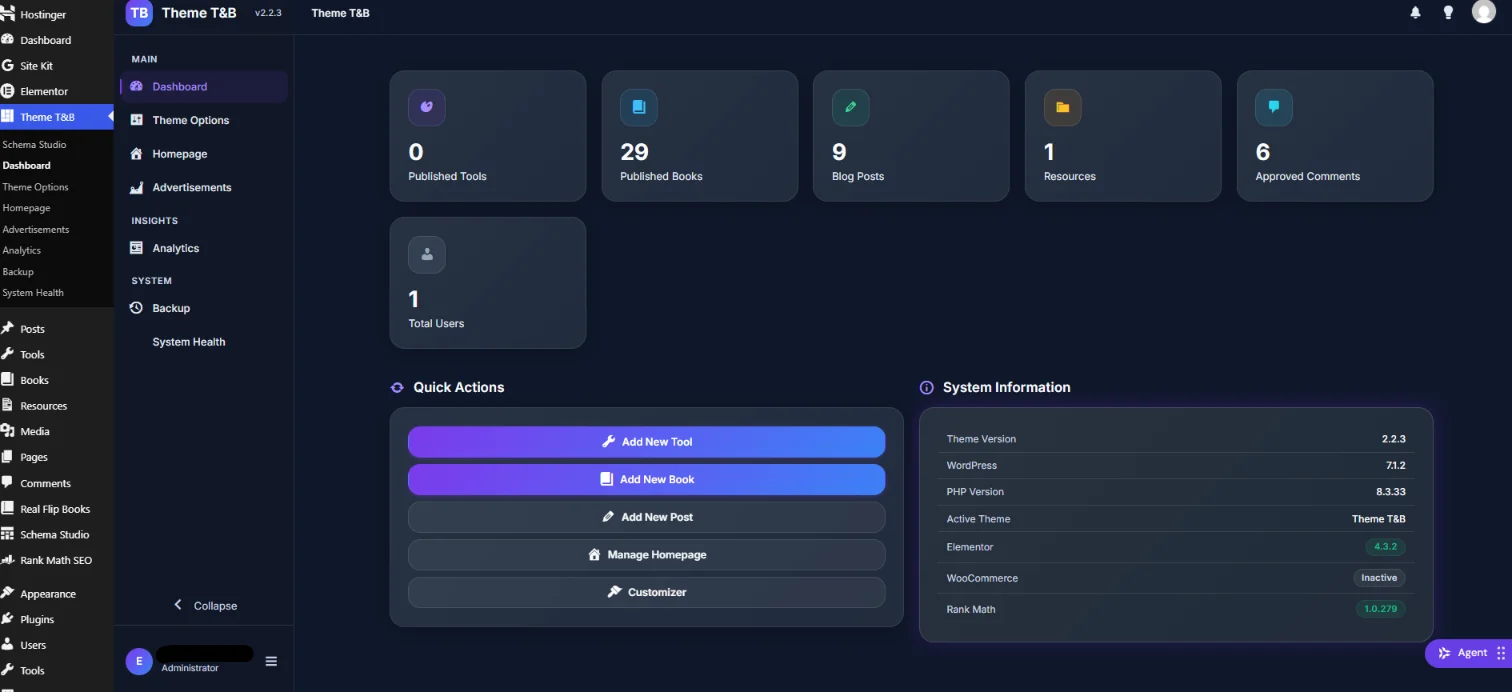
The System Information panel is the quietly useful part: it reports the theme version, the WordPress version, the PHP version, the active theme, and the state of Elementor, WooCommerce and Rank Math. When something behaves differently on staging than in production, that panel is where you find out why in ten seconds instead of an hour.
Alongside the dashboard, the theme includes an advertisement manager, analytics for views and events, and a backup and restore screen. None of those are the reason you buy the theme, but each of them is a plugin you do not have to install, configure and maintain.
The scope limit is stated plainly and worth repeating: the custom admin applies to this theme’s own screens. It is not a full WordPress admin reskin, and native WordPress and third-party plugin screens keep the standard WordPress interface.
Feature 7: WooCommerce-Ready Styling
If you sell your ebooks or tools rather than giving them away, you need a storefront that does not look like a default WooCommerce install dropped into your theme.
SOVEL Studio ships five WooCommerce template overrides: shop archive, single product, cart, checkout and account, plus a dedicated WooCommerce stylesheet. That covers the pages a buyer actually walks through.
The honest limit matters here, and it is the sentence to hold on to: this is WooCommerce-ready, not a rebuilt storefront. Five overrides ship. There is no product-loop override set and no content-product partial, which means the store is styled and coherent rather than deeply re-architected. If your business depends on a heavily customised commerce experience with unusual product types or a bespoke checkout flow, budget for that work separately.
For most ebook and digital-product sellers, styled shop, product, cart, checkout and account pages are exactly the right scope. Just do not buy expecting more than five overrides deliver.
Feature 8: The Polish Layer
The last feature is a group rather than a single thing, and it is the part that makes the site feel finished.
Dark mode ships as a real implementation with light and dark token sets, not a filter. There is a scroll animation layer, a responsive stylesheet, and a dedicated accessibility stylesheet. There are optional UI sounds for clicks, page flips, success and error states, and they are off by default, which is the correct default for anything that makes noise.
On the code side: 21 CSS files, 9 JavaScript files and 8 self-hosted vendor libraries, with 553 translatable strings in a .pot file and roughly 27,400 lines of PHP. Self-hosted vendor libraries are worth noting because they mean no external CDN dependency for core front-end behaviour.
The honest limit on translation: the .pot file is a translation template, not a completed translation. If you need a translated site today, that work is yours to do. The strings are ready; the translations are not shipped.
The Alternative You Are Actually Comparing Against
It is worth naming the alternative honestly, because the decision is rarely “this theme versus another theme”. It is usually “this theme versus a page builder plus three plugins”.
That alternative looks like this. You install a multipurpose theme or a blank block theme. You add a custom post types plugin to create tools, books and resources. You add a schema plugin to handle structured data. You add a forms plugin for the newsletter. You add a slider or blocks plugin for the homepage sections. You add a commerce plugin if you sell. Then you build three archives, three single templates, three card partials and a homepage layout yourself.
The result can be excellent. It is also five to seven components that each update on their own schedule, each with its own settings screen, and each capable of changing behaviour after an update you did not read the changelog for. The custom post types plugin does not know about the schema plugin, and the schema plugin does not know your content types were built by something else.
The single-theme approach trades that flexibility for coherence. One update schedule, one settings area, one system that knows a book is a book because it built the book type. The trade is real in both directions: you give up the ability to swap any one component independently, and you gain a stack that cannot disagree with itself.
Which is right depends on how much you intend to customise. If you plan to rebuild most of the front end anyway, the assembled stack gives you more room. If you want the content model, the homepage and the markup to work together out of the box, the single theme is the shorter path.
The Honest Limits
It is a classic theme, not a block theme. If your workflow depends on full site editing, block templates and the site editor, this is not that.
WooCommerce-ready, not rebuilt. Five overrides, as described above.
No completed translation file. A .pot with 553 strings only.
The custom admin covers this theme’s screens only.
No performance figure is published here. No PageSpeed, Lighthouse or Core Web Vitals number appears in this article, because none has been measured. Any theme article that hands you a score for an untested theme is guessing.
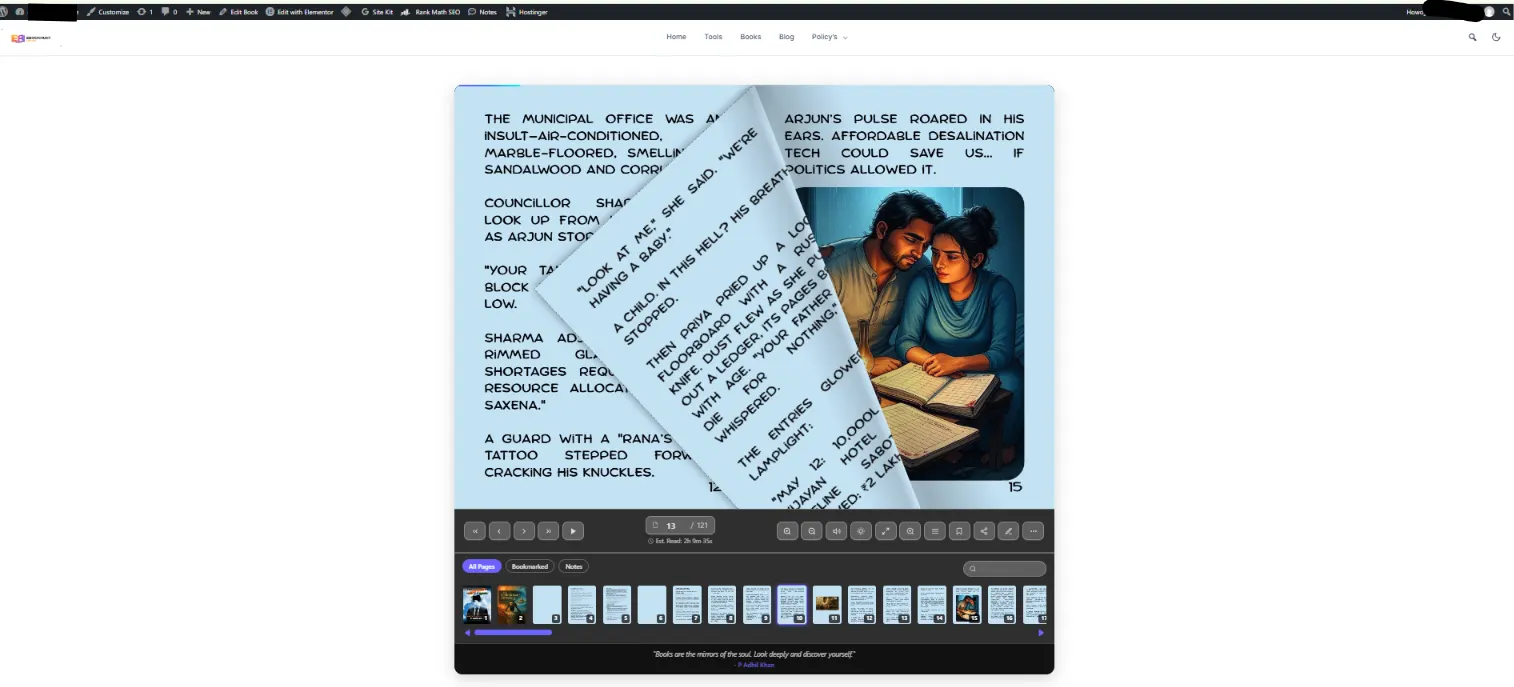
The flipbook reader is a separate product. This is the one to read carefully if a reading experience is central to your plan. The page-turn reader belongs to SOVEL RealFlip, a plugin, not to this theme. The theme ships an optional UI sound asset and no reader engine. A book site with a flipbook experience is a two-product stack, and you should plan and budget for that from the start rather than discovering it after the theme is installed.
It is built for a specific site type. Tools, ebooks, resources, digital products. Not restaurants, not photography portfolios, not general business sites. If your site is one of those, this is the wrong theme and it is better to know now.
Who This Is For
Four site shapes fit this theme without compromise.
A free-tools directory with a Tools CPT, tool categories, and a homepage that leads with search. A book or reading site with a Books CPT and Book schema on every detail page, optionally paired with SOVEL RealFlip for the reading experience. A resource library with a Resources CPT and a curated index. And a digital-product store that needs Product schema and a styled shop.
The case no competitor covers is the combination site: tools plus books plus resources in one content model, with schema that reflects which is which. If you are building that, the theme is not saving you an afternoon. It is saving you the months you would spend building the model before you could start publishing.
Frequently Asked Questions
Can this theme run a free tools site?
Yes. The Tools content type, its archive at /tools/, its single template and the tool card partial all ship, and the homepage includes Featured Tools, Tool Categories and Latest Tools sections out of the box.
Does it support ebooks and downloads?
Yes. The Books content type covers book and ebook detail pages, with Book or Ebook schema generated from the content model. If you need a page-turn reading experience on top of that, that is SOVEL RealFlip, a separate plugin.
How many custom post types does it include?
Three: Tools at /tools/, Books at /books/ and Resources at /resources/. Each has an archive, a single template and a card partial used by the homepage sections.
Do I need WooCommerce to sell?
Only if you want to sell through the site. The theme ships five styled WooCommerce templates for shop, product, cart, checkout and account. If you distribute free tools and books, WooCommerce is not required at all.
Can I turn homepage sections off?
Yes. All thirteen sections have an enable toggle and an order number in the Homepage Manager. Eight are enabled by default and five are off, and you can change either set.
Does it work with Elementor?
Yes, and it ships Elementor widgets and theme-builder integration. One deliberate detail: the Elementor Theme Builder single location is skipped for this theme’s content types, because the theme provides native single templates for tools, books and resources.
Can I use my own branding?
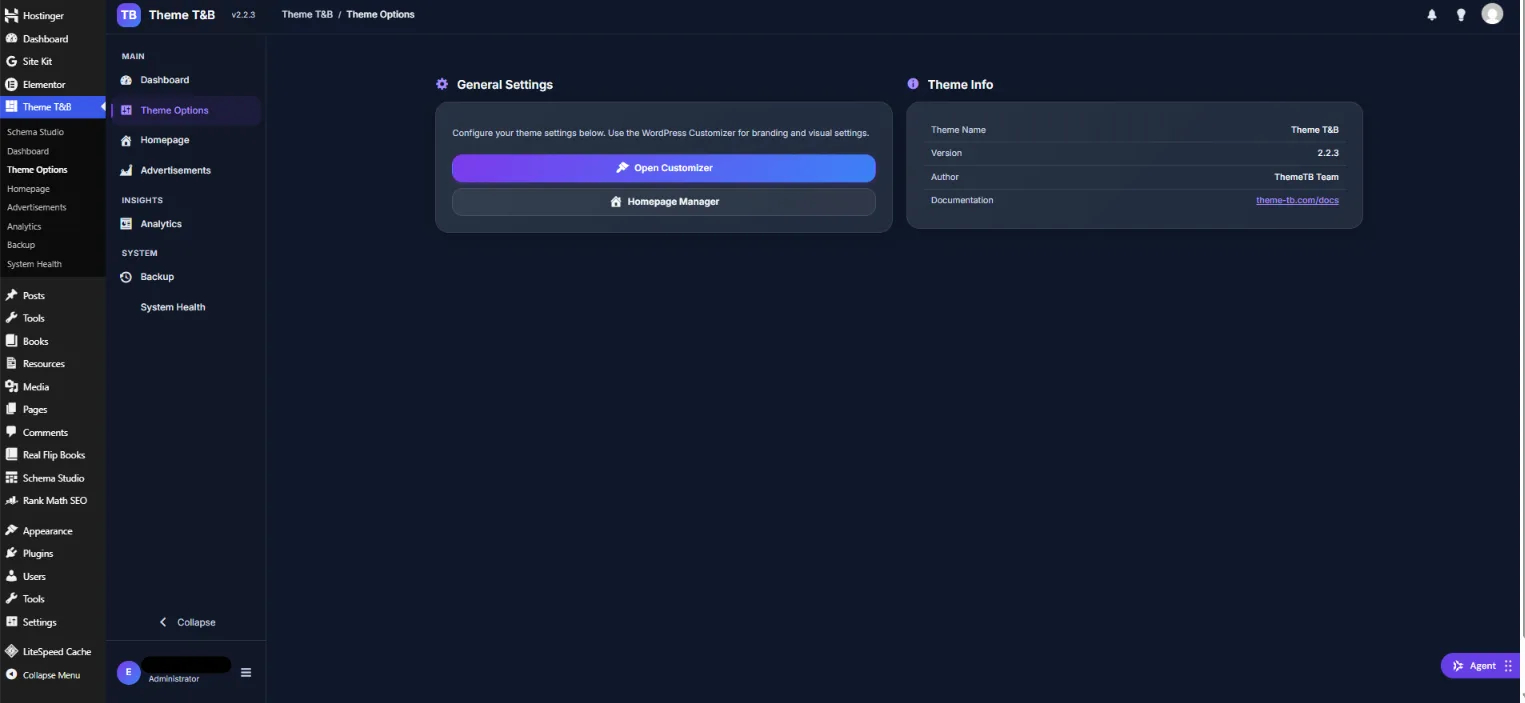
Yes. Branding and visual settings are handled through the WordPress Customizer, and the Theme Options screen links directly to both the Customizer and the Homepage Manager. The theme’s design tokens are declared in a documented convention, so colour and typography changes are systematic rather than scattered.
Where to Read Next
This article closes a five-part cluster about structured data on a WordPress site. The flagship piece covers the cost and ownership case for a WordPress theme with schema markup. The education piece explains the 35 WordPress schema types and which 7 actually win rich results. The technical depth piece covers conditional schema markup and the 15 rules that stop wrong JSON output. The problem-solving piece covers the Rank Math and Yoast schema conflict.
If you want the primary sources rather than a summary, WordPress documents custom post types and classic theme structure, WooCommerce documents template structure and overrides, and the WordPress Theme Handbook explains the template hierarchy.
Word count: 2,646