
AI client research sounds like a shortcut: describe your ideal customer, wait, and receive a list. The reality is narrower and more useful. A model can read, summarise and draft faster than you can. It cannot know a fact that is not in front of it.
The short answer: ai client research works when the model is handed pages you fetched yourself and asked to judge them. It fails when it is asked to remember a market. Five uses hold up in practice: summarising a page, ranking a shortlist, drafting a first line, explaining a score, and turning notes into a record.
This guide covers those five uses, the retrieval problem underneath them, the checks that catch an invented detail, and the boundary around your own provider key. SOVEL CLIENT RADAR supplies the working example, because its AI layer is optional, off by default, and built to fail quietly rather than invent.
What is ai client research actually good at?
Reading and drafting. That is the whole answer, and it is enough to save hours a week. The engine finds pages under the rules described elsewhere on this site, and the model reads what was found.
The division of labour in ai client research matters because it decides where the risk sits. If the model is responsible for retrieval, every missing company becomes a plausible invention. If the engine is responsible for retrieval and the model only reads, a missing company is a blank row with a note.
Teams that get value from ai client research keep that split, and the split is the difference between a research engine and a chatbot asked to find leads. They use the model as a reader with a narrow brief, and they keep the search, the fetch and the record in software that can be audited.

Why is retrieval the hard part of ai client research?
A language model does not know your market. It knows patterns in text, and a question about a company it has never seen produces an answer assembled from those patterns. The paragraphs will be fluent, the tone will be confident, and the address may belong to nobody.
That failure has a name in practice. Hallucinated contacts are the most expensive kind of error in this work, because they look exactly like real ones. A blank email field tells you to look elsewhere. A fabricated address tells you to send, and the bounce costs a domain reputation you spent months building.
Grounded prompts are the fix, and they work better than a bigger model. Hand the model the page text, ask a question the page can answer, and require it to say unknown when the page is silent.
What are the five honest uses of ai client research?
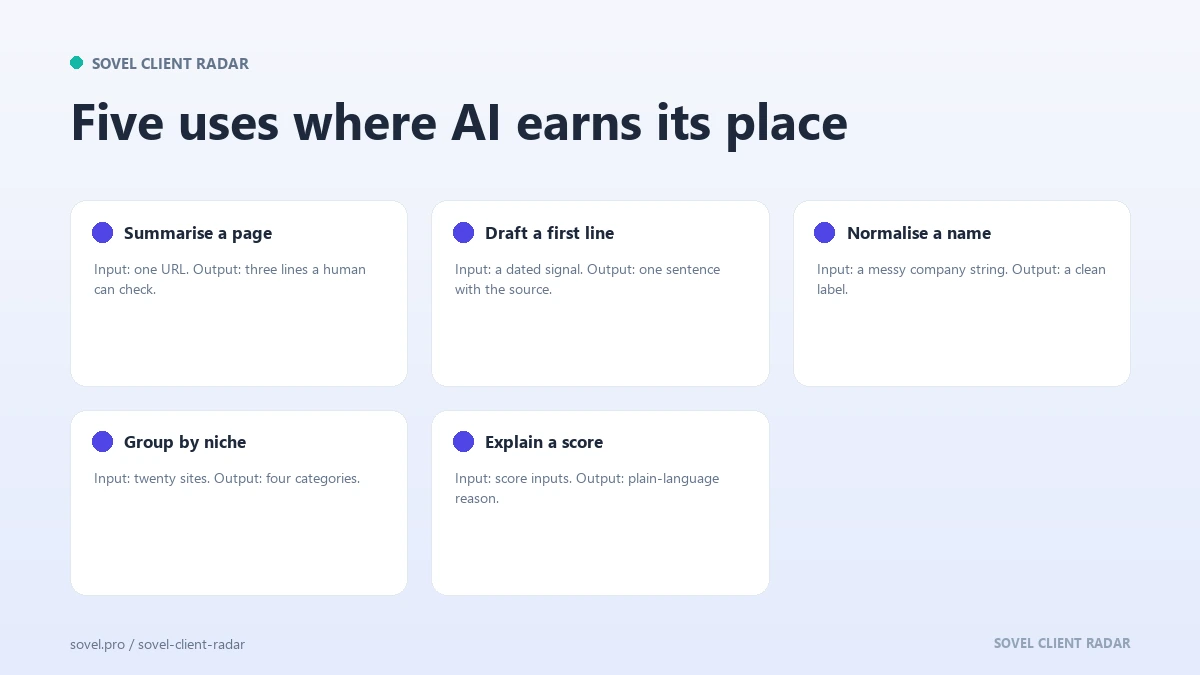
These five uses of ai client research survive contact with real work. Each one gives the model a bounded job and a source you can check.
- Summarising a page you already fetched. Paste the contact page and ask what the business sells, where it operates and which contact routes it publishes. The answer summarises text, and the source is in front of you.
- Ranking a shortlist against a written brief. Give the model your ideal customer profile and ten company summaries, and ask which three fit worst. Ranking is comparison, and comparison is what these models do well.
- Drafting a first line from one fact. Give it the specific fact you found, such as a blog that stopped in March or a vacancy on the careers page, and ask for one sentence that mentions it without flattery.
- Explaining a score in plain words. Hand over the four score components and ask for two sentences a client can read. The numbers come from the engine and the model translates them.
- Turning notes into a record. Ask the model to convert your rough notes into fixed fields: company, sector, size estimate, signal, next step. Structure is a safe job for a model.
None of those five needs a specialist tool. A chat window and a page you fetched will do, which is why ai client research is easier to start than to control.
Nothing on that list asks ai client research to find a company. That job belongs to the discovery step, which is covered in the guide to a client discovery engine.
Does ai client research replace a researcher?
No, and the honest version of the answer is more useful than a yes. A researcher earns their place through judgement: which company deserves a month of attention, which contact route is realistic, which signal is noise. A model has no access to the relationship, the history or the market gossip.
What ai client research replaces is reading time. The twenty minutes spent opening six contact pages, noting what each company sells and copying a phone number becomes two minutes of checking output. That is a real gain across a week, and it is smaller than the sales pages suggest.
The pattern that works is a researcher with a faster desk. The person still chooses the niche, sets the disqualifiers and decides who gets an email. The model reads the pages that decision produced.
Where does ai client research go wrong?
The failures in ai client research are predictable, which is good news. A model invents when it is asked for something it cannot see, and it overstates when it is asked to be persuasive.
The first failure is a contact. Ask for the email of a named person at a company and you may receive a pattern: first name, dot, last name, domain. It looks right because most of the time it is right, and the times it is wrong are expensive.
The second failure is a quote. A model asked to support a claim will produce a sentence that sounds like the company wrote it. If that sentence is not on the page, the email you send is a small fabrication with your name on it.
The third failure is tone. A draft that reads like a brochure is easy to spot and hard to answer. The model learned from marketing copy, so marketing copy is what it produces unless you ask for something narrower. Google’s guidance on creating helpful content makes the same point about pages written to satisfy a system rather than a reader. An email is not a web page, and the test is identical: would a person finish reading this if they owed you nothing?
How do you check a quote against the page?
Quotes are the cheapest check in ai client research. A quote is either on the page or it is not, and checking takes seconds.
The engine runs that check automatically. Every quoted phrase the model produces is compared with the page text, anything that cannot be matched is removed, and the run notes record how many were dropped. The draft that reaches you contains only words the site actually published.
Do the same check by hand when you run ai client research in a chat window. Open the page, search for the phrase, and read the sentence around it. A quote that survives a search is evidence. A quote that survives only your memory is a risk.
That habit is the same one behind the method for verifying AI generated content, which applies to articles as much as to prospect notes.
What should you do when the model and the data disagree?
Trust the data, every time. A model that says a company is growing has read a sentence somewhere, and the sentence may be three years old. The page in front of you is the evidence.
Keep the disagreement in the record. If the model describes a service the site no longer lists, that is worth writing down, because the next person will meet the same page. It is also a hint that the site changed recently, which is a buying signal in its own right.
This is where hallucinated contacts do the most damage. A disagreement about strategy is cheap to resolve. A disagreement about whether an email exists is resolved by a bounce, and a bounce is the error the other side sees.
Who owns the key in ai client research?
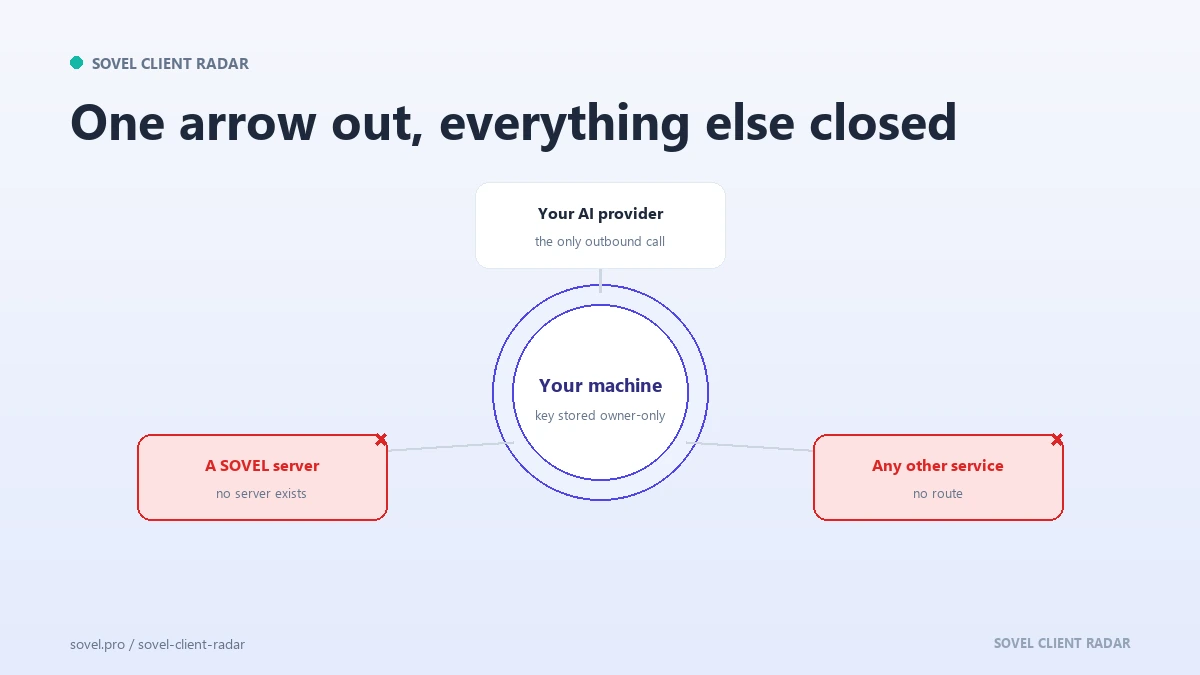
You do. The ai client research layer ships switched off, with no key inside the installer and no login screen anywhere. A run behaves exactly as it always has until you add a key yourself.
Adding one is a local action. The command scf setup ai --provider <name> stores the base URL and key in config/ai.local.yaml with owner-only permissions, and the interface shows the key as a hash rather than the value. The request goes to the provider you chose and to no other host.
You can check the state at any time with scf ai status, send one test request with scf ai status --test, and switch the whole layer off with scf ai off. The provider bills you directly, and the licence price does not include those calls.
What does a first run with the AI layer look like?
Start without it. Run the doctor command, run a dry run to see the queries and sources, then run one topic and read the report. The AI layer is off, so the output is the report the engine always produces, with scores, contacts and signals.
Then add your key with scf setup ai --provider <name>, check the state with scf ai status, and send one test request with scf ai status --test. The test exists so a wrong base URL fails on a single call instead of halfway through a paid run.
Now run the same topic again. Each lead gains one second opinion: a verdict, the problems the model noticed, a pitch angle and a first email draft. The run notes record how many quoted phrases were dropped because they were not on the page.
Compare the two runs. If the second opinion adds nothing on your niche, switch it off with scf ai off and keep the faster run. An ai client research layer that does not earn its calls is a cost with a nice interface.
Write the comparison down before you decide. Two runs a month apart are easy to confuse, and the notes are what make the switch a decision rather than a habit.
What should a human review catch?
Three things, and they take about a minute per lead. Does the fact exist on the page? Is the sentence in your voice? Would you defend it if the client quoted it back to you?
Human review in ai client research is not a formality, because the model cannot see the relationship. It does not know that the company is your former employer, that the contact is a friend of a client, or that the sector is having a bad year. Those facts change the sentence even when the underlying data is right.
The review step also protects the model from you. A draft that reads well invites a quick send, and a quick send is where a wrong company name survives three proofreads because the reader already believes it. Keep a note of what you changed. The edits show where the model drifts on your market, and after a month the pattern is obvious.
What should ai client research never automate?
Sending. Pricing. Promises about results. The decision to disqualify a company. Anything that commits your business to a number.
The line is simple to state: a model may prepare words, and a person makes commitments. A drafted email is a proposal. A sent email is a promise, and the person who sends it owns it.
There is a second item for that list, which is the record. A model can help you write a note, and the note should not become the only copy of a fact. Keep the source URL and the date in your own system, where a model cannot rewrite them.
What does a safe prompt look like?
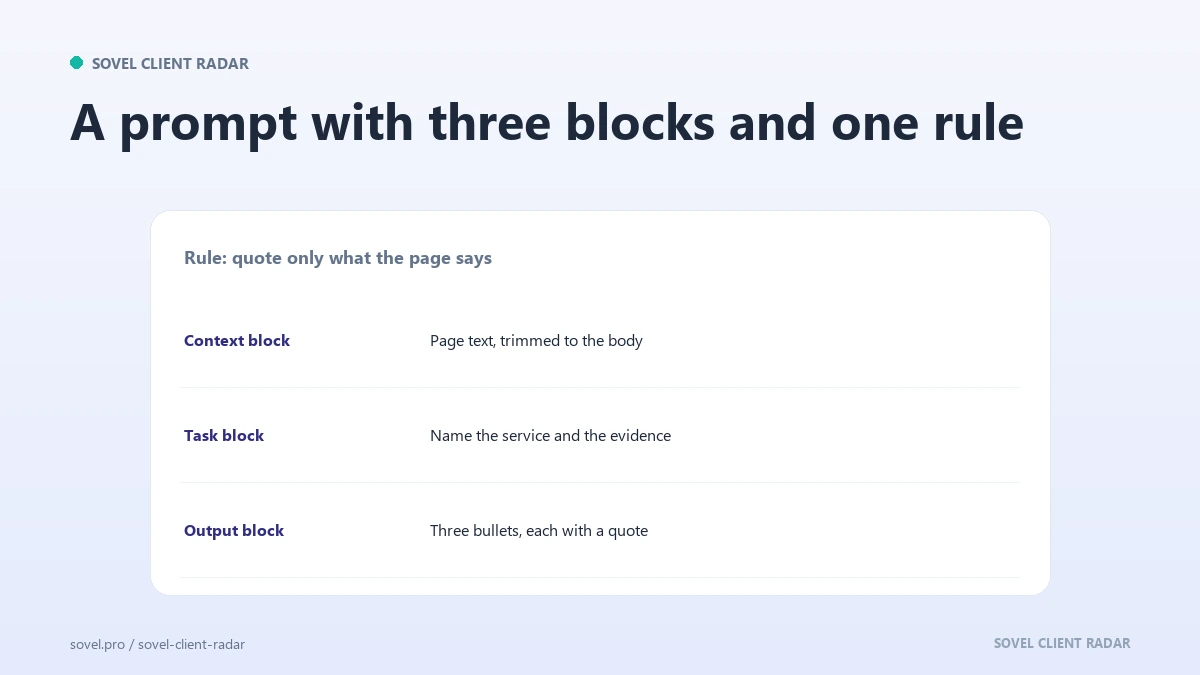
In ai client research, a safe prompt contains three parts: the text to read, the question to answer, and the shape of the answer. It also contains an escape hatch for missing information.
Here is a pattern that works for a first line:
You are reading the contact page of a company. Answer in three lines. Line one: what the company sells. Line two: one fact from the page that a stranger could check. Line three: the most useful sentence for a first email, or the word unknown if the page does not support one. Do not use any fact that is not in the text below.
Grounded prompts look like that. They name the source, they set a length, and they give the model a way to say nothing. A model that can say unknown is a model you can trust with a client’s name.
Test an ai client research prompt on a company you know well. If the output invents a service the company does not offer, the prompt is too loose. If it returns unknown for three companies in a row, the source text is too thin or the question is too broad.
How does ai client research compare with doing it by hand?
| Task | With a model | By hand | Better choice |
|---|---|---|---|
| Finding companies | Invents plausible names | Reads real pages | Engine or manual search |
| Reading a contact page | Fast and consistent | Slower, careful | Model, with the page attached |
| Ranking ten leads | Good at comparison | Slower but explainable | Model, then check the order |
| Writing a first line | Fluent, can drift | Specific, slower | Model draft plus edit |
| Checking a quote | Cannot be trusted to check itself | Search the page | Person or script |
| Sending the email | Not appropriate | Your decision | Person |
| Recording the source | Will reformat and lose detail | Tedious but exact | Engine |
The table has a pattern that holds outside this list. Models win where the input is text you already have and the output can be checked. People win where the input has to be found, or where the output is a commitment.
That is the honest answer to the question people ask most: can ai find clients with ai prospecting tools alone? They shorten the reading. They do not shorten the finding, and they cannot carry the judgement.
Which edition includes the AI layer?
The ai client research layer is part of every edition. It is optional, it is off until you add your own key, and the price of the provider’s calls sits outside the licence.
- Personal / Freelancer: one machine, up to 50 leads a run, ₹5,999.
- Pro / Small Business: one machine, up to 200 leads a run, ₹12,999.
- Agency / Enterprise: five machines, up to 500 leads a run, ₹39,999.
Each one is a lifetime licence, there is no daily or monthly cap on runs, and none of them ships a provider key or a login.
The SOVEL Client Radar product page sets out the inclusions for all three editions. Before you write to anyone, the guide to qualifying a prospect covers the questions that decide whether the draft is worth sending.
FAQ
Can AI find clients on its own?
No. A model can suggest types of company and describe a market, and it cannot tell you which businesses exist on a street this week. Use ai prospecting tools for reading and ranking, and use a discovery step that reads real pages for finding.
Will AI invent an email address?
It can, and that is the most common failure. A model fills a missing address with the pattern it has seen most often, which is first name, dot, last name, domain. A hallucinated contact costs a send, a bounce and some of your sender reputation.
Do I need a key to use the AI layer?
Yes, and it is your own key. The engine ships none and never asks for a login. You add a base URL and a key on your machine, the key sits in a local file only you can read, and the interface shows a hash instead of the value.
Which providers work?
Any provider that accepts the same request shape will work, because the setup asks for a base URL and a key rather than a fixed list. Check the provider’s own documentation for model names and limits. Prices belong to the provider and can change.
Is my data sent anywhere?
Only if you switch the AI layer on. The request carries the page text and your prompt to the provider you configured, and the key never enters a report, a note or the shared cache. Reports and the database stay on your machine.
How do I check a quote the model gave me?
Search the page for the exact phrase. If the words are there, keep the quote and note the URL. If they are not, delete the sentence and rewrite it from something the page does support.
Can AI write the whole email?
It can write a draft, and the draft is where its weaknesses show. Send a model email without an edit and you send its habits: three adjectives, a compliment nobody earned, a promise about results. Keep the draft, replace the flattery with a fact.