
The best AI coding agents 2026 has to offer are not interchangeable. Claude Code fits a terminal-first developer who wants deep repo work. GitHub Copilot fits a team already inside VS Code and GitHub. Cursor fits someone who wants an IDE with the agent built in. The right choice depends on where the work happens and how much control you need over each edit.
The selection criteria fit the workflow this guide assumes: a small codebase, a test suite, a git history, and a habit of reviewing every diff. The ranking below is about fit, not raw benchmark scores. A tool that wins a leaderboard can still be the wrong purchase if it does not match your review process.
This guide covers nine agents, the trade-offs that matter, and the prices verified in October 2026. Prices change. Check the vendor page before you buy.
How this comparison works
I scored each tool on six questions using public documentation and published pricing: where the work happens, what task scope it handles, which models it can use, how much oversight it gives you, what it costs, and whether a team can manage it. Those six questions explain more about daily use than a context-window number.
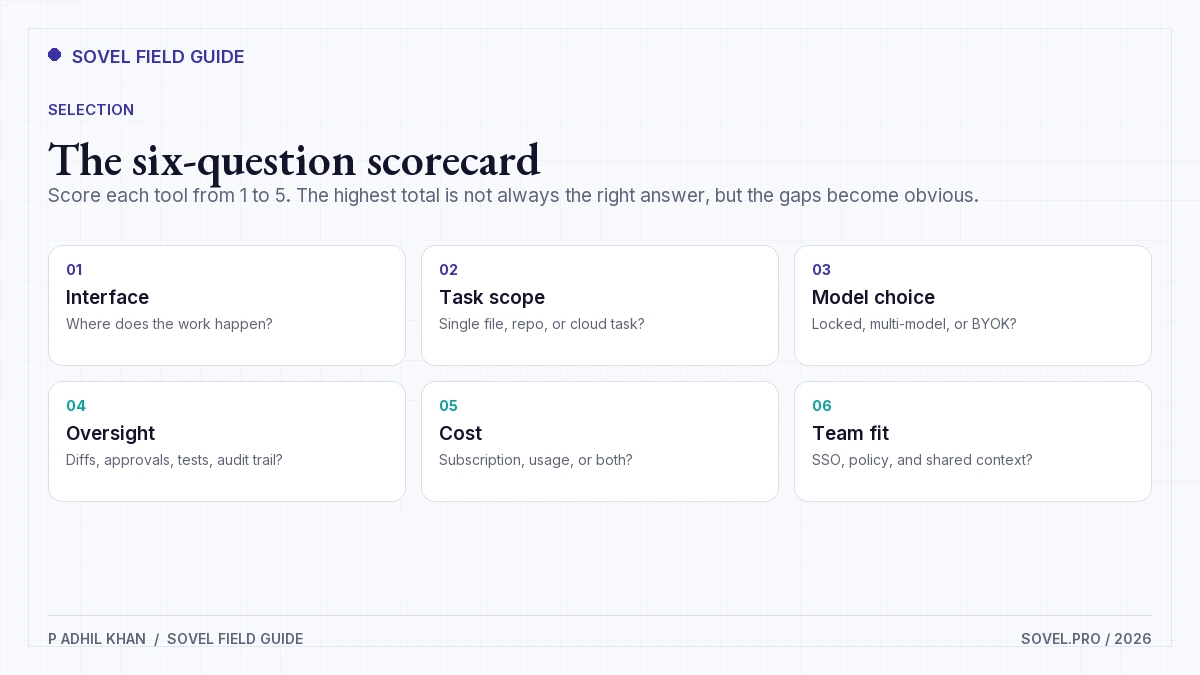
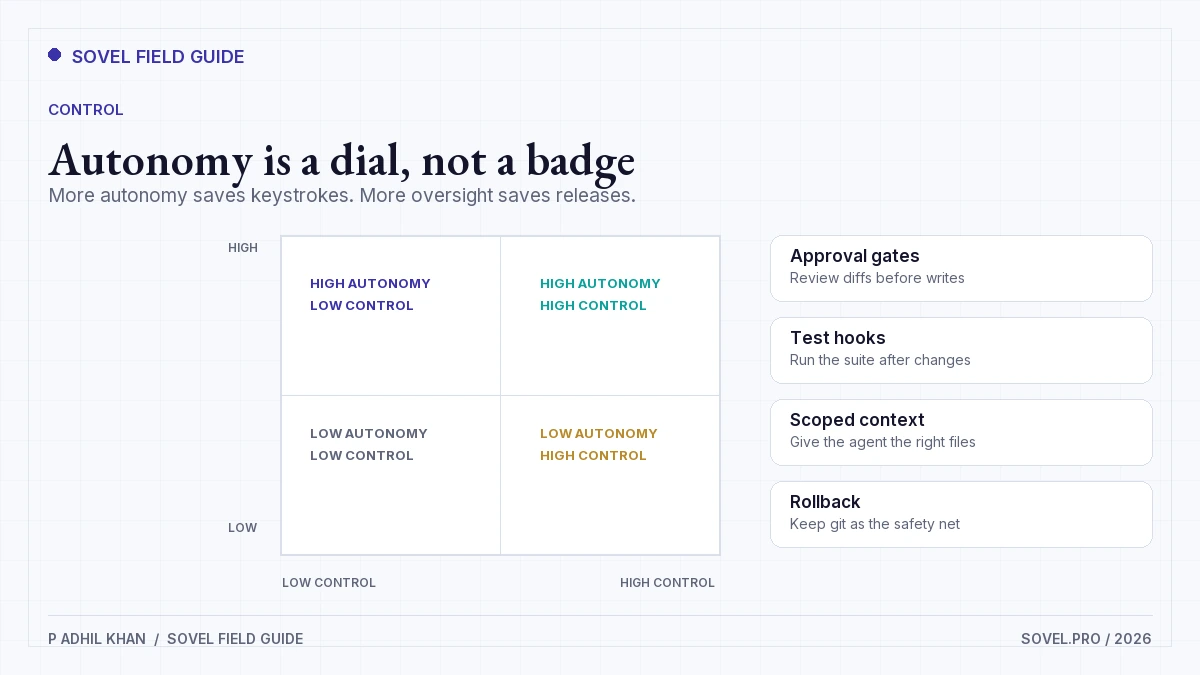
The best AI coding agents 2026 buyers can shortlist should pass three basic tests. First, the agent must show you a diff before it changes files. Second, it must run or respect your tests. Third, it must give you a way to stop, undo, or review the work. Without those, autonomy becomes cleanup.
I excluded tools that are only autocomplete. I also excluded general chatbots with a code block. An agent plans, edits multiple files, runs commands, and reacts to the result. That definition matters because vendors use the word agent for very different products.
Quick comparison
The table below is the short version. The profiles explain the trade-offs.
| Tool | Interface | Best for | Starting price, October 2026 | Oversight |
|---|---|---|---|---|
| Claude Code | Terminal, IDE, desktop, browser | Deep repo work and long tasks | Claude plan or Console usage | Diffs, approvals, command logs |
| GitHub Copilot | IDE, GitHub, coding agent | Teams in the GitHub ecosystem | Free; Pro $10/mo | Inline review, PR flow, policy controls |
| OpenAI Codex | Cloud, CLI, IDE | Parallel tasks and pull requests | Paid ChatGPT plan or API | Sandbox, diff, PR review |
| Cursor | AI-first IDE | Multi-file edits with a visual editor | Free; Plus $8/mo | Diff review, checkpoints, rules |
| Windsurf | Agentic IDE | Editor-led agent work | Free tier; paid plans | Diff review, approvals |
| Cline | VS Code extension | Bring-your-own-key control | Free extension; model usage | Plan and act modes, approvals |
| Continue | IDE extension and CLI | Configurable models and local use | Free; model usage | Edits, rules, local models |
| Aider | Terminal | Git-native pair programming | Free; model usage | Git commits, diff review |
| Replit Agent | Browser | Building and shipping a full app | Free tier; paid plans | Preview, checkpoints, hosted deploy |
The price column is deliberately blunt. Four of these tools are free to install and charge you through a model provider. That distinction changes the budget conversation. A $20 subscription is easy to approve. A $200 API bill after a weekend of agent loops needs a policy.
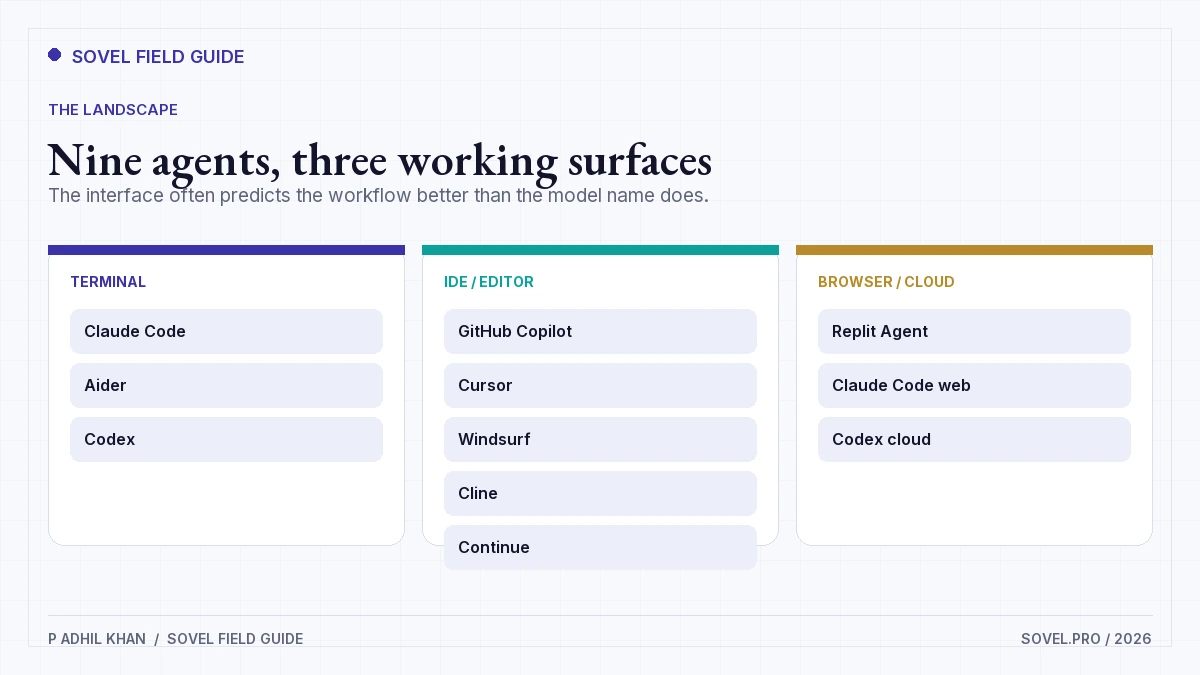
The best AI coding agents 2026: nine profiles
Each profile answers the same question: when does this tool earn a place in your workflow?
Claude Code
Claude Code tops the Best AI Coding Agents 2026 list for terminal-first work. It also runs in an IDE, the desktop app, and the browser. It reads a repository, plans a change, edits files, runs commands, and works through failures. The strength is long, multi-step work: a refactor, a migration, a test suite that needs several passes.
It fits developers who are comfortable in a shell and want the agent close to the repo. It is less comfortable for someone who wants a graphical diff at every step. Most surfaces need a Claude subscription or an Anthropic Console account, so check the Claude Code overview for the current access rules. The watch-out is cost and scope. A long agent loop can consume a lot of usage if you do not set a budget.
GitHub Copilot
GitHub Copilot tops the Best AI Coding Agents 2026 list for teams already in VS Code, JetBrains, or GitHub. It covers inline completion, chat, and a coding agent that can take an issue and return a pull request. The enterprise controls are the reason many teams pick it: seat management, policy, and audit live where the code already lives.
Plans as of October 2026: Free, Pro at $10 per month, Pro+ at $39 per month, Max at $100 per month, Business at $19 per seat per month, and Enterprise at $39 per seat per month. GitHub lists the current limits on its Copilot plans page. The watch-out is inconsistency across surfaces. The agent in GitHub is not the same experience as inline completion in your editor.
OpenAI Codex
Codex is OpenAI’s coding agent for cloud tasks, with CLI and IDE surfaces. You give it a task, it works in a sandbox, and it returns a diff or a pull request for review. The parallel-task model is the useful part: you can hand off three small fixes and review them later.
It fits teams that already pay for ChatGPT and want agent work without leaving the OpenAI account. API usage is billed separately, so the effective cost depends on how much you delegate. The watch-out is task framing. A vague issue produces a vague diff, and reviewing three parallel diffs takes real time.
Cursor
Cursor tops the Best AI Coding Agents 2026 list for a visual, AI-first editor. It combines tab completion, chat, and an agent that edits across files. The visual diff and checkpoint flow make it easy to inspect changes before they land.
Plans as of October 2026: Free, Plus at $8 per month, Premium at $30 per month, Super at $100 per month, and Ultra at $200 per month. The watch-out is that a familiar editor can hide how much the agent is doing. Turn on the diff review and keep the checkpoint habit. Cursor is a strong fit for a developer who wants one window for editing, review, and agent work.
Windsurf
Windsurf is an agentic IDE with a chat-driven workflow and a focus on multi-file changes. It sits between a classic editor and a fully autonomous cloud agent. The interface is approachable for developers who want to see the plan and the diff without living in a terminal.
It has a free tier and paid plans, and the limits change often. Check the current pricing before you standardize a team on it. The watch-out is model and feature churn. A workflow built around one vendor’s agent mode can break when the product changes. Keep your prompts and rules in the repo so you can move.
Cline
Cline tops the Best AI Coding Agents 2026 list for bring-your-own-key control. It is an open-source VS Code extension that uses your own model API keys. It has a plan-and-act loop, file editing, terminal commands, and support for model context protocol tools. The appeal is control: you choose the model, you see the cost, and you can inspect the extension’s behavior.
It fits developers who already have API access and want to avoid another subscription. The watch-out is setup and cost visibility. A bring-your-own-key agent can run up a bill quickly if you leave it in a loop. Set a spending limit at the provider before you start.
Continue
Continue is an open-source extension and CLI for custom AI coding workflows. You configure models, rules, and context sources, including local models. It is the most flexible option in this list, and that flexibility is also the cost.
It fits a developer or platform team that wants one assistant across multiple models and a private setup. It is not the fastest path for a solo builder who wants a polished agent out of the box. The watch-out is configuration drift. Two developers with different config files can get very different results from the same repository.
Aider
Aider is a terminal pair programmer with git at the center. It maps the repo, proposes edits, and commits changes so you can review or revert them. It works with many model providers and keeps the workflow close to the command line.
It fits developers who already use git for every change and want an agent that respects that habit. The watch-out is the interface. There is no visual editor, and a new user can feel lost in the first session. Start with a small task and a clean working tree.
Replit Agent
Replit Agent is a browser-based agent that builds and deploys applications inside Replit. It is the least traditional developer tool in this list, and that is the point. You describe an app, the agent creates files, runs it, and helps you ship it.
It fits founders, designers, and non-programmers who need a working prototype and a hosted URL. It is a weaker fit for a team with an existing repo, a strict review process, and its own cloud. The watch-out is portability. A managed platform makes deployment easy and makes leaving harder.
Quick picks from the Best AI Coding Agents 2026 list
If you only need a starting point, use this shortlist. Each line answers one workflow question.
- Best AI coding agents 2026 has to offer for terminal-first refactors: Claude Code.
- Best AI coding agents 2026 has to offer for GitHub teams: GitHub Copilot.
- Best AI coding agents 2026 has to offer for parallel cloud tasks: OpenAI Codex.
- Best AI coding agents 2026 has to offer for a visual agent IDE: Cursor.
- Best AI coding agents 2026 has to offer for editor-led agent work: Windsurf.
- Best AI coding agents 2026 has to offer for bring-your-own-key control: Cline.
- Best AI coding agents 2026 has to offer for configurable local models: Continue.
- Best AI coding agents 2026 has to offer for git-native pair programming: Aider.
- Best AI coding agents 2026 has to offer for a first app without code: Replit Agent.
- Best AI coding agents 2026 has to offer for a low-cost start: GitHub Copilot Free or Cursor Free.
Ten picks for nine tools is deliberate. Copilot and Cursor both have a free path and a paid agent path, so the cheap start and the serious workflow are different decisions.
Which agent fits which workflow
The best AI coding agents 2026 has to offer sort into four working styles. Pick the style first, then the product.
| Workflow | First choice | Second choice | Why |
|---|---|---|---|
| Solo developer, terminal, deep refactor | Claude Code | Aider | Long tasks and git-native review |
| Team already on GitHub and VS Code | GitHub Copilot | Cursor | Seat management and PR flow |
| Developer who wants a visual agent IDE | Cursor | Windsurf | Diff review and multi-file edits |
| Bring-your-own-key and local models | Cline | Continue | Model choice and inspectable setup |
| Non-programmer building a first app | Replit Agent | Windsurf | Hosted build and deploy |
| Parallel cloud tasks | OpenAI Codex | GitHub Copilot | Sandboxed diffs and PR review |
A solo developer should not buy an enterprise seat. A team should not standardize on a bring-your-own-key extension without a spending policy. A non-programmer should not start in a terminal because a blog post called it the best AI coding agent. Match the interface to the person who will use it every day. If you do not code yet, start with the free AI coding tools for non-programmers guide before you buy a seat.
What the tools really cost
The subscription is the visible cost. The real cost includes model usage, review time, and the cleanup from a bad diff. The AI coding API cost control guide covers usage caps and receipts in more detail.
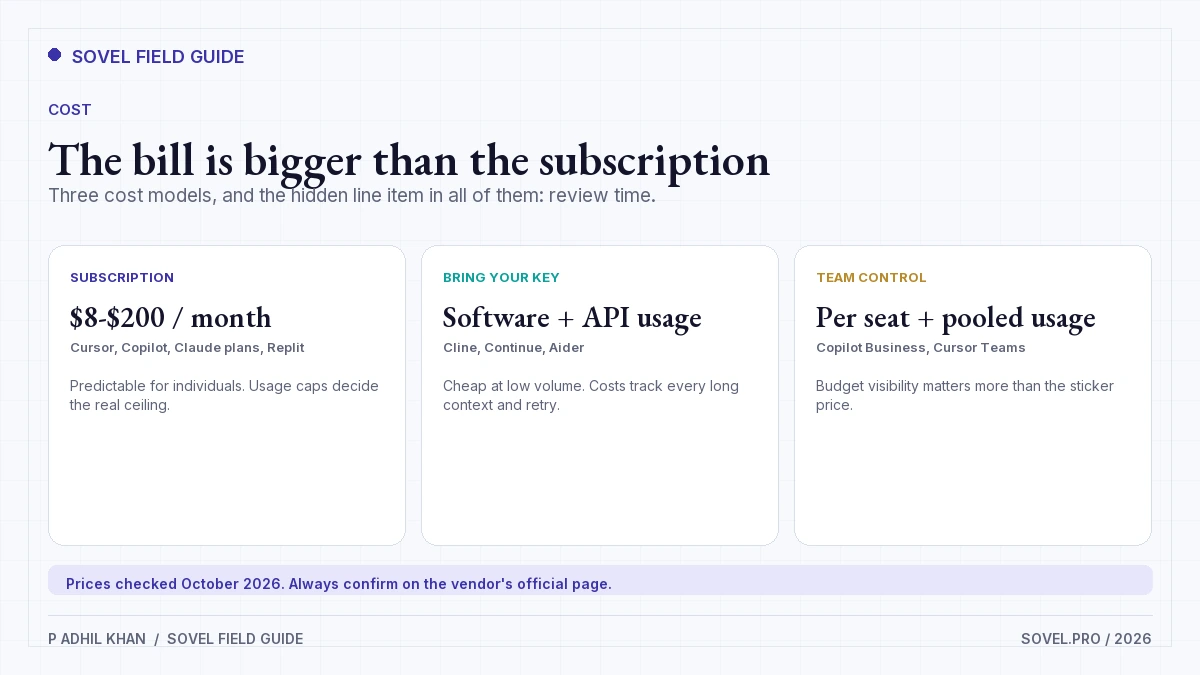
For individual developers, GitHub Copilot Pro at $10 per month and Cursor Plus at $8 per month are the low-friction entry points. Copilot Pro+ at $39 and Cursor Premium at $30 add higher limits for heavier use. At the top end, Copilot Max at $100 and Cursor Ultra at $200 are for people who hit the lower tiers regularly.
For teams, Copilot Business at $19 per seat and Enterprise at $39 per seat bundle policy and management. That can be cheaper than a bring-your-own-key setup once you count the time spent managing keys and budgets. It can also be more expensive than expected if only three of ten seats use the agent.
Claude Code, Cline, Continue, and Aider are different. You pay the model provider, either through a Claude plan, an API key, or a local model. That gives you control and makes costs variable. Set a monthly cap. Review the usage report after the first week. An agent that costs $4 a day is cheap. An agent that costs $40 a day needs a reason.
The cost nobody puts in the pricing table is review. A fast agent that produces 600-line diffs can consume more senior time than a slower agent that produces 80-line diffs. Measure review time per merged change, not lines generated.
What to ignore in 2026
The best AI coding agents 2026 has to offer are surrounded by claims that do not survive a real repository. Here is what I would ignore.
- Benchmark leaderboards without your task. A model that wins a coding benchmark may still be bad at your framework, your tests, and your legacy code. Run a small task from your own backlog.
- Autonomy claims. Every vendor says its agent can work alone. Ask what it does when a test fails, a dependency is missing, or the task is ambiguous. The recovery behavior matters more than the first draft.
- Context-window numbers. A large window does not mean the agent uses it well. Watch whether it finds the right files and whether it forgets a decision from 20 minutes ago.
- Lines of code generated. Volume is not progress. A 500-line diff that needs a rewrite is worse than a 40-line fix that passes review.
- Price per seat without usage. A cheap seat with expensive model calls is not cheap. A free extension with a $300 API bill is not free.
- Claims that the tool replaces an engineer. It does not. It changes the shape of the work: more planning, more review, and more small diffs.
One more thing to ignore: the idea that you need one agent for everything. Many teams use one tool for inline completion, another for cloud tasks, and a third for review. That is fine if the handoffs are clear. It is a problem when three agents edit the same branch without a review rule.
A 30-day adoption plan
Do not roll out an agent to a team on the day you buy it. Run a small trial.
| Week | Work | Decision |
|---|---|---|
| 1 | Pick one repo and one task type | A baseline for review time and test pass rate |
| 2 | Try two agents on the same task | Which interface fits the team |
| 3 | Add rules, tests, and a spending cap | What the agent is allowed to touch |
| 4 | Review diffs and cost | Keep one tool, keep both, or stop |
The trial should answer one question: does the agent reduce the time from issue to reviewed merge? The best AI coding agents 2026 can look fast in a demo and slow in a real repository. Measure the full loop, including the time you spend reading the diff.
Keep the rules in the repository, not in a chat thread. A short file that names the test command, the files the agent may touch, and the review steps is easier to follow than a long prompt. The best AI coding agents 2026 respect a clear boundary more than a clever instruction.
The best AI coding agents 2026 can shorten a task, but they cannot shorten the review. Budget for the review or the trial will flatter the tool.
If you want the process that works with any of these tools, read the AI coding workflow. It covers task framing, checkpoints, and review. For the review side, the AI code review best practices guide is the next read. For a product workflow that applies these checks, see the SOVEL Copilot Engine.
FAQ
What are the best AI coding agents in 2026?
The best AI coding agents 2026 buyers should shortlist are Claude Code for terminal-first repo work, GitHub Copilot for GitHub teams, Cursor for a visual agent IDE, and Cline or Continue for bring-your-own-key setups. The right pick depends on interface, oversight, and budget.
Is Claude Code better than GitHub Copilot?
They fit different workflows. Both appear on the best AI coding agents 2026 shortlist for different reasons. Claude Code is stronger for long, multi-step repo tasks in a terminal. GitHub Copilot is stronger for teams that want inline help, pull request flow, and seat management inside GitHub. Many developers use both.
Can I use these agents for free?
Yes, with limits. Several of the best AI coding agents 2026 have free plans. GitHub Copilot has a free plan, Cursor has a free tier, Windsurf and Replit have free tiers, and Cline, Continue, and Aider are free to install. You still pay for model usage unless you run a local model. Check the current limits before you depend on a free tier.
Do AI coding agents replace developers?
No. The best AI coding agents 2026 do not replace developers. They change the work. An agent can draft code, run tests, and propose a diff. A developer still sets the task, reviews the change, owns the architecture, and handles the cases the agent did not understand.
Which agent is best for a non-programmer?
For a non-programmer, the best AI coding agents 2026 shortlist starts with Replit Agent because it builds and hosts the app in a browser. Windsurf is a reasonable next step if you want more control. A terminal agent is the wrong first tool for someone who does not use a terminal.
How much do the best AI coding agents 2026 cost?
Individual plans range from free to about $200 per month, with GitHub Copilot Pro at $10 and Cursor Plus at $8 as common entry points. Bring-your-own-key tools add model usage on top. Team plans are priced per seat. Confirm current pricing before you buy.
Are these agents safe for a private codebase?
That depends on where the model runs and what the vendor retains. The best AI coding agents 2026 can be safe for private code if you choose the right hosting model. Local models and bring-your-own-key tools give you more control. For a local setup, read the local AI agent workflow. Cloud agents send code to a provider. Read the data terms, check the retention settings, and follow your company policy before you connect a private repository.
What should I test before choosing an agent?
Give two agents the same real task: a bug with a failing test, a small refactor, and a change that touches three files. Measure test pass rate, diff size, review time, and cost. A tool that wins on your task is worth more than a tool that wins on a public benchmark.