
Local AI content generation is the answer to a question every consultant eventually asks: can I use AI to produce client deliverables without client material ever leaving my machine? The hosted tools say no by design, because their whole model moves your text to their servers. Local-first software says yes, and the difference is architectural rather than contractual. The short answer: local AI content generation keeps client work private when the entire loop runs on your machine, inputs and outputs stay as files you own, the pipeline labels its evidence, the client boundary is written into the workflow, and verification and purge happen on a schedule rather than on a promise.
The five ways of local AI content generation in this guide are ordered from architecture to habit, because privacy fails at both levels: a local tool used carelessly leaks, and a hosted tool wrapped in policies still moves the data. Each way is something you can implement this week, and the last section is honest about what local execution does not fix.
Why client work changes the privacy math
Personal projects and client projects live under different rules, and the difference is consent. When you paste your own notes into a hosted chatbot, you consent on your own behalf. When you paste a client’s onboarding process, a client’s sales data or a client’s unreleased plans into the same chat window, you are making a data-processing decision about somebody else’s material, and under the GDPR that decision needs a lawful basis, a purpose and a proportionate tool. Most consultancy agreements do not mention chatbots, which means most consultants are deciding silently on their clients’ behalf every time they paste.
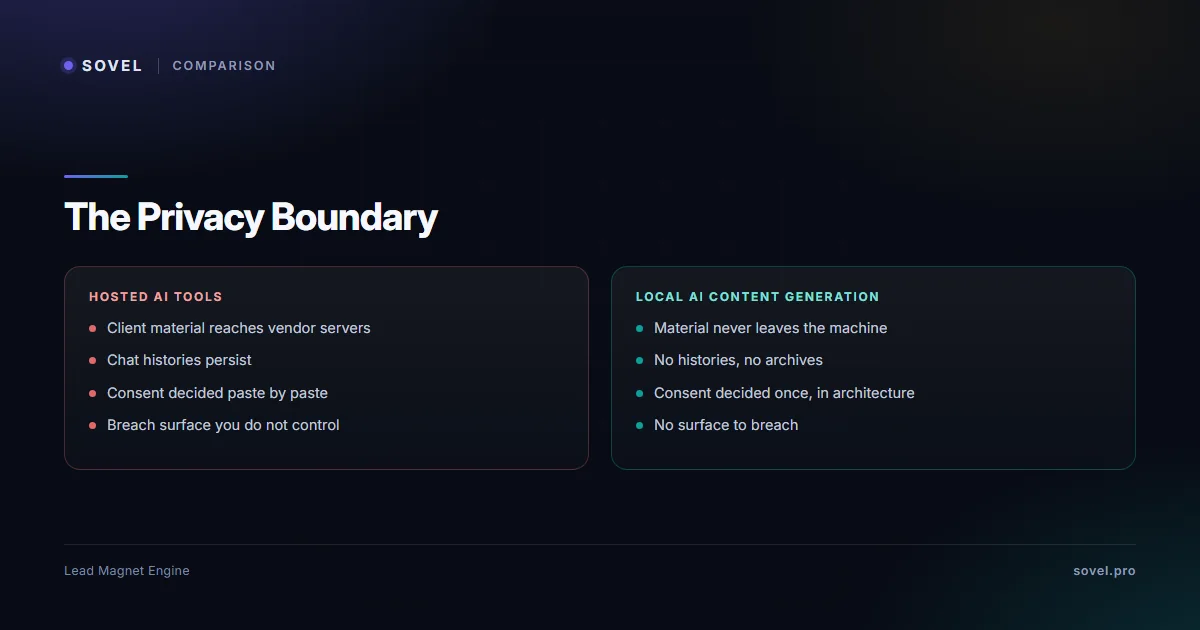
The practical risk is narrower than a headline breach and wider than nothing: client material in a hosted account persists in ways neither of you controls, in chat histories, training pipelines, vendor archives and account backups that survive the project and the contract. A local AI content generation approach removes the surface rather than managing it: if the material never leaves the machine, there is no history to request, no retention policy to trust and no breach notice to dread. That is why client confidentiality is the moment privacy stops being a preference and becomes a requirement of the work. The consent question does not disappear with a local route; it shrinks to something a consultant can actually answer, because the only party processing the data is the consultant the client already hired.
What local AI content generation actually means
Local AI content generation means every step of the work runs on hardware you own: the briefing, the drafting, the checking and the export, with no account, no cloud call and no vendor retention in the middle. It is a property of the software’s architecture, and it is testable rather than trustable: run the pipeline with your network disconnected and see whether it still works. Tools that need a cloud round-trip fail that test immediately; tools built local-first pass it, and that single test tells you more than any privacy policy page.
The local-first software pattern has one practical consequence people underestimate: the vendor has no server to run, so the vendor has no reason to hold your material, and the whole data-processing relationship shrinks to software you installed. There is no subprocessor list to read, no data-residency clause to negotiate and no deletion request to chase, because there is no remote copy. The guide on lead magnet generator software shows which tools in the category pass the disconnection test; in the comparison field it was exactly one. That is the quiet promise of local AI content generation: fewer relationships to audit, rather than tighter rules to trust.
| Dimension | Hosted tools | Local pipeline |
|---|---|---|
| Where material lives | Vendor servers, chat histories, backups | Your machine only |
| Consent posture | Decided silently, paste by paste | Decided once, in architecture |
| Deliverables | Records inside a web app | Files in a run folder you own |
| Evidence of provenance | Rarely recorded | Evidence ledger per run |
| Exit cost | Assets stop when billing stops | Nothing recurring to exit |

Way 1: run the whole pipeline on your own machine
The first way of local AI content generation is the architectural one, and it starts with choosing software that runs entirely on-device. The realistic path for a consultant is a production engine that installs locally, reads local rulebooks and writes local files: the SOVEL LEAD MAGNET ENGINE product page documents one that needs only a standard Python installation and nothing else, with no API key for its standard pipeline. Setup is deliberately unglamorous: unzip the edition archive into a folder you own, run the doctor command and confirm it reports zero failures, then run a test brief with the network disconnected and confirm the full run completes to export. Ten minutes from download to a private production environment.
The machine itself needs nothing exotic, which is part of the appeal: no GPU, no cloud account, no per-seat infrastructure, just the laptop already holding the client work. That matters for the way this article opened: the consultant’s machine is already inside the client’s trust boundary, so software that runs there inherits that boundary instead of negotiating a new one. The boring version of the story is the correct one: local AI content generation on ordinary hardware, in a folder the consultant already controls, producing files the consultant already backs up.
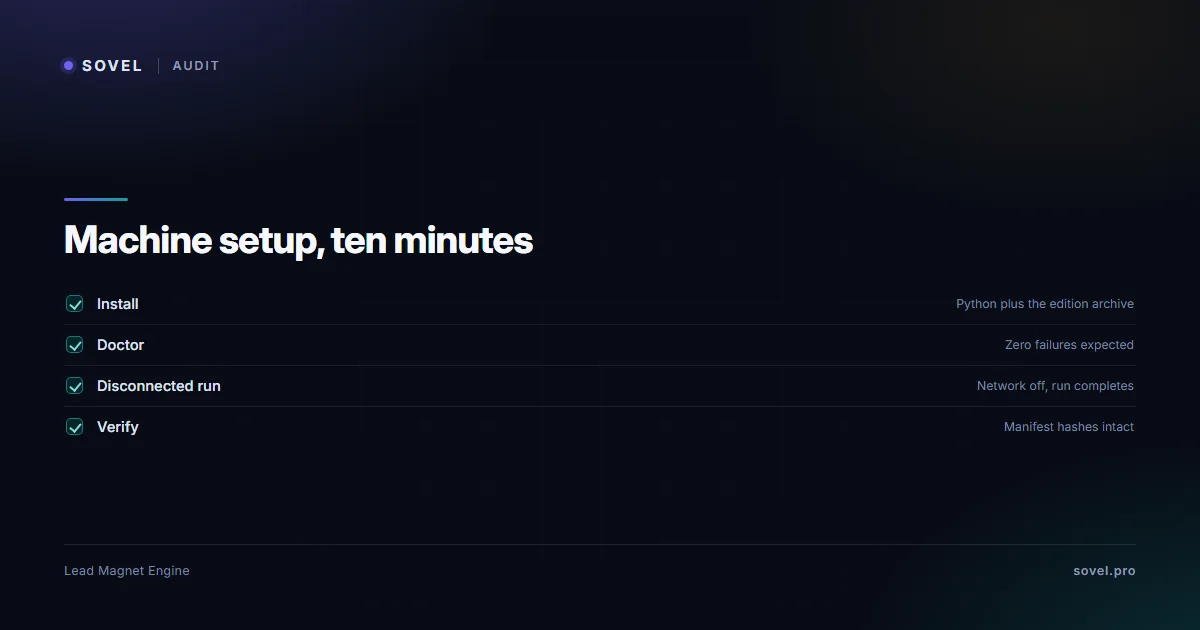
The disconnection test deserves to be a standing habit of local AI content generation rather than a one-time check, because software updates can quietly add remote calls. Re-run it after every update: brief the engine, unplug the network, run to export. If the run completes, the local claim is still true; if it stalls waiting for a server, the architecture has changed and the tool needs re-evaluating. Five minutes per update buys the right to keep telling clients that the material never leaves your machine, and that sentence is worth five minutes.
Way 2: keep inputs and outputs as files you own
The second way of local AI content generation is about persistence: client material should exist as files in folders you control, and deliverables should land as files rather than as records inside someone’s web app. This is where local AI content generation differs from hosted tools most visibly. A hosted editor keeps the draft inside its platform, tied to an account and a subscription; a local engine writes the brief, the draft, the evidence ledger and the run manifest into a run folder on your disk, and that folder is the deliverable. Copy it to the client’s shared drive, archive it to their retention policy, or delete it at contract end; the choice is yours because the file is yours. In practice the run folder becomes part of the project record: the same folder holds what the client approved, what was flagged for review and what the final deliverable looked like, which turns disputes about versions into lookups instead of arguments.
File ownership also protects the client relationship in a subtler way: deliverables that survive the vendor survive vendor changes, price changes and shutdowns. The consultant who can open a year-old run folder and hand the client every artifact, including the record of how the draft was produced, is the consultant whose process audits cleanly. Local AI content generation makes that possible by default, because files were the output model all along; hosted platforms make it possible only while the account and the plan stay alive. That is the ownership gap the local route closes: the artifacts outlive every vendor decision, because they were never the vendor’s to begin with.
Way 3: make the pipeline show its evidence
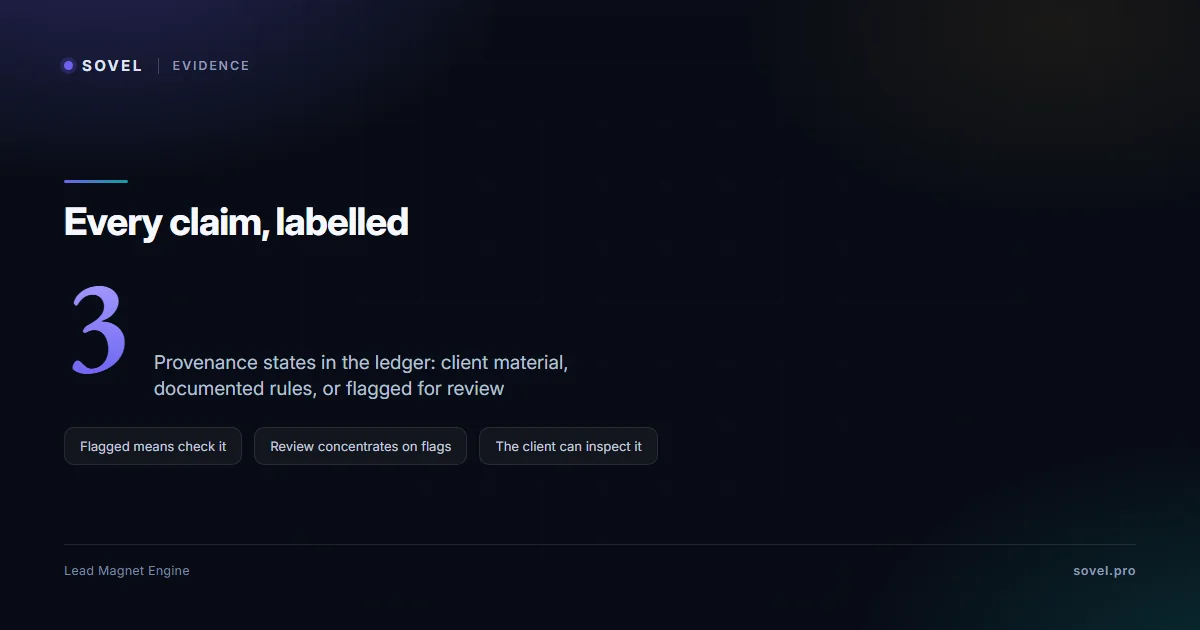
Privacy has a content dimension that gets missed: a draft produced from client material contains claims, and a consultant delivering those claims should be able to say where each one came from. This is where local AI content generation with evidence labels earns its keep. In a governed run, the evidence ledger records the provenance of every section: rules from the bundled playbooks, material drawn from the client’s own brief, or content flagged as unverified for human review. The consultant reads the ledger before sending anything, and the flagged sections are exactly the ones to check or rewrite.
The evidence layer converts the review conversation with the client from a vague assurance into a checkable record. “Every factual claim in this draft traces to your material or to documented rules, and the ledger shows which is which” is a sentence a client can verify in a run folder. Local AI content generation with evidence labels therefore protects two things at once: the client’s material stays on the machine, and the client’s trust gets something concrete to stand on. A pipeline that keeps data private but produces unverifiable claims has solved half the problem, and it is the half the client notices less.
Way 4: write the client boundary into the workflow
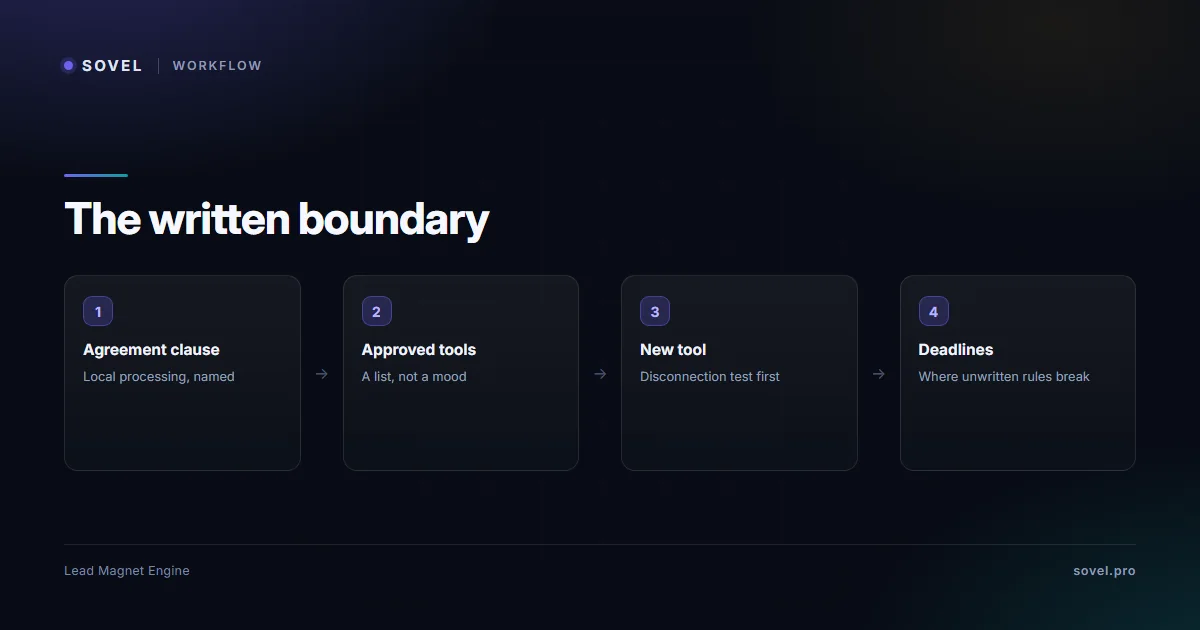
The fourth way is contractual and procedural: the privacy decision should be written down in two places, the client agreement and the daily workflow. In the agreement, one clause does most of the work: client material is processed exclusively on the consultant’s own machines using offline-capable software, and no client material is transmitted to third-party services without written consent. That clause is easy to honor with a local pipeline and impossible to honor reliably with hosted tools, which is precisely what makes it a genuine commitment rather than boilerplate. It is also what turns local AI content generation from a technical fact into a contractual one: the client can read it, rely on it and audit against it.
In the workflow, the boundary becomes a rule about tools: a list of approved tools for client material, everything else excluded by default. The consultant plays guide shows how production is structured around such boundaries in practice, and the habit that makes the boundary real is boring: when a new tool appears, it joins the list only after the disconnection test and a data-flow check, not mid-project on a deadline. Client confidentiality survives on routine, not on intention, and the consultants who have never had the awkward conversation are usually the ones with the list. The conversation itself is worth scripting once: what software touches their material, what never touches it, what record they can inspect, and who to ask. Four sentences, delivered before the work starts, prevent every after-the-fact explanation.
Way 5: verify and purge on a schedule
The fifth way of local AI content generation is the one most workflows skip: the machine itself needs hygiene. Two routines cover it. Verification: the run manifest records file hashes for the artifacts a run produced, and the engine’s verify command checks every file against those hashes, so a consultant can prove to a client that the deliverables in the folder are the ones the run produced, unchanged. Purging: completed projects get a cleanup pass, where run folders for finished contracts are archived or deleted according to the client’s retention expectations rather than left accumulating on the disk forever.
The purge routine matters because storage is where old privacy decisions come back to life. A run folder containing a client’s material from two contracts ago is a liability the moment a new client audits your process or an old contract’s terms resurface; the consultant who purges on schedule has a one-line answer, and the consultant who does not has an archaeology project. Two details make the purge routine defensible rather than destructive: archives of purged material go to encrypted storage, and the purge itself is logged, because a client who later asks “what happened to our material” deserves a dated answer. Local AI content generation concentrates data on your machine, which is the point, and concentrated data needs the same disciplines any concentrated asset needs: verified integrity and a deliberate end of life.

What local does not fix
Honesty requires the other half of the list, because local AI content generation solves data movement and nothing else. It does not make a draft accurate: unverified claims are still unverified claims, which is why the evidence layer and human review exist. It does not produce design: a locally generated document still needs branding or a template pass before it represents your practice visually. It does not deliver the asset: forms, email sequences and landing pages stay with your existing stack. And it does not make the machine itself secure: a laptop that is lost or shared without disk encryption undoes every architectural guarantee, which is why the boundary in way four includes the boring physical layer, not only the software one.
Local AI content generation is also a fit question, not a virtue signal. A marketer with no client material, running their own campaigns, is honestly served by hosted tools and should not pay a privacy premium for nothing. The five ways above are for the work where the material belongs to someone else, which is the situation where architecture, files, evidence, boundaries and hygiene stop being preferences and become the job. The architecture is one decision; the habits are what make it hold, and together they are what make the private claim deliverable to a client rather than merely true.
FAQ
What exactly is local AI content generation?
Content production where every step, briefing, drafting, checking and export, runs on hardware you own, with no cloud call in the loop. The test that defines it is disconnection: run the pipeline with the network off, and if it completes, it is local. The label matters because client material in a local pipeline never reaches a vendor’s servers, which removes the retention and consent questions that hosted tools create.
Is local AI content generation weaker than hosted tools?
It is differently strong. Hosted tools buy convenience and hosted infrastructure; local pipelines buy privacy, file ownership and repeatability. A local production engine drafts with full governance, quality gates and evidence records, and it lacks the drag-and-drop design layer and form hosting that hosted editors sell. For client work, where material movement is disqualifying, the local AI content generation trade is usually the right one; for personal marketing with no confidential input, hosted tools are a reasonable choice.
Do I need special hardware for local AI content generation?
Usually no. The practical definition of local here is software that runs on the machine you already own: the engine documented on this site needs a standard Python installation and runs on ordinary Windows or Linux hardware, with no GPU and no API key for its standard pipeline. Heavyweight on-device model hosting is a different, more demanding category; a governed drafting pipeline that ships its own rules is not, and that is the version most consultants actually need. If your practice already runs the machine you would install on, you already own everything local AI content generation requires, which is one more reason the switch is a Friday-afternoon task rather than an infrastructure project.
How do I prove to a client that nothing left my machine?
Three artifacts do the proving: the disconnection test run on the actual workflow, the evidence ledger that shows what each draft section was built from, and the run manifest whose verify command confirms file integrity. Together they turn “we keep your data private” from an assurance into a checkable record the client can inspect in the run folder. The agreement clause in way four is what makes those artifacts a commitment rather than a courtesy.
What is the biggest mistake consultants make with client data and AI?
Pasting client material into a hosted chatbot mid-project, without consent and without thinking, because the deadline was close and the tool was open. The second biggest is the reverse overcorrection: banning AI entirely and hand-writing everything, which protects privacy at the cost of production. Both mistakes come from deciding privacy ad hoc; the five ways of local AI content generation exist so the decision is made once, in architecture and in writing, rather than repeatedly under deadline pressure.
Where does the MCP workflow angle fit into local privacy?
An MCP server runs the pipeline from inside an agent or editor while keeping execution on the same local machine, which extends the privacy model of local AI content generation to agent workflows rather than changing it. The MCP server marketing workflow guide covers the agent side in depth; the privacy rule stays the same one from this guide, the whole loop stays on-device. An agent that drives a local pipeline is private in exactly the way the pipeline is, and an agent that drives a hosted tool is not, whatever its own policy says.
—
*Privacy statements in this guide describe software architecture as documented on this site in November 2026; verify any tool’s local claims with the disconnection test before processing client material through it.*