SOVEL Lead Magnet Engine is a local-first draft builder for consultants, agencies and technical marketers who need a structured lead magnet without sending client material to a hosted AI tool. It runs six governed stages, produces nine output formats and marks every result as a draft for human review.
The short answer: it turns a brief into a review-ready lead magnet in Markdown, HTML, PDF, RTF-compatible DOC and JSON, with an evidence ledger and a run manifest. It does not capture leads, host landing pages, send email or verify facts. Those limits are part of the product, not a footnote.
What is SOVEL Lead Magnet Engine?
SOVEL Lead Magnet Engine is a rule-governed production engine. You give it a task, a prompt or a sitemap. It chooses a format, a voice and a section count, writes the draft, runs mechanical quality checks, then exports the result. The engine is standard-library Python, so the core needs no pip install, no API key and no account.
The product exists because most lead-magnet advice starts at the design stage. Pick a template, choose a font, drag a box. That works when the hard part is layout. It fails when the hard part is deciding what the reader needs to know, in what order, with what evidence and what next step.
SOVEL Lead Magnet Engine starts one layer earlier. It treats the lead magnet as a production job with gates. A weak idea stops at stage one. A mismatched format stops at stage two. A draft with repeated filler or missing sections stops at the quality gate. The output is not a finished asset. It is a draft that has passed a defined process and still needs a human.
Who is SOVEL Lead Magnet Engine for?
The engine fits four kinds of buyer.
- Consultants and freelancers who write client lead magnets and cannot paste confidential briefs into a random web app.
- Agencies that need a repeatable first draft before a designer, editor or account lead touches it.
- Technical marketers who work inside an editor or agent and want a tool call rather than another dashboard.
- Authors and educators who need a structured draft they can edit, not a promise that a machine wrote a finished book.
It does not fit a buyer who wants a drag-and-drop landing page with an email form attached. That buyer should use Beacon, Designrr, Kit or a WordPress lead-capture plugin. SOVEL Lead Magnet Engine is the production layer before those tools, not a replacement for them.
The buyer who gets value from SOVEL Lead Magnet Engine usually has three traits. They write for a living. They handle someone else’s data. They have been burned by a generic AI draft that looked fine until a client read it.
Why most lead magnets fail before the design stage
A lead magnet fails for boring reasons. The promise is vague. The sections repeat. The reader cannot tell what to do next. The draft contains a claim nobody checked. The file opens with three paragraphs about the company instead of the reader’s problem.
Design tools cannot fix those problems. They can make a weak draft look better. They cannot tell you that section four repeats section two, or that the title promises a checklist while the body delivers an essay.
SOVEL Lead Magnet Engine handles the boring reasons first. It checks section count, repeated sentences, section similarity, subject presence, placeholders and domain coverage. It labels evidence. It writes a manifest. Then it exports.
The design layer still matters. A designer can make the PDF look better in an afternoon. A weak argument takes longer to repair. The engine spends its effort on the part that is expensive to fix later.
The six stages inside SOVEL Lead Magnet Engine
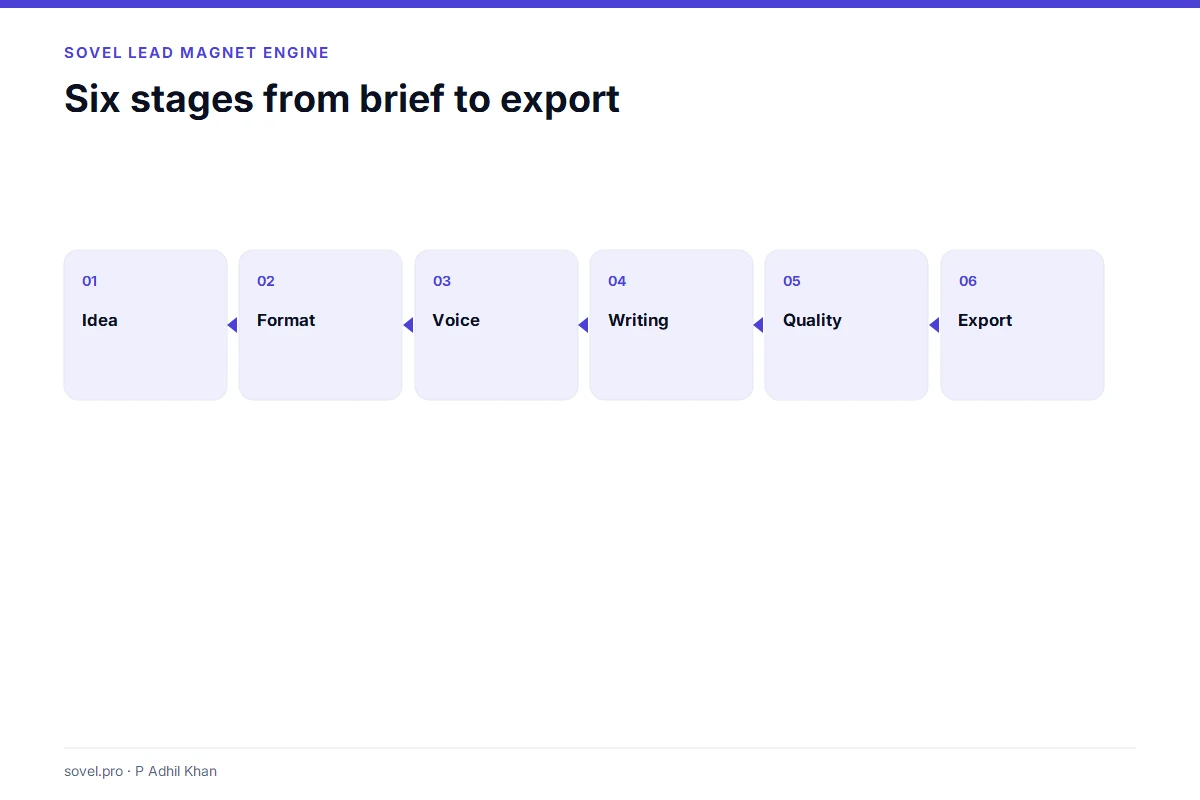
Every run moves through six stages. Each stage has a gate; a failed gate halts the run or lowers its status.
Stage 1: Idea
The engine extracts a topic, a subject and an audience. It builds an idea card with a promise, a reader and a format hint. If the card fails validation, the run stops. This is where a vague request like “write something about marketing” gets rejected or forced into a narrower shape.
Stage 2: Format
The format selector chooses one of nine formats. It considers the topic, the requested format and the section count. A checklist gets five sections. A mini course can get fifteen. The format is not decoration. It decides how much depth the reader expects.
Stage 3: Voice
The voice stage chooses an awareness stage and a distribution channel. A TOFU piece reads differently from a BOFU piece. A checklist for a newsletter reads differently from a system blueprint for a client workshop.
Stage 4: Writing
The writing stage builds the title, subtitle, intro, sections, closing and call to action. Each section has six parts: headline, opener, mechanism, framework, example and closing rule. The structure is consistent, which makes the draft easier to review and easier to compare across runs.
Stage 5: Quality
The quality gate checks readability, structure, content and tone. It looks for repeated sentences, weak subject coverage, unknown placeholders, missing examples and domain gaps. The score is mechanical. It is not a measure of truth or taste.
Stage 6: Export
The export stage writes the files. You get Markdown, HTML, PDF, RTF-compatible DOC, JSON, an evidence ledger, a manifest, a summary and verification notes. The manifest hashes the outputs. The ledger records what each section is based on.
The nine formats SOVEL Lead Magnet Engine can produce
The format is the reader’s job. Pick the wrong one and the draft feels either too thin or too heavy.
| Format | Best for | Typical sections |
|---|---|---|
| Checklist | A quick operational win | 5 |
| Framework | Teaching a method | 5 |
| Case study | Proving an outcome | 5 |
| Audit scorecard | Diagnosing a gap | 7 |
| Mini course | Building a habit over time | 15 |
| Tool template | Giving the reader a reusable asset | 5 |
| Hack list | Short, specific improvements | 10 |
| System blueprint | Designing a full workflow | 5 |
| Prompt tool | Reusable AI instructions | 5 |
A consultant writing a client onboarding lead magnet usually needs a checklist or a framework. An agency selling a content audit needs a scorecard. A course creator needs a mini course. The engine can force a format, or it can choose one from the topic.
The nine formats share one section anatomy. For the selection rules, read the lead magnet format selection guide. That is why SOVEL Lead Magnet Engine can produce a consistent draft across very different jobs. The reader gets the same six-part logic in every section: what to notice, why it matters, how it works, what to do, an example and a rule for finishing.

Five domain playbooks and the generic fallback
SOVEL Lead Magnet Engine ships with five domain playbooks:
- onboarding security;
- WordPress;
- e-commerce;
- education;
- AI workflow.
A playbook gives the engine domain-specific concepts, checks and examples. It is why an onboarding checklist reads like onboarding rather than generic business advice. The engine measures coverage against the playbook and labels the result DOMAIN_COVERED or DOMAIN_COVERAGE_LOW.
If no playbook matches, the engine blocks the run by default. The operator can pass --allow-generic to produce a template draft. That draft is capped at 55 and marked GENERIC_TEMPLATE_ALLOWED. The generic path is honest about what it is: a starting structure, not domain expertise.
This matters for buyers. A tool that claims to cover every industry usually covers none of them well. SOVEL Lead Magnet Engine covers five domains with real playbooks and gives everything else a labelled template. The label is the feature.
What you get in a run folder
A completed run contains nine files:
lead-magnet.mdlead-magnet.htmllead-magnet.pdflead-magnet.docreport.jsonevidence-ledger.jsonrun-manifest.jsonsummary.mdverification-notes.md
The Markdown is the editable source. The HTML is the readable review copy. The PDF is for sharing. The DOC is RTF-compatible, so Word can open it, but it is not a native .docx. The JSON is for audit and automation. The manifest and verification notes are for integrity checks.
The evidence ledger is the part most buyers underestimate. It records each section’s basis and labels it. The labels are not proof. They are a map of what still needs checking. A reviewer can open the ledger and see which claims are source-derived, which are inferred and which are not verified.

Local-first privacy inside SOVEL Lead Magnet Engine
The core engine runs locally. Your task text, draft files and topic fingerprints stay in the run folder on your machine. The default configuration stores a redacted topic, a hashed ICP filename and a neutral subject. The raw audience is not used in titles.
Optional external judgment is off by default. If you enable it, the engine sends a topic and idea-card fields to the TypeSafe API under your own account. The report records that external data was sent. If the network drops after a send, the flag still stays true. That is the honest behaviour: a failed request is not an absent request.
SOVEL Lead Magnet Engine does not ship with a tracking pixel, a hosted dashboard or a background service. The MCP server is a local process. The CLI is a local command. The only network calls are the ones you explicitly enable.
Privacy is not a slogan here. It is a set of defaults you can inspect in config/config.yaml and policies/PRIVACY.md. If you need to delete a run, python -m lmengine purge --all --yes removes the run folders and clears the topic fingerprints.
CLI, MCP and skill: three ways to use the engine
The CLI is the simplest interface:
bash

python -m lmengine doctor

python -m lmengine run --task "Build a practical checklist for secure customer onboarding" --format checklist

python -m lmengine verify
The MCP server exposes the engine to an editor or agent:
bash

python -m lmengine serve-mcp
The host snippets in hosts/ give the exact JSON for WorkBuddy, Claude, Cursor, VS Code and other tools. The SKILL.md file explains when an agent should call the engine and how to read the draft status. The MCP server is the executable interface. The skill is the usage policy.
The third interface is the exported file. Some buyers never touch the CLI. They receive the HTML or PDF, review it in Word or a browser, and send it to a client. That is a valid workflow. SOVEL Lead Magnet Engine does not require the buyer to become a developer.
Editions and pricing
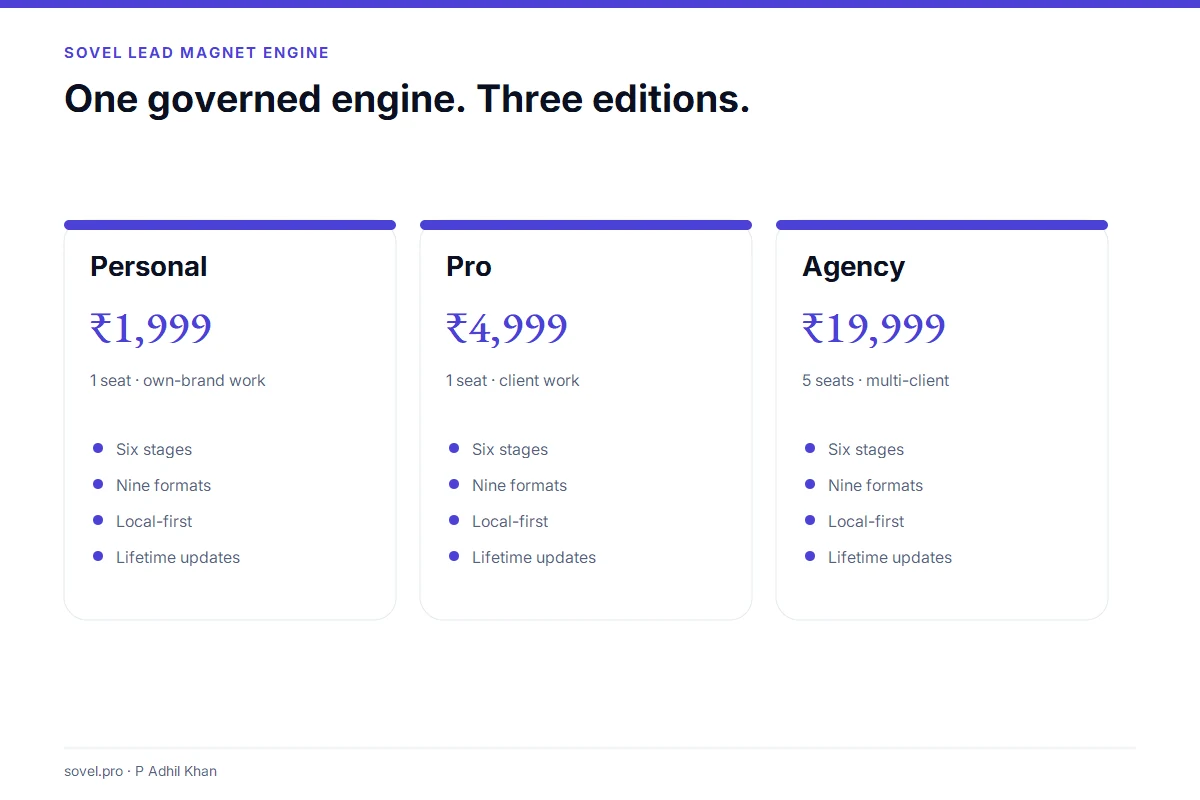
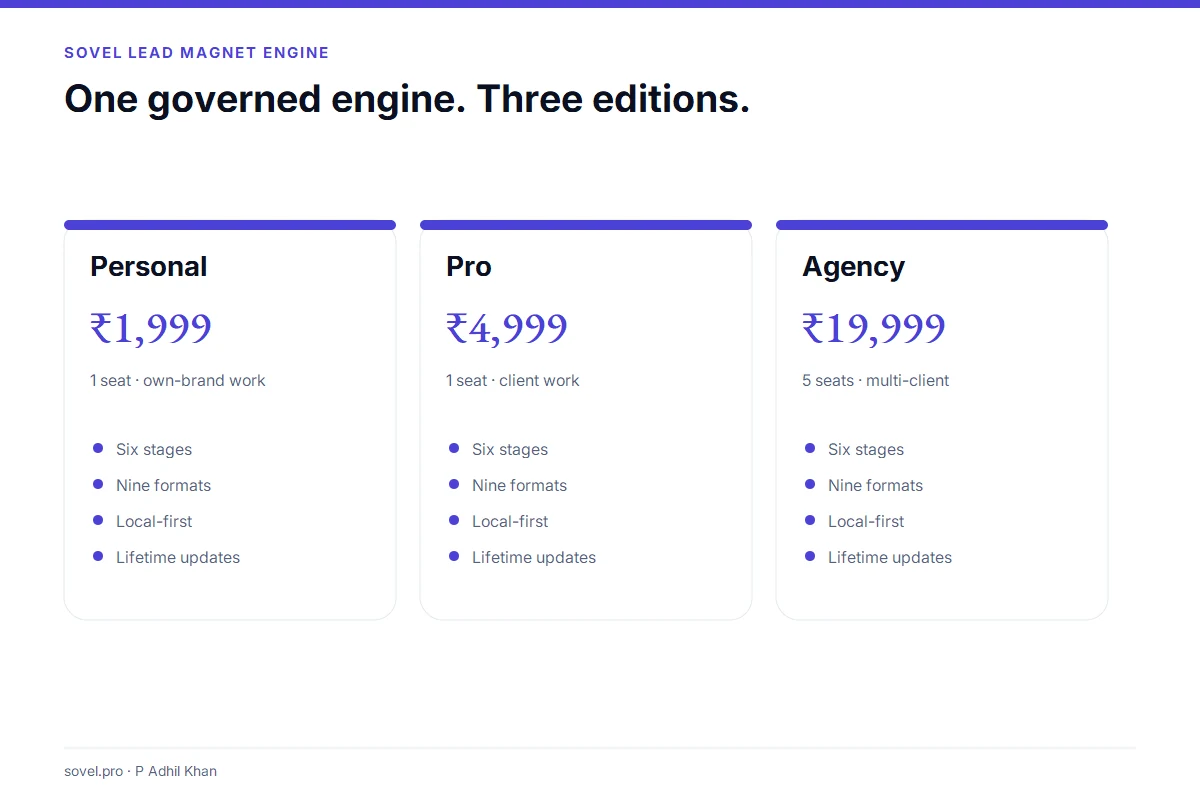
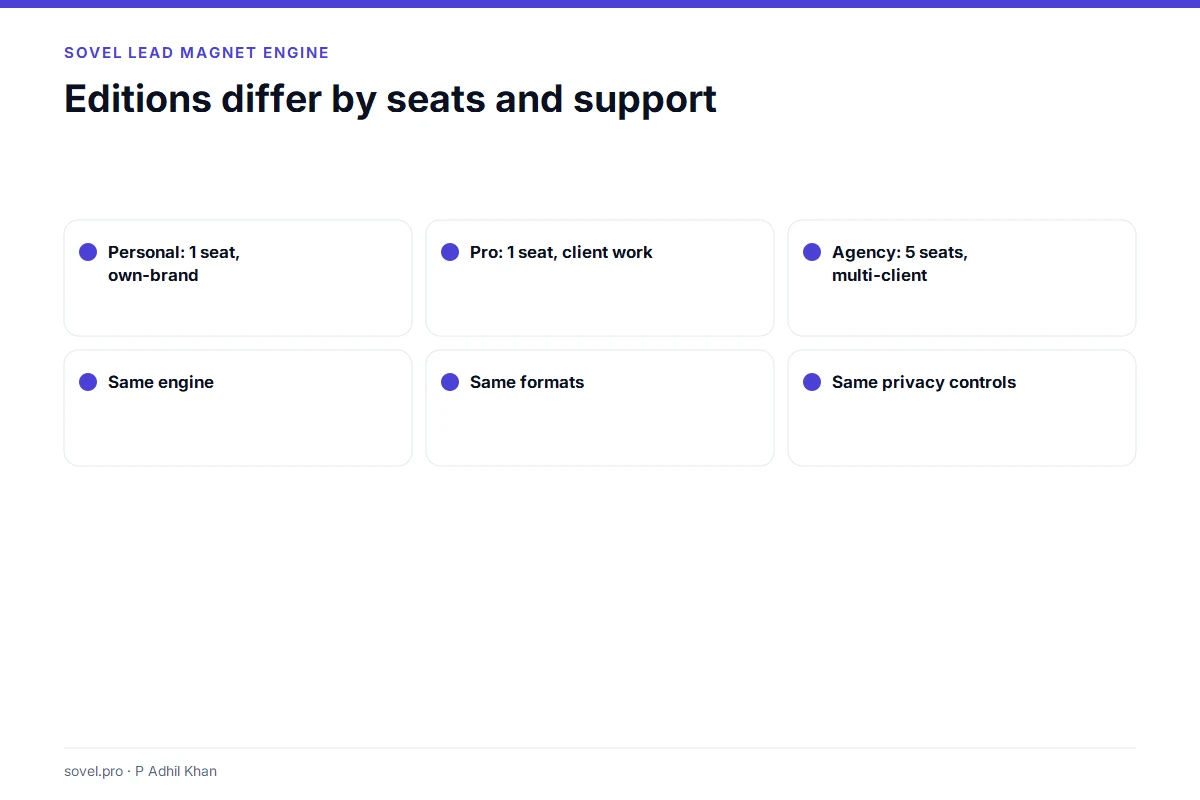
The engine runs in three editions. The features are the same. The differences are seats, client-use scope and support.
PERSONAL / FREELANCER
Personal Edition
₹1,999 / lifetime
For solo consultants, freelance designers and one-person studios running a topic or two each week.
- 1 machine
- Own-brand projects
- Every report and export format
- Optional AI layer with your own key
- Lifetime updates for the edition
Support: community
SMALL BUSINESS MOST POPULAR
Pro Edition
₹4,999 / lifetime
For small teams that research several niches in the same week and share one research standard.
- 1 machine
- Client and commercial projects
- Same engine, same reports
- Priority email support, 2 business days
- Lifetime updates for the edition
Support: priority email
AGENCY / ENTERPRISE
Agency Edition
₹19,999 / lifetime
For agencies and internal teams that split topics across researchers and serve several clients.
- 5 machines
- Multi-client agency work
- Priority support and 60-minute onboarding
- Every report and export format
- Lifetime updates for the edition
Support: priority with onboarding
How SOVEL Lead Magnet Engine compares with design tools
SOVEL Lead Magnet Engine is not a design tool. It is the step before design.
| Job | SOVEL Lead Magnet Engine | Beacon | Designrr |
|---|---|---|---|
| Start from a brief | Yes | Template first | Template first |
| Visual editor | No | Yes | Yes |
| Lead capture forms | No | Yes | Limited |
| Nine output formats | Yes | PDF and pages | PDF and EPUB |
| Evidence ledger | Yes | No | No |
| Local runtime | Yes | Cloud | Cloud |
| One-time price | Yes | Monthly | Monthly |
A buyer who needs a landing page with an opt-in form should use Beacon. A buyer who needs a designed ebook should use Designrr. A buyer who needs a governed draft in several formats, with a local runtime and a review gate, should use SOVEL Lead Magnet Engine.
The honest comparison is not “which tool is better”. It is “which job are you doing”. SOVEL Lead Magnet Engine is better at the production job. Beacon and Designrr are better at the design and capture jobs.
What SOVEL Lead Magnet Engine does not do
SOVEL Lead Magnet Engine does not:
- capture leads or store prospect data;
- host landing pages or forms;
- send email or run nurture sequences;
- verify facts or legal claims;
- write native
.docxfiles; - render Hindi or Telugu PDFs correctly;
- provide team roles, SSO or audit logs;
- activate or enforce seats technically;
- guarantee rankings, traffic or revenue.
Those limits are on the page because a buyer should know them before checkout. The engine is useful inside its scope. It becomes a bad purchase when someone expects it to replace a marketing platform.
Proof before promises
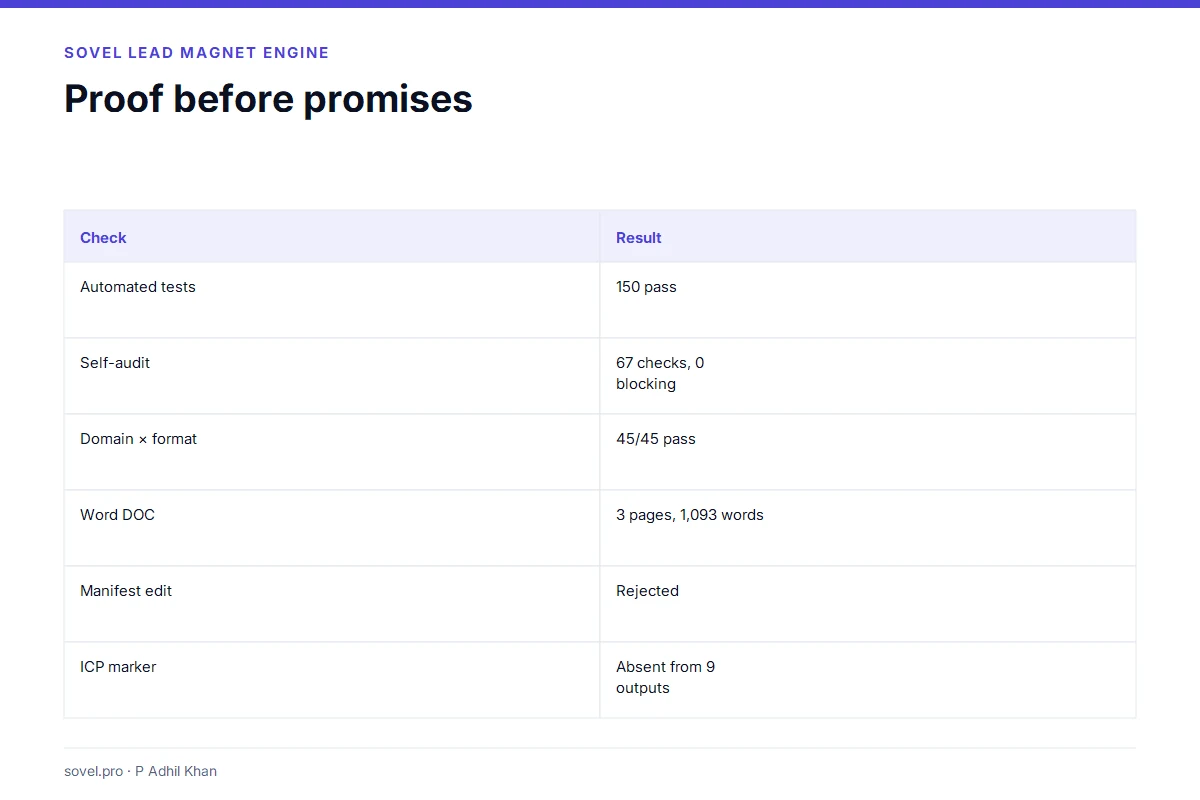
The v1.2.5 build has been tested. The numbers below are from the release package, not from a marketing deck.
| Check | Result |
|---|---|
| Automated tests | 150 pass |
| Self-audit | 67 checks, 0 blocking |
| Doctor | 19 checks, 0 fail |
| Domain × format matrix | 45/45 pass |
| Microsoft Word | DOC opens, 3 pages, 1,093 words, 1 shape |
| Manifest metadata edit | Rejected |
| ICP audience marker | Absent from nine outputs |
| Edition ZIPs | Personal, Pro and Agency extract, run and verify |
The test suite is not a third-party audit today. It is a self-check. The independent audits are linked in the package. The manifest is a local file-integrity check, not a publisher signature. Those distinctions matter, and the documentation keeps them.
Search and accessibility references: Google Search Central and the W3C accessibility introduction.
How to use SOVEL Lead Magnet Engine in a real project
Start with a test folder, not a client folder. Run python -m lmengine doctor. If the doctor reports zero failures, run one small checklist. Read the HTML. Open the DOC in Word. Check the PDF. Then open the evidence ledger and look for claims that need review.
Once the test run is clean, use a real brief. Write one reader, one problem and one promise. Do not write a paragraph about the company. The engine can work with a paragraph, but a focused brief produces a better draft.
Choose a format that matches the reader’s job. A checklist for a busy operator. A framework for a team learning a method. A scorecard for a buyer who needs to diagnose a gap. A mini course for a topic that needs practice.
Run the draft. Read the red flags. Fix the structure before you fix the sentences. If the engine says the sections are too similar, change the section jobs. If it says the subject coverage is weak, add the missing concept. If it says the draft is generic, decide whether a domain playbook fits or whether the generic label is honest.
Then do the human pass. Check every number. Check every external link. Check the title and meta description. Check the images and alt text. Check the call to action. The engine can produce a draft. It cannot approve it for publication.
Frequently asked questions
What is SOVEL Lead Magnet Engine in one sentence?
SOVEL Lead Magnet Engine is a local-first production engine that turns a brief into a governed lead-magnet draft in nine formats, with a quality gate and an evidence ledger.
Is SOVEL Lead Magnet Engine a lead generation platform?
No. It does not capture leads, store prospect data, host landing pages or send email. It produces the lead magnet itself. You still need a form, a landing page and an email tool to distribute it.
Does SOVEL Lead Magnet Engine use AI?
The core uses deterministic rules and templates. Optional semantic judgment can call the TypeSafe API if you enable it and supply your own key. It is off by default. The engine works without an API key.
Can I use SOVEL Lead Magnet Engine for client work?
Yes, on the Pro and Agency editions. Personal is limited to own-brand projects. The licence records the client-use scope. Seats and client-use rights are contractual terms, not technical locks.
Does SOVEL Lead Magnet Engine produce native DOCX files?
No. The DOC output is RTF-compatible and opens in Microsoft Word, LibreOffice and most word processors. It is not a native .docx. If a client requires .docx, convert the file and check the layout.
Does SOVEL Lead Magnet Engine support Hindi or Telugu PDFs?
The PDF renderer is English/WinAnsi focused. Hindi and Telugu text may not render correctly. Use the HTML or DOC output for those languages until a Unicode PDF path ships.
How many machines can I install it on?
Personal and Pro cover one machine. Agency covers five machines. A machine can be replaced after a reinstall or hardware failure. Moving the licence to another organisation needs written permission.
Is the manifest a publisher signature?
No. The manifest is a local file-integrity check. It uses a local-consistency HMAC, not a public-key signature. A detached signature is a separate release gate and is not included in this build.
What happens if I edit the manifest?
The verifier rejects the edit. Metadata and top-level status fields are hashed. If you change passed, the score or the review status, verify returns a metadata error. A full forgery with a recomputed public HMAC is still possible, which is why the signature gate matters.
Can I run SOVEL Lead Magnet Engine on macOS?
Windows and Linux are the supported paths in this release. macOS is untested. The code is standard-library Python and may run, but the release does not claim macOS support until a clean test is recorded.
A useful test is to run the same brief twice. The second run should produce the same structure with a cleaner draft. If the structure changes every time, the workflow is not stable enough for a client project.
The workflow should be boring in the best way: the same steps, the same files and the same review gate every time.
For a deeper look at the workflow, read the lead magnet creation workflow and the lead magnet quality checklist. For the format decision, read the nine lead magnet formats.
Start with one governed draft
SOVEL Lead Magnet Engine is built for the part of lead-magnet work that happens before design. The brief, the format, the voice, the evidence and the review gate. If that part is weak, no template saves the asset. If that part is strong, a designer can finish the job quickly.
Choose the edition that matches your seats and client work. Run the doctor. Produce one draft. Read it as a buyer, not as the person who wrote the brief. If the draft survives that read, you have something worth designing.
Compare the editions or read how the six stages work. For the wider production workflow, read the lead magnet creation workflow and the quality checklist.