
It runs on your computer. The brief, the draft and the topic memory stay in a folder you control. Nothing is uploaded unless you explicitly enable an external service.
That sounds simple. The privacy value comes from the details. A local tool can still leak data through a hosted model, a search API, a browser extension or a support log. The buyer needs to know which parts are local and which parts are optional.
This guide explains what a local lead magnet generator actually stores, how redaction works, where the data map has gaps and how to test the tool before you put a client brief into it.
What does local lead magnet generator mean?
It is software that produces a lead-magnet draft on the user’s machine. The core process runs without a server. The output files are written to a local folder. The tool may offer optional cloud features, but the default path is local.
The word local describes the runtime, not the entire product. A local tool can call an API if you turn it on. It can open a sitemap URL if you ask it to. It can send a support log if you click a button. The honest vendor separates the local core from the optional network calls.
It is useful when the brief contains client material. A customer name, a pricing plan, a security process or an internal launch date. The writer needs a draft without creating a new data transfer for every paragraph.

What data does a local lead magnet generator store?
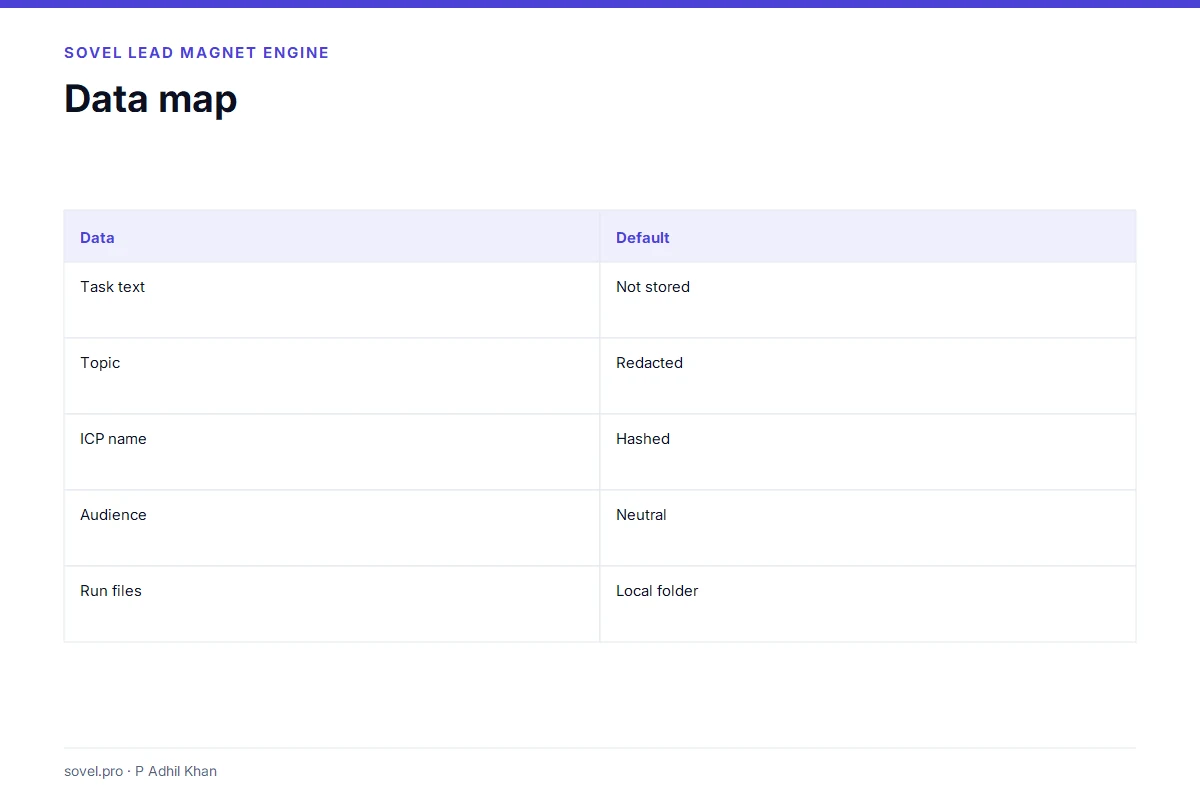
A good local lead magnet generator publishes a data map. The map names each field, the default storage and the deletion path. Without a map, “local” is a claim rather than a property.
A typical data map looks like this:
| Field | Default storage | Notes |
|---|---|---|
| Task text | Not stored in the report | Used to build the draft |
| Topic | Redacted hash | The raw topic is not written |
| Subject | Neutral label | The client name is not used by default |
| ICP filename | Hash and character count | The filename is not stored |
| Audience | Neutral default | The raw audience is not used in titles |
| Run files | Local run folder | Deleted with the purge command |
| Topic memory | Keyed fingerprint | Retention window applies |
The map is the first thing to read. If the vendor cannot explain where the task text goes, the word local is doing too much work.
SOVEL Lead Magnet Engine follows this pattern. The report stores a redacted topic, a hashed ICP filename and a neutral subject. The raw audience is not used when the neutral subject setting is on. The run folder is local. The purge command removes the run and clears the fingerprints.
How does redaction work in a local lead magnet generator?
Redaction is the set of steps that keep client identifiers out of the output. A local lead magnet generator should redact at several points, not just one.
Topic redaction
The topic is the phrase the engine uses to ground the draft. If the topic contains a client name, the report should store a hash instead of the raw phrase. The draft can still use a neutral subject.
Subject redaction
The subject is the phrase used in the title. A brief-first subject can include a client name. A neutral subject uses a playbook label or a generic phrase. The neutral option is safer for client work.
ICP redaction
The ICP file can contain a company name, an audience and a goal. The report should store a hash and a character count, not the filename. The raw audience should not appear in the title or the body.
Sitemap redaction
A sitemap can reveal a client’s site structure. The report should store the URL count and a hash, not the raw topic words, when URL storage is off. The sitemap is still used for discovery. It is not persisted.
Redaction is not a guarantee. A determined reader can infer a client from a specific draft. The goal is to remove the obvious identifiers and to make the remaining risk visible.

How does topic memory work in a local lead magnet generator?
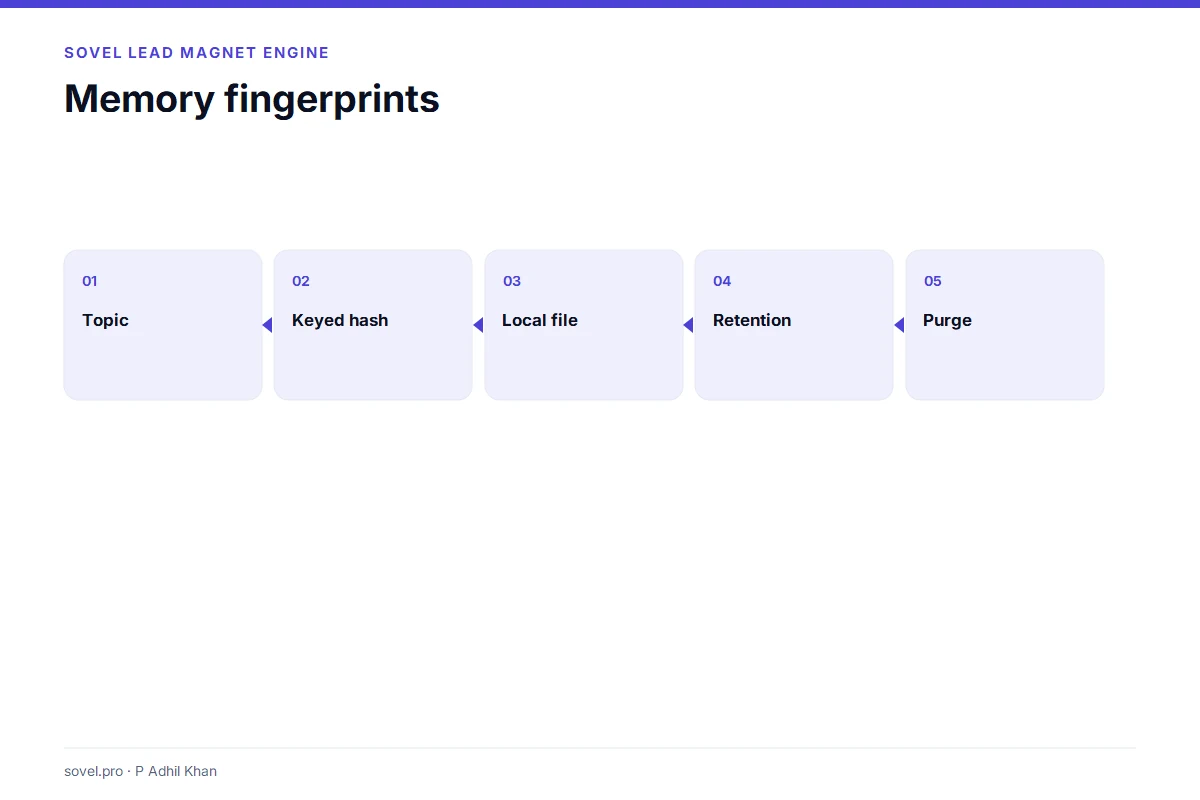
Topic memory stops the same topic from being produced twice. The engine stores a fingerprint, not the raw topic. The fingerprint is a keyed hash. Without the key, the hash is not useful.
The key is a local file. The memory file is local. The retention window controls how long a fingerprint stays. A purge command removes the memory and the run folders.
The tool should explain the trade-off. Memory is useful for repetition checks. The memory file also holds derived information. A writer who handles sensitive topics may prefer a shorter retention window or a manual purge after every project.
The memory is not a customer database. It does not store the brief, the draft or the client name. It stores a fingerprint that answers one question: have I seen this topic before?
What should a local lead magnet generator let you export?
The tool should give you control over what leaves the machine. The export is the handoff. The format decides how much context travels with the file.
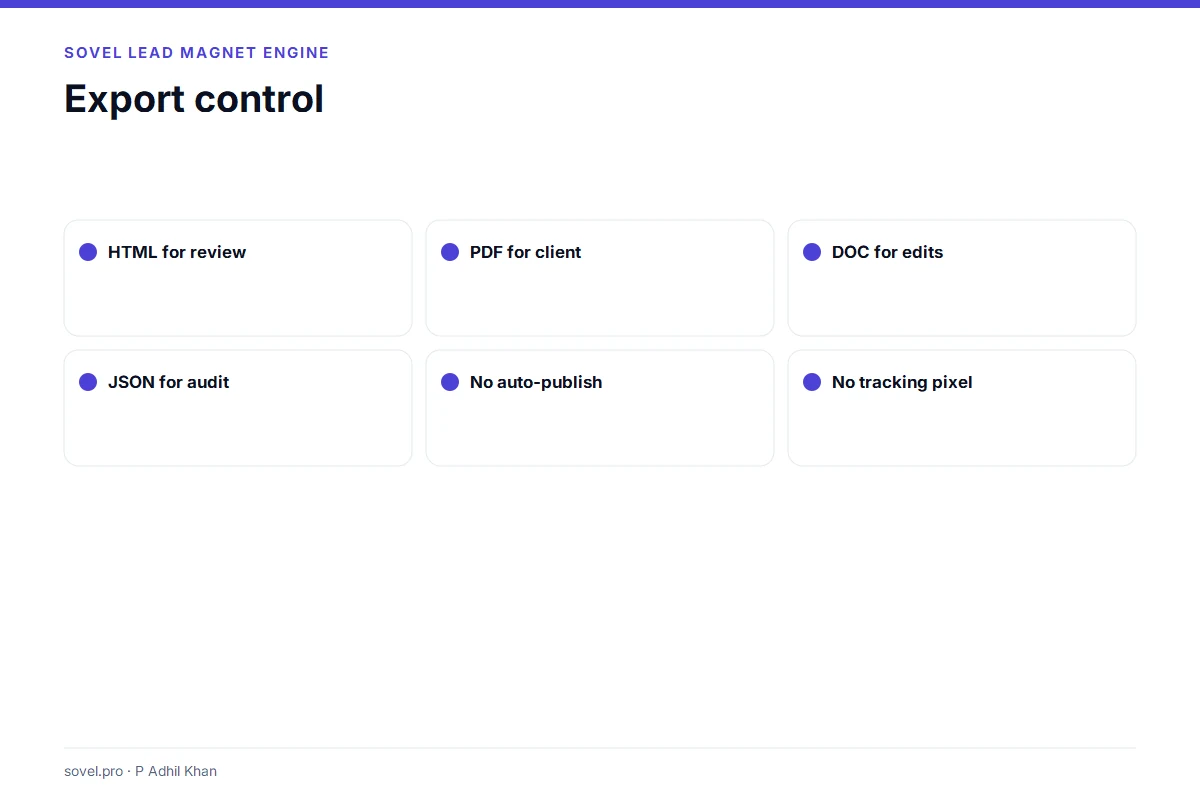
A useful export set includes:
- Markdown for a CMS;
- HTML for a browser review;
- PDF for a client;
- DOC for Word edits;
- JSON for audit or automation;
- a manifest for file integrity;
- an evidence ledger for review.
A local tool should not add a tracking pixel to the PDF. It should not upload the file to a dashboard. It should not require an account to open the HTML.
The export control is part of the privacy story. A local runtime that automatically uploads every export is not local in the way that matters.
How do you test a local lead magnet generator?
Start with a public brief. Use a topic that has no client data. Run the doctor. Produce one checklist. Open every output. Check the DOC in Word. Check the PDF in a browser. Read the ledger.
Then inspect the run folder. Look for the task text. Look for the ICP filename. Look for the raw audience. Look for the sitemap URLs. If any of those appear in a file that will be shared, the redaction is weaker than the marketing suggests.
Run a purge. Confirm that the run folder is gone and the topic memory is cleared. Run the same topic again. The engine should treat it as new. If it still remembers the topic, the purge did not clear the memory.
The tool should survive this test without a support ticket. The test is not technical. It is a set of file checks that any careful buyer can run.

How does a local lead magnet generator handle images and fonts?
Images and fonts are part of the export, and they can carry metadata. A local lead magnet generator should keep the image files in the run folder, reference them with relative paths and avoid remote image calls in the HTML.
The HTML should load without a network connection. If it calls a font service or a stock image URL, the page is not fully local. The reader may see a flash of missing text or a broken image. The privacy map also changes because the browser makes a request.
A practical setup uses local fonts, compressed images and relative paths. The theme may load Inter and EB Garamond from the site, which is fine for a published page. The review copy should still work offline.
Image metadata is a smaller issue, but it matters for client work. A phone photo can contain GPS data. A screenshot can contain a file path. Strip the metadata before the image goes into a client deliverable.
A local lead magnet generator does not automatically solve those problems. It gives you a local folder where you can inspect the files. The inspection is still your job.
What should an agency ask before using a local lead magnet generator?
An agency has four extra questions. Who owns the machine? Who can read the run folder? Who deletes the project data? Who reviews the draft before it reaches the client?
The machine question is about the licence and the device. A shared laptop is a shared data store. The agency should use a named user, a separate project folder and a disk encryption policy.
The folder question is about access. A run folder can contain the brief, the draft and the ledger. The agency should set permissions before the first client project, not after.
The deletion question is about the end of the project. A purge command is useful only if someone runs it. The agency should add the purge to the project close checklist.
The review question is about the deliverable. A local runtime does not remove the need for a human review. The agency should name the reviewer and keep the review record with the delivery pack.
Those four questions are operational, not technical. They decide whether a local tool fits an agency. A tool that passes the file test can still fail the process test.
What does local processing not fix?
Local processing does not fix a weak brief. If the task is vague, the draft will be vague. The engine can reject the brief or force a format, but it cannot invent a reader.
It does not fix a weak source. If the client gives you a page of claims with no evidence, the draft will carry those claims with a label. The label is a warning, not a repair.
It does not fix a weak review. A local draft can still contain a mistake. The reviewer still has to read it. The engine can make the review easier by structuring the sections and labelling the evidence. It cannot make the reviewer careful.
It does not fix a weak handoff. If the client receives a PDF with no editable source and no review record, the project is harder to continue. The export package matters as much as the draft.
Local processing is a data decision. It is not a quality decision. A team that expects the runtime to improve the writing will be disappointed. A team that uses the runtime to protect the brief and then does the review will get the value.
What are the limits of a local lead magnet generator?
Local does not mean private by default. It means the core runs on your machine. The buyer still has to check the optional services, the retention window, the export path and the support process.
A local lead magnet generator also does not verify facts. It can label a claim as source-derived or not verified. It cannot check the source. The review is still manual.
It does not replace a secure device. If the laptop is shared, the run folder is readable. If the disk is not encrypted, the files are readable. Local privacy depends on the machine as well as the software.
It does not guarantee compliance with a privacy law. The buyer needs to map the law to the data. The tool can make the map smaller. It cannot make the legal decision.
What is the smallest useful test?
Run one short checklist with a public topic. Inspect the report, the ledger and the DOC. Purge the run. That test takes less than an hour and shows whether the local workflow fits your machine.
A local tool is a practical choice when the brief is sensitive and the writer wants a repeatable draft. It is a poor choice when the buyer expects a hosted dashboard, a visual editor or a managed backup.
For privacy frameworks, see the NIST Privacy Framework and the W3C privacy principles.
Frequently asked questions
What is a local lead magnet generator?
It is software that produces lead-magnet drafts on your machine. The core process does not require a server or an account. Optional cloud features are separate.
Is a local lead magnet generator completely offline?
Not always. The core can run offline. Optional semantic judgment, search APIs and host integrations may use the network. Check the default configuration and the data map.
Does a local lead magnet generator store my client’s name?
A well-designed tool stores a hash or a neutral subject instead of the raw name. Check the report and the run folder. If the raw name appears in a shared file, the redaction is incomplete.
Can I delete the data after a project?
Yes, if the tool has a purge command. Look for a command that removes the run folders and clears the topic memory. Test it before you rely on it.
Is a local lead magnet generator safer than a cloud tool?
It can be, for client data. The local runtime removes the server transfer. The buyer still has to check the optional services, the device and the retention settings.
Does a local lead magnet generator work on Windows?
SOVEL Lead Magnet Engine is tested on Windows and Linux. macOS is untested in the current release. Check the platform documentation before you buy.
Can I use a local lead magnet generator for agency work?
Yes, on an edition that allows multi-client work. The Agency edition covers five seats. The licence records the client-use scope. The software does not enforce seats technically.
What should I check first in the run folder?
Open the report, the ledger and the manifest. Look for the task text, the ICP filename, the raw audience and the sitemap URLs. If they are absent, the default redaction is working.
The privacy decision
A local lead magnet generator is a useful purchase when the brief contains client material and the writer needs a repeatable draft. The value is not the word local. The value is the data map, the redaction, the export control and the purge path.
Test those four things before you trust the tool with a real project. A local runtime with a weak data map is still a risk. A local runtime with a clear map is a practical improvement over a cloud-only workflow.
The safest next step is a public test run, not a client brief. The SOVEL Lead Magnet Engine page shows the local runtime. For the full production path, read the lead magnet creation workflow. For the consultant buying checks, read lead magnet software for consultants. For the review gate, see the lead magnet quality checklist.