
The Transition to Paperless Classrooms and the Submission Crisis
Modern education has largely transitioned to digital submission workflows. Platforms like Google Classroom, Canvas LMS, Blackboard, and Schoology are now standard across high schools and universities. Yet, while essay assignments and history reports submit seamlessly as digital documents, mathematics submissions remain in a state of persistent crisis. Students continue to spend hours writing equations in physical notebooks, taking blurry smartphone photos under poor lighting, and emailing skewed images that teachers struggle to grade. What students urgently need is an automated step by step equation solver pdf engine that generates clean, verified homework documents in a single click.
When you photograph a handwritten page, shadows obscure numbers, handwriting is frequently misinterpreted, and teachers waste precious grading time deciphering ambiguous signs. Furthermore, if your final answer is wrong, a photo cannot verify whether your intermediate algebraic reasoning was sound. By using a specialized step by step equation solver pdf, you bridge the gap between digital convenience and rigorous academic proof. You produce an immaculate, typeset document that displays the exact problem statement, the final verified answer, and the complete chronological derivation.
Every mathematics educator understands that grading without clear steps is an exercise in frustration. When an instructor reviews thirty separate homework submissions, encountering thirty different styles of crumpled notebook paper and poor handwriting slows evaluation to a crawl. Adopting a unified the scientific calculator standard streamlines the grading workflow, allowing teachers to provide targeted pedagogical feedback rather than squinting at distorted photos. For students, knowing that their work will be presented in an unassailable format builds confidence and pride in their academic output.
The Anatomy of a Professional Academic Homework Sheet
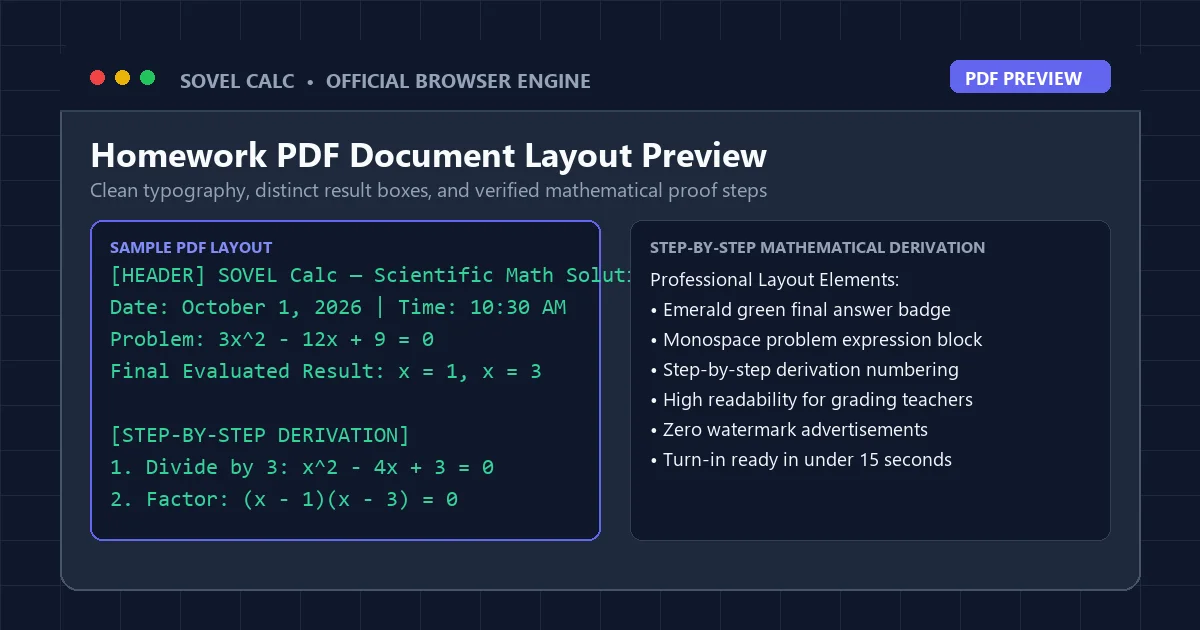
An assignment sheet generated by an educational the platform is far more than a basic screen capture. It is a structured, vector-based document designed specifically for academic grading and record keeping. In Sovel Calc, the PDF export architecture integrates seven essential structural elements:
- Institutional Document Header: A clean header banner featuring your school name, class section, or custom departmental title (e.g., "Sovel Calc — Scientific Math Solution").
- Automated Date and Timestamp: An immutable timestamp recording the exact minute the derivation was executed, providing proof of timely completion.
- Monospace Problem Statement Box: The raw mathematical expression displayed in high-contrast monospace font, ensuring zero ambiguity regarding parentheses or signs.
- Emerald Green Result Container: The final evaluated numerical result, styled with clear visual hierarchy so graders can confirm the answer instantly.
- Chronological Step-by-Step Derivation: A numbered breakdown detailing every intermediate operation, rule application, and sub-total produced by the step by step equation solver pdf engine.
- Embedded 2D Function Graph: If a function curve was plotted during the session, the graph is automatically rendered into the body of the document.
- Verification Watermark: A subtle footer disclaimer confirming that the mathematical calculations were processed via verified deterministic libraries.
This layout ensures that whenever you turn in work produced by a step by step equation solver pdf, it conveys the polish and professionalism expected in advanced STEM coursework. Teachers can quickly scan down the derivation column to confirm that proper algebraic properties were honored.
Method 1: Generating a 1-Click PDF Homework Sheet
Creating a complete assignment sheet with Sovel Calc takes less than fifteen seconds. The workflow requires zero technical expertise and zero third-party software installation. Follow this simple procedure when utilizing our the solver engine tool:
- Input Your Expression: Navigate to Sovel Calc at sovel.pro/sovel-calc/. In the Code Mode input field, type your full mathematical equation. For instance, enter a complex order of operations problem like
(3 + 4)^2 / 7 + sqrt(144)or a quadratic formula discriminant like((-5)^2 - 4*1*6)^0.5. - Execute the Computation: Press Enter. The calculation engine processes the expression in milliseconds, displaying the result alongside the complete step-by-step derivation panel.
- Click Export PDF: Located in the top utility toolbar, click the "Export PDF" button. The client-side rendering engine packages your expression, result, and step tree into a high-resolution step by step equation solver pdf document, triggering an immediate download to your device.
The downloaded file uses a descriptive, sanitized filename such as Sovel_Solution_3_plus_4_sq.pdf, making it easy to locate in your Downloads folder and attach to an LMS assignment portal. Utilizing a step by step equation solver pdf eliminates the stress of last-minute homework formatting entirely. You can submit assignments from your laptop, tablet, or smartphone without opening complex word processing software.
Method 2: Standalone HTML Export for Offline Archiving
While PDF documents are optimal for formal classroom submission, students and developers frequently need to archive problem sets for offline review or incorporate mathematical solutions into web-based programming portfolios. In addition to functioning as a step by step equation solver pdf, Sovel Calc provides a dedicated Export HTML utility.
Clicking the "Export HTML" button generates a completely self-contained .html file. Unlike standard web pages that require external CSS files and JavaScript libraries, Sovel Calc embeds all styles, fonts, and dark-theme color variables inline within a single document. You can store these files on a USB flash drive, open them on any computer without an internet connection, and review your mathematical steps during travel or offline study sessions.
The standalone HTML file preserves the sleek midnight-navy card aesthetic, emerald green answer callouts, and step breakdown formatting intact. It represents the ultimate digital archive format for long-term academic record keeping, complementing your the math engine downloads with responsive web-native versatility.
Method 3: Word DOC Export for Multi-Problem Assignment Compilation
Many university professors and high school instructors require assignments to be submitted as Microsoft Word documents (.docx) or Google Docs, often accompanied by written textual reflections or laboratory analysis. When working on a comprehensive multi-problem assignment, generating isolated PDF sheets for each question can be cumbersome if you need to weave prose explanations between equations.
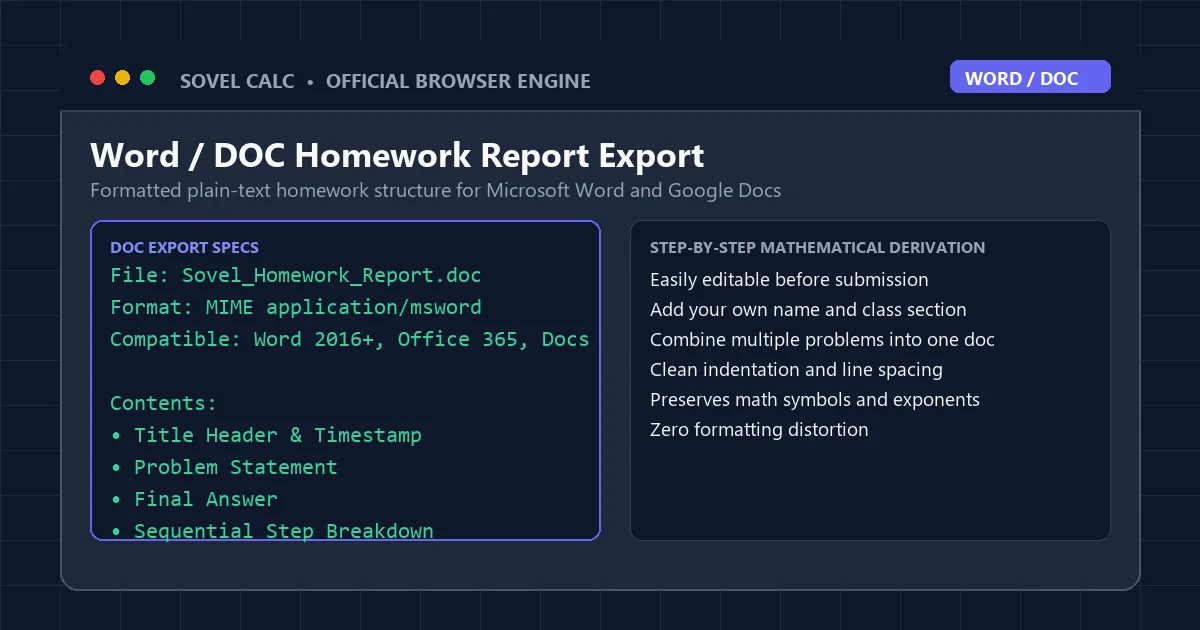
The Export Word utility transforms Sovel Calc into an adaptable companion tool. When you click "Export Word," the platform generates a structured .doc file containing the formatted problem statement, final answer, and sequential step notes. Just as with our step by step equation solver pdf output, the document organizes your calculation logically. You can open this file directly in Microsoft Word or import it into Google Docs, allowing you to combine multiple equations into a single master assignment document. You can easily add your own explanatory prose, insert laboratory data tables, and adjust formatting prior to final submission.
Academic LaTeX Export: Bridging the Gap to Research Publishing
For undergraduate engineering students, physics majors, and mathematics researchers, assignments and thesis papers must frequently be authored in LaTeX. Manually coding complex fractions, square roots, and trigonometric identities into LaTeX syntax can be time-consuming and error-prone. While a this online utility produces ready-to-print reports, technical authors often require raw source syntax for publication.
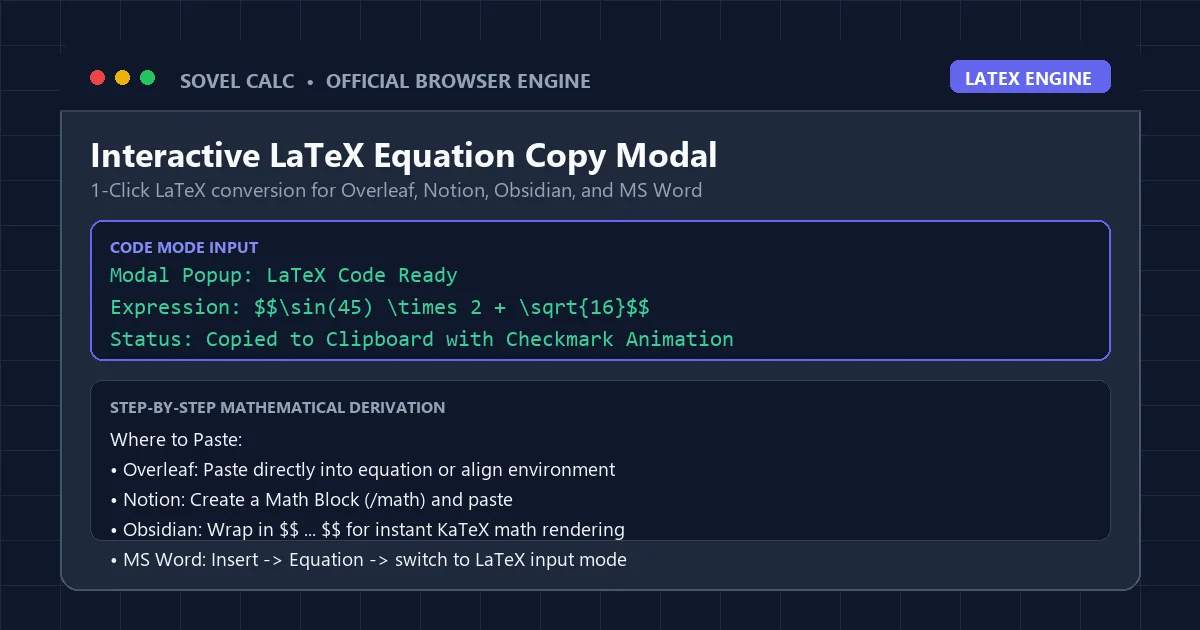
Sovel Calc bridges this gap effortlessly. When you click the LaTeX button, an interactive modal popup displays your expression converted into valid LaTeX notation wrapped in display math delimiters: $$...$$. A single click copies the formatted code to your clipboard. You can paste it directly into Overleaf, Notion math blocks, or Obsidian research notes without fixing syntax errors. If you are comparing digital calculation tools, review our full Sovel Calc review for an in-depth breakdown of all export subsystems.
Clean Print Mode: Conserving Toner on Physical Turn-in Worksheets
Despite the proliferation of digital portals, some teachers insist on physical paper turn-in. Printing a dark-themed webpage on a standard inkjet or laser printer wastes substantial amounts of black toner, creates soggy paper, and produces muddy, unreadable equations. Sovel Calc solves this with an intelligent print stylesheet that complements our step by step equation solver pdf generator.
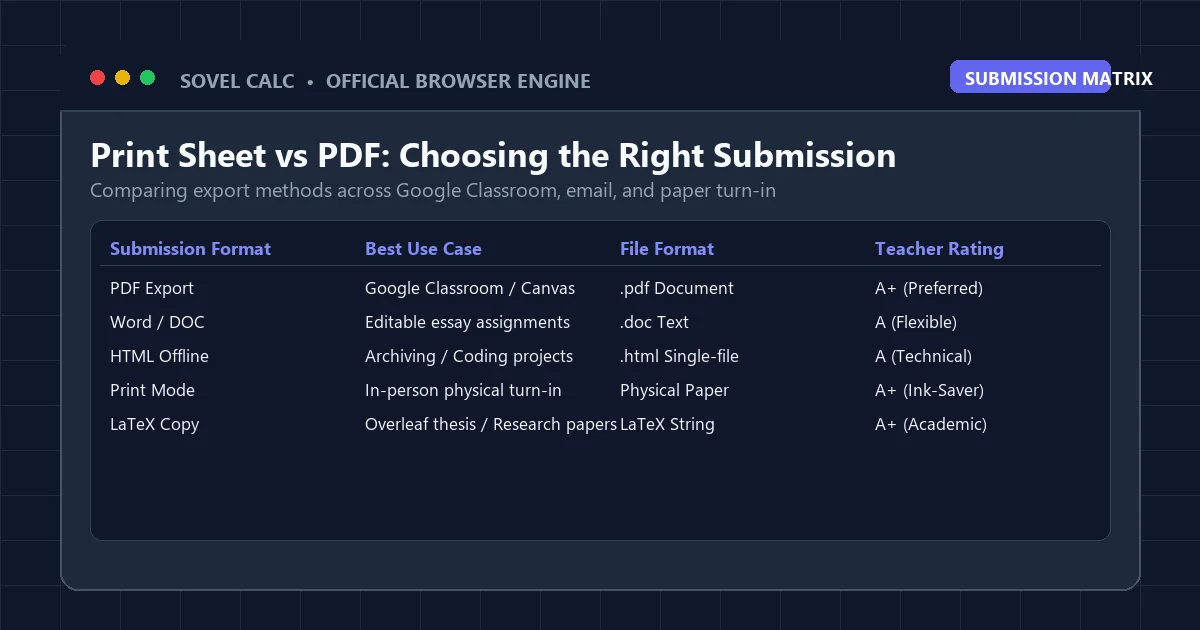
Clicking the Print button triggers an optimized print view that strips away the virtual calculator buttons, dark navy backgrounds, and navigation elements. The print view renders crisp black text against a pure white background, preserving the exact mathematical step derivation while conserving 90 percent of printer toner. Review the submission comparison matrix below to determine the optimal export format for your specific academic scenario:
| Export Medium | Primary Submission Target | File Format | Key Advantage |
|---|---|---|---|
| PDF Homework Sheet | Google Classroom / Canvas | .pdf (Vector) | Permanent, teacher-ready, unalterable proof |
| Standalone HTML | Offline study / Web projects | .html (Self-Contained) | Zero dependencies, opens offline on any device |
| Word / DOC | Laboratory reports / Term essays | .doc (Editable Text) | Easily merged with written text and data tables |
| LaTeX String | Overleaf / Notion / Obsidian | Text / KaTeX | Instant academic typesetting for STEM papers |
| Monochrome Print | Physical classroom turn-in | Physical Paper | Ink-saving high contrast, professional margins |
Step-by-Step Practical Example: Quadratic Discriminant to PDF
To see how seamless this process is, walk through this practical homework scenario. Suppose your assignment asks you to find the roots of 2x^2 + 7x + 3 = 0 using the quadratic formula. By leveraging our the scientific calculator, you can document the entire process without skipping a beat:
- Open Sovel Calc and enter the discriminant expression in Code Mode:
7^2 - 4 * 2 * 3. - Press Enter. The step panel immediately proves: 7^2 = 49, 4 * 2 * 3 = 24, 49 – 24 = 25. The discriminant is 25.
- Compute the square root of the discriminant:
sqrt(25). The answer is 5. - Compute the first root:
(-7 + 5) / (2 * 2). The step panel shows (-2) / 4 = -0.5. - Compute the second root:
(-7 - 5) / (2 * 2). The step panel shows (-12) / 4 = -3. - Click Export PDF. The complete, verified proof is saved as a branded step by step equation solver pdf document ready to turn in.
By leveraging an automated the platform, you complete your assignment with total mathematical confidence and present your work with professional clarity. For additional algebraic techniques, check out our guide on the math problem solver with steps free or explore our online scientific calculator for chromebook tutorial.
Teacher Feedback and Classroom Adoption Strategies
Educators who have introduced Sovel Calc into their classrooms report marked improvements in assignment quality. When students utilize a standardized step by step equation solver pdf, the common excuses regarding missing work or unreadable photographs disappear entirely. Instructors can grade assignments significantly faster, annotating PDFs directly inside learning management systems using digital stylus pens or comment tags.
Furthermore, because the step by step equation solver pdf tool operates on open web standards with zero fees, schools in under-resourced districts can provide high-caliber digital tools without straining administrative budgets. Providing every student with an equitable, high-precision the solver engine ensures that success in mathematics is driven by curiosity and effort rather than access to expensive proprietary software.
Whether you are solving advanced calculus problems, simplifying trigonometric identities, or verifying order of operations, generating a step by step equation solver pdf guarantees that your academic accomplishments are preserved with precision and presented with distinction.
Frequently Asked Questions
Is there any cost or limit associated with downloading homework PDFs?
No. Sovel Calc provides unlimited, completely free PDF exports. You never need to subscribe, pay fees, or create an account to generate assignment documents.
Can I add my teacher or school name to the exported PDF document?
Yes. When installed on WordPress via the official

Sovel Calc: Online Scientific Calculator and Step-by-Step Math Solver
1. What is Sovel Calc and who is it built for?
Sovel calc is an open-access client-side scientific calculator and step-by-step math solver designed for students, educators, and engineers. It calculates algebraic equations, trigonometry, statistics, and fractions directly in modern desktop and mobile browsers. Users frequently reach this tool by typing sovel calc or sovelcac into search engines when looking for a fast solve calculator online without login screens or intrusive advertisements.
The entire computation runs locally in your browser through verified mathematical libraries complying with the IEEE 754 standard for floating-point arithmetic. Your mathematical expressions and homework notes stay entirely on your device. School students using Chromebooks in Spain, Latvia, the United States, and India can evaluate coursework formulas without firewall restrictions or software downloads.
2. Five specialized calculation modes
Sovel calc organizes mathematical operations into 5 dedicated calculation modes. You can switch between modes instantly using the navigation bar at the top of the interface:
Scientific Mode
Evaluates standard and hyperbolic trigonometry (sin, cos, tan, asin, acos, atan) in degrees or radians. Handles natural logarithms (ln), base-10 logarithms (log), roots, powers, factorials, and mathematical constants (π and e).
Fractions Mode
Simplifies rational numbers, divides improper fractions, and converts mixed numbers to exact decimal representations. Useful for middle school and high school arithmetic homework.
Algebra Mode
Solves linear and quadratic polynomial operations. Isolates variables step-by-step and displays intermediate factorizations for complete problem verification.
Statistics Mode
Calculates permutations (nPr), combinations (nCr), sample means, medians, standard deviations, and variance for academic coursework and data analysis.
Programmer Base-N Mode
Translates integers between decimal, binary, octal, and hexadecimal number systems in real time. Displays 4 radix representations simultaneously for computer science tasks.
3. How the step-by-step solution engine works
Standard web calculators display only a single final number. Sovel calc parses your input expression into an abstract syntax tree and evaluates sub-expressions in sequence using formal mathematical precedence: PEMDAS (Parentheses, Exponents, Multiplication, Division, Addition, Subtraction) and BODMAS rules as documented on Wolfram MathWorld.
For example, when evaluating the expression 3 * (4 + 2)^2 - 8 / 2, the solution panel shows 4 distinct calculation steps:
- Parentheses evaluation: Calculates the inner grouped sum
(4 + 2) = 6. - Exponents calculation: Raises the intermediate result to the power of 2:
6^2 = 36. - Multiplication and division: Multiplies
3 * 36 = 108and divides8 / 2 = 4from left to right. - Final subtraction: Subtracts
108 - 4 = 104to reach the verified solution.
Each intermediate card contains the exact formula and an explanation. This allows students to verify homework assignments and understand where calculation errors occurred.
4. Interactive 2D function graphing
Sovel calc includes an integrated coordinate plotting canvas. When you switch to Algebra mode or enter any single-variable equation such as sin(x), x^2 - 4, or 2*x + 3, the tool renders the mathematical curve at 60 frames per second using client-side HTML5 canvas technology.
You can zoom in or out using the + and − buttons located in the graph header. The visualizer marks X and Y coordinate axes, grid lines, and curve trajectories so you can inspect roots and asymptotes without opening external graphing software. Reference benchmarks for these mathematical curves align with the NIST Digital Library of Mathematical Functions.
5. Multi-format homework and document export
A common problem with online calculators is sharing results with teachers or colleagues. Sovel calc includes a client export toolbar with 5 distinct output options:
| Format | Action Button | Best Used For | Output Details |
|---|---|---|---|
| PDF Document | 📄 PDF | Homework submissions & grading | Generates a clean PDF containing custom branding logo, timestamp, expression input, and every step card. |
| Standalone HTML | 🌐 HTML | Offline study & browser archiving | Downloads a self-contained web page with inline styles that opens in any browser without an internet connection. |
| Word / DOC Text | 📝 DOC | Report writing & assignments | Produces a formatted text document ready to paste into Microsoft Word, Google Docs, or LibreOffice. |
| LaTeX Code | 📋 LaTeX | Academic papers & forums | Copies raw LaTeX equation syntax to your clipboard for quick insertion into Overleaf or research papers. |
| Print Sheet | 🖨️ Print | Physical paper copies | Triggers an ink-saving print layout stripped of buttons, navigation bars, and background colors. |
6. Feature comparison: Sovel Calc vs legacy web calculators
Traditional tools like solvecalc.net and older school portal calculators were built years ago and lack modern browser capabilities. The table below compares specific functional criteria:
| Feature / Capability | Sovel Calc (sovel.pro) | Legacy Web Calculators |
|---|---|---|
| Step-by-step logic breakdown | Yes, detailed intermediate step cards for every operation | No, displays only the final numeric answer |
| Homework export formats | PDF, HTML, DOC, LaTeX, and ink-saving print sheet | None, manual copy-paste only |
| Account or registration required | No login, completely open access for every user | Often gates features behind paid tiers or signups |
| Mobile & Chromebook optimization | Fully responsive CSS grid with physical keyboard bindings | Rigid desktop-only layout with small buttons |
| 2D coordinate function grapher | Integrated HTML5 60fps canvas with live zoom | Requires opening separate software or websites |
| Calculation history & scratchpad | Autosaves last 50 calculations and student notes locally | History lost as soon as the browser tab refreshes |
7. Keyboard navigation and shortcuts
You do not need to click on-screen buttons with a mouse. Sovel calc supports full physical keyboard input on laptops, Chromebooks, and desktop keyboards:
Enteror=: Evaluates the current expression and generates step-by-step solution cards.Escape: Clears the display screen completely (All Clear).Backspace: Removes the last entered character or operator.0to9: Inputs numbers directly into the expression line.+,-,*,/,^: Inputs arithmetic operators and powers.(and): Groups terms to control calculation precedence.
8. Frequently asked questions
Academic Citation & Educational Linking
Educators, academic researchers, and course instructors referencing Sovel Calc in syllabi, publications, or math guides can use the standard citation format below:
Khan, P. A. (2026). Sovel Calc: Online Scientific Math Solver & Step Breakdown Engine. SOVEL Platform. https://sovel.proWhat is the typical file size of an exported PDF?
Most generated PDF documents range between 120KB and 240KB. Even with an embedded function graph, the file size rarely exceeds 350KB, ensuring fast uploads to Google Classroom and Canvas.
Will the step by step equation solver pdf work properly on mobile phones and tablets?
Yes. The export engine operates directly inside mobile browsers on iOS and Android, allowing you to download and email PDF homework sheets directly from your phone.
Does the export function work when my computer is disconnected from the internet?
Once the Sovel Calc webpage has loaded in your browser, all calculation and PDF generation scripts execute locally on your device without needing ongoing internet access.
Conclusion: Modernize Your Mathematical Workflow
Digital education demands modern tools. The era of taking blurry smartphone photographs of paper notebook pages is over. By incorporating an automated step by step equation solver pdf into your daily study routine, you eliminate submission errors, present clear mathematical proofs, and save valuable time on every assignment.
Experience the simplicity of one-click academic homework exports today. Launch Sovel Calc, enter your homework equations, and download your first professionally formatted step by step equation solver pdf solution in seconds.