
Lead magnet privacy is the practice of keeping client material out of places it should not go. That includes the draft, the title, the report, the memory file and the export. A local runtime helps. It does not finish the job.
A lead magnet often starts with a client brief. The brief can contain a company name, a product plan, a pricing page or an internal process. If the draft carries that name into a title, the client sees it. If the report stores the raw filename, the next reader sees it.
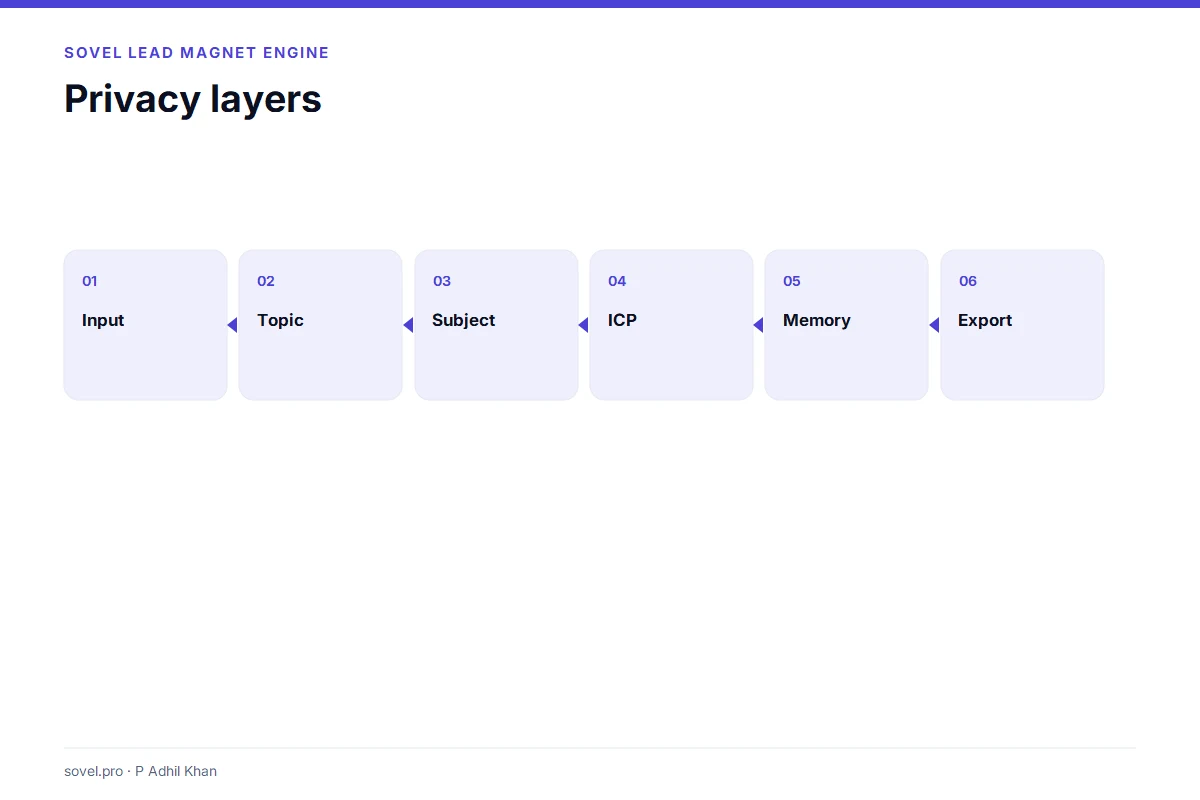
This guide covers six privacy rules for client-safe drafts. It explains the data map, the neutral subject, the ICP hash, the sitemap redaction, the retention window and the purge path. It also names the limits so the buyer does not confuse local processing with legal compliance.
Rule 1: Start with a data map
Lead magnet privacy starts with a map. The map names each field, where it is stored and how it is deleted. Without a map, privacy is a promise. With a map, the buyer can check the promise.
A simple map covers the task, the topic, the subject, the ICP file, the audience, the sitemap and the run folder. For each field, write the default storage and the deletion path.
| Field | Default | Deletion |
|---|---|---|
| Task text | Not stored in the report | Delete the run |
| Topic | Redacted hash | Delete the run |
| Subject | Neutral label | Delete the run |
| ICP filename | Hash and character count | Delete the run |
| Audience | Neutral default | Delete the run |
| Sitemap topics | Count and hash | Delete the run |
| Topic memory | Keyed fingerprint | Purge memory |
The map is the first privacy artifact. A vendor that cannot produce one is asking the buyer to trust a slogan.
Rule 2: Neutralise the subject
A neutral subject is a title phrase that avoids the client name. It can use a playbook label or a generic phrase. The writer adds specificity after review.
Lead magnet privacy depends on this choice. A title that says “Confidentialclientname Customer Onboarding Checklist” leaks the name into the PDF, the HTML and the DOC. A title that says “Secure Customer Onboarding Checklist” does not.
The neutral subject is less specific. That is the trade-off. The writer can add specificity in the subtitle or the intro after the client approves the wording. The title stays safe.
A privacy-conscious tool should make the neutral subject the default. The buyer can opt into a brief-first subject when the brief is public. The default should protect the client, not the demo.

Rule 3: Hash the ICP filename and audience
The ICP file can contain a company name, an audience and a goal. The filename alone can reveal the client. “acme-enterprise-onboarding.json” tells a reader more than the draft should.
Lead magnet privacy needs a hash, not a filename. The report can store a SHA-256 hash and a character count. The hash is enough to detect duplicates. The filename is not needed.
The audience needs the same treatment. A raw audience can appear in the title, the intro and the call to action. A neutral audience keeps the draft generic enough to share. The writer can add the specific audience in a private review note.
A tool that stores the raw ICP filename in report.json has a privacy gap even if the rest of the run is local. The report is often the file that gets shared for audit.
Rule 4: Redact sitemap topics
A sitemap can reveal a client’s site structure. The URLs show the product pages, the blog categories and the campaign names. Even when the raw URLs are not stored, the topic words derived from the paths can leak the client’s strategy.
Lead magnet privacy should treat sitemap topics as client data. The report can store the URL count and a hash. The engine can still use the topics to ground the draft. The report does not need to publish them.
A sitemap is not a fact-check. It is a discovery source. The draft should say that. The reader should not confuse a URL topic with a verified claim.
Rule 5: Set a retention window
Topic memory is useful. It stops the same topic from being produced twice. That file is derived data too. The retention window decides how long that data stays.
A short window is safer for client work. A long window is more useful for repetition checks. The buyer should choose the window that matches the project.
Lead magnet privacy is not only about the run. It is about the memory. A memory file that keeps fingerprints for a year is a data store. The buyer should know where it is and how to clear it.

Rule 6: Purge the run and the memory
The last rule is deletion. A privacy policy that describes deletion but does not provide a command is incomplete. The buyer needs a path.
A purge command should remove the run folders and clear the topic memory. It should require a confirmation flag. It should report what was removed.
Test the purge before the first client project. Create a test run, purge it and confirm that the folder is gone. Run the same topic again. If the engine still remembers it, the memory was not cleared.
The purge should be part of the project close checklist. A run that stays on the laptop after the project ends is a data store nobody owns.

What should a client handoff include?
A client handoff should include the reviewed PDF, the editable DOC, the source notes and the review record. It should not include the raw task text, the internal ICP file or the test data.
Lead magnet privacy is visible in the handoff. A package with the raw brief attached is a leak. A package with the reviewed files and the evidence ledger is a professional delivery.
The handoff should also state what was checked. The client should know which claims were verified and which still need review. That statement protects both sides.

What are the limits of lead magnet privacy?
Local processing does not make a tool compliant with every privacy law. The buyer still has to map the law to the data, the device and the retention period.
Lead magnet privacy also depends on the device. A shared laptop, an unencrypted disk or a backup service can expose the run folder. The software cannot fix those choices.
It depends on the optional services. A semantic API, a search API or a host integration can send data outside the machine. The buyer should know which ones are on.
It depends on the review. A draft can contain a client name in a sentence even when the title is neutral. The reviewer has to read the draft, not just the settings.
How does lead magnet privacy work in an agency?
An agency has more people and more machines. Lead magnet privacy needs a named owner, a project folder and a close checklist. The owner decides who can read the run folder. The folder keeps the brief and the draft separate from the shared drive.
The agency should use one machine per project when possible. A laptop used by several people is a shared data store. If the work moves between machines, the run folder should move with it and the old copy should be deleted.
The agency should also decide which optional services are allowed. A semantic API can send a topic and an idea card outside the machine. A search API can send a query. Lead magnet privacy is weaker when every writer turns on a different integration.
The close checklist should include the purge. The account lead should confirm that the run folder is gone and the memory is cleared. The client handoff should contain only the reviewed files.
An agency that writes a one-page privacy note for its own team gets more value than an agency that relies on the software defaults. The note names the machine, the folder, the services and the deletion step. That note is the real lead magnet privacy policy.
What should the privacy page say?
The privacy page should name the data, the purpose, the storage, the retention and the deletion path. It should say whether the core runs locally, which services are optional and what happens when they are enabled.
It should also say what the tool does not do. It does not verify facts. It does not guarantee legal compliance. It does not control the device or the backup. Those limits are part of an honest lead magnet privacy page.
The page should be short enough to read. A table with the fields and defaults is more useful than three paragraphs of policy language. A command for deletion is more useful than a promise.
How do you test lead magnet privacy?
Use a marker. Put a unique word in the task, the ICP file and the audience. Run the draft. Search every output for the marker. If the marker appears in a file that will be shared, the redaction has a gap.
Test the sitemap separately. Use a local sitemap with a distinctive path. Run the draft. Check the report for the path and the derived topic words. If they appear, the sitemap redaction is incomplete.
Test the purge. Delete the run and clear the memory. Run the same topic again. If the engine treats it as new, the purge worked. If it remembers, the memory is still there.
Test the optional services. Turn them off and run again. Compare the report. If the external flag changes, the tool is recording the send. That is the behaviour you want.
What does a client-safe brief look like?
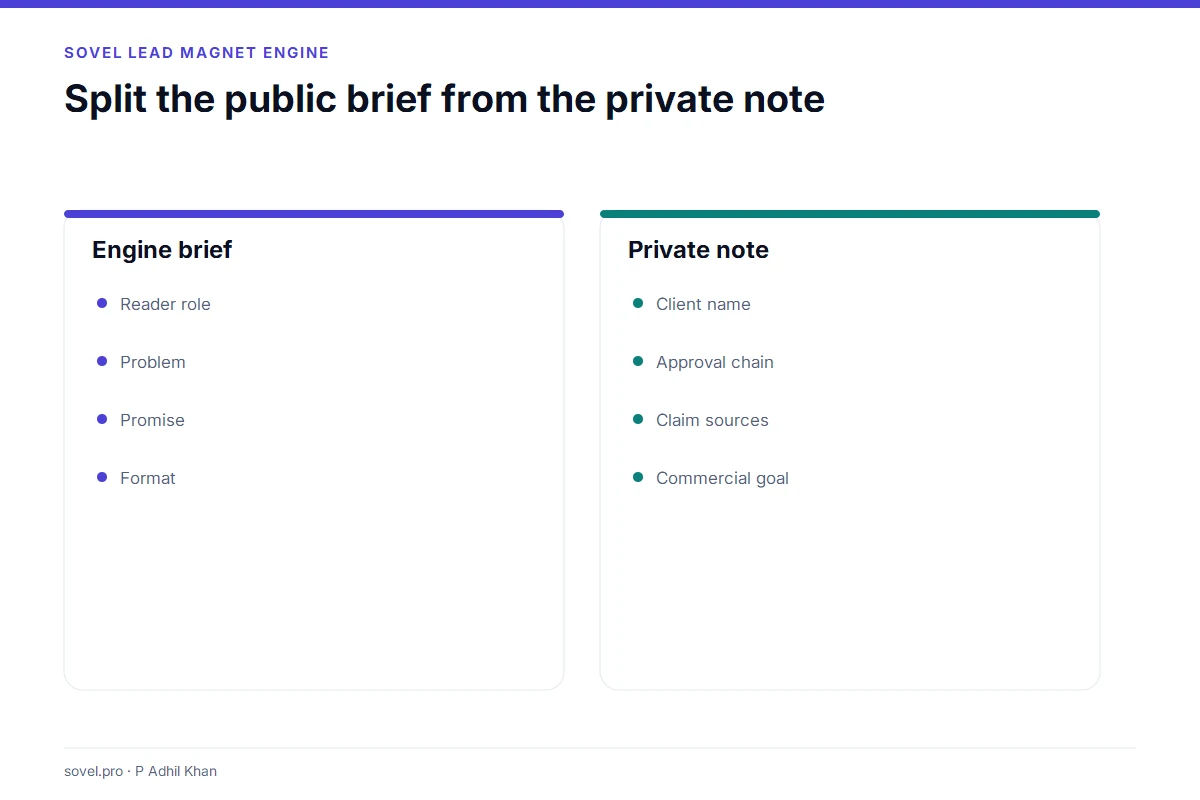
A client-safe brief separates the public story from the private context. The public story is the reader, the problem and the promise. The private context is the client name, the internal owner and the commercial goal.
Lead magnet privacy improves when the writer creates two files. One file is the brief that goes into the engine. The other is the private note that stays in the project folder. The engine gets the story. The private note keeps the identifiers.
The brief should use a neutral subject. It should describe the reader by role, not by company. It should describe the problem by symptom, not by internal project name. The draft can still be specific because the role and the symptom are specific.
The private note can hold the client name, the approval chain and the claims that need a source. The note is not an input to the draft. It is a review aid for the consultant.
That separation is the simplest lead magnet privacy habit. The engine never sees the client name. The consultant still knows who the client is. The handoff stays clean.
Does lead magnet privacy slow the work down?
It adds two steps: the neutral brief and the close checklist. The first step takes a few minutes. The second step takes a few minutes. The rest of the workflow is the same.
The time is recovered when a client asks a data question. A consultant who can show the data map, the neutral subject and the purge record answers in one email. A consultant who has to investigate the tool answers in a week.
Lead magnet privacy is a small operational cost. The alternative is a client trust problem that costs much more. The buyer who plans for it gets a smoother project.
What is the smallest useful privacy test?
One marker in the task, one marker in the ICP file and one purge. If the markers stay out of the shared files and the purge clears the run, the basic habit is working.
The habit is simple to describe and easy to skip. The projects that skip it are the ones that produce the awkward client email.
Privacy references used here: the NIST Privacy Framework and the W3C privacy principles.
Frequently asked questions
What is lead magnet privacy?
Lead magnet privacy is the set of defaults and steps that keep client material out of the draft, the report, the memory and the export. It covers redaction, retention and deletion.
Is a local lead magnet tool automatically private?
No. A local tool can still call an API, store a raw filename or keep a memory file. Lead magnet privacy depends on the data map and the settings, not just the runtime.
What is a neutral subject?
A neutral subject is a title phrase that does not contain a client name. It uses a playbook label or a generic phrase. The writer can add specificity in the subtitle after review.
Should I store the ICP filename?
No. Store a hash and a character count. The filename can reveal the client even when the draft does not.
How long should I keep topic memory?
Use the shortest window that supports your repetition checks. For client work, purge the memory at the end of the project. A long window is a larger data store.
How do I delete a run?
Use the purge command with the confirmation flag. Check that the run folder is gone and the topic memory is cleared. Run a test before you rely on it.
Can I send the evidence ledger to a client?
You can send a reviewed summary. The full ledger may contain internal notes. Lead magnet privacy should decide what the client needs and what stays internal.
Does lead magnet privacy guarantee legal compliance?
No. It reduces the data surface. The buyer still needs a legal review for the specific jurisdiction and project.
The privacy habit
Lead magnet privacy is a habit, not a feature. Map the data. Neutralise the subject. Hash the ICP. Redact the sitemap. Set the retention. Purge the run. Those six rules cover the common leaks.
A local runtime makes the habit easier. It does not replace it. The buyer who checks the files and the settings gets the value. The buyer who trusts the label gets a false sense of safety.
Keep the client brief in a private note, away from the engine input. The SOVEL Lead Magnet Engine page runs the draft on your machine. For the data map, read the local lead magnet generator. For the buying checks, read lead magnet software for consultants. For the quality gate, read the lead magnet quality checklist.