
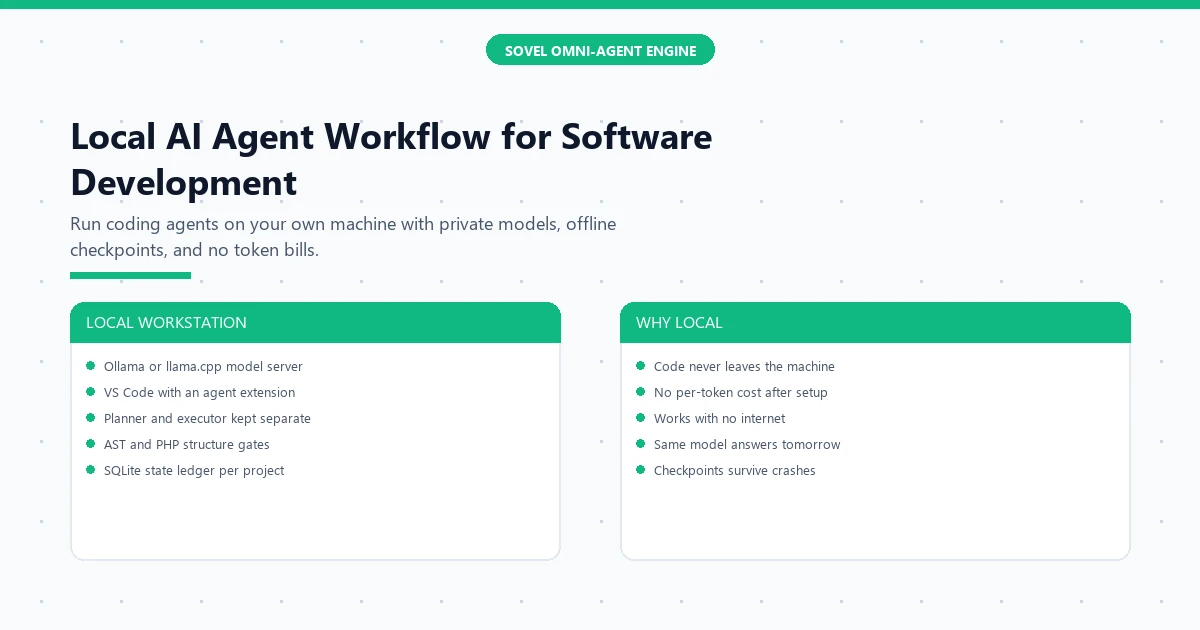
A local AI agent workflow for software development means your coding agent, your code, and the model itself all stay on your own machine. Nothing uploads to a cloud API, no token meter runs while you think, and a dead internet connection changes nothing about your workday. The agent still plans, writes files, runs tests, and fixes errors, but the intelligence driving it lives on your disk, inside a model you downloaded once and run with tools like Ollama or llama.cpp. The short answer: a local AI agent workflow for software development is a fixed loop of plan, contract, execute, verify, and checkpoint, running against a model on your own hardware, with your source code never leaving the room. Developers who handle client code, medical or legal text, or unreleased products use it because their contracts forbid cloud uploads, and indie hackers use it because the marginal cost of the thousandth prompt is zero.
What is a local AI agent workflow?
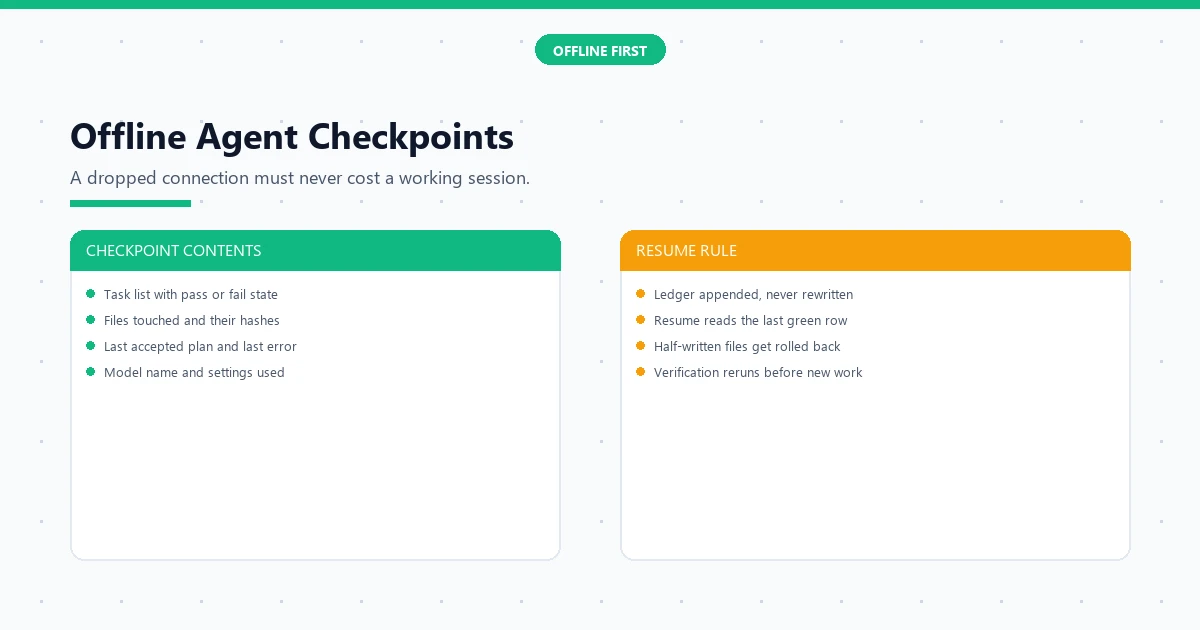
Strip it to parts and it is five steps that repeat. You describe the task in a short brief. The planner agent turns the brief into a file-by-file contract: which files change, what each function must do, and which checks prove it works. The executor agent makes the edits. Local verification scripts, the same kind that check PHP structure or JavaScript syntax, run automatically. Then the workflow appends the outcome to a small project ledger, a SQLite file sitting next to your code. Next session resumes from that ledger instead of from a chatbot’s fading memory.
The difference from normal cloud prompting is where the loop lives. With a cloud assistant you paste code into a browser box and hope the service keeps your context. With a local AI agent workflow for software development, the agent runs inside your editor, reads your whole project folder, and writes files directly. Builders who already use free coding tools with free cloud models will recognize the shape; the local variant trades the cloud’s bigger models for privacy, offline work, and flat cost. Readers who want the general method first can start with a realistic path to building software without coding, then return here for the local setup.
Why run coding agents locally instead of in the cloud?
Three reasons decide it, and each one is practical rather than philosophical. First, privacy. Client contracts, employer policies, and common sense all forbid pasting unreleased code into a third-party box. A local model reads your repository without any network call, so the question of who stores your prompts never arises. Second, cost structure. Cloud coding bills scale with every token, and agent loops are token-hungry: a single afternoon of autonomous retries can burn what a month of chatting costs. A downloaded model costs electricity after day one. Third, reliability. Cloud models change behavior between releases, which breaks prompts that worked last week. Your local file does not update unless you replace it, so a workflow that passes on Monday still passes in June.
There is an honest trade. Local models are smaller than flagship cloud models, so they need tighter contracts and stricter verification to produce the same quality. That is not a flaw in the idea; it is the design constraint the rest of this guide works with. A dual-agent split between planner and executor matters even more locally, because a small model asked to plan and code at once drifts faster than a big one asked to do a single job.
What does a local workstation setup include?
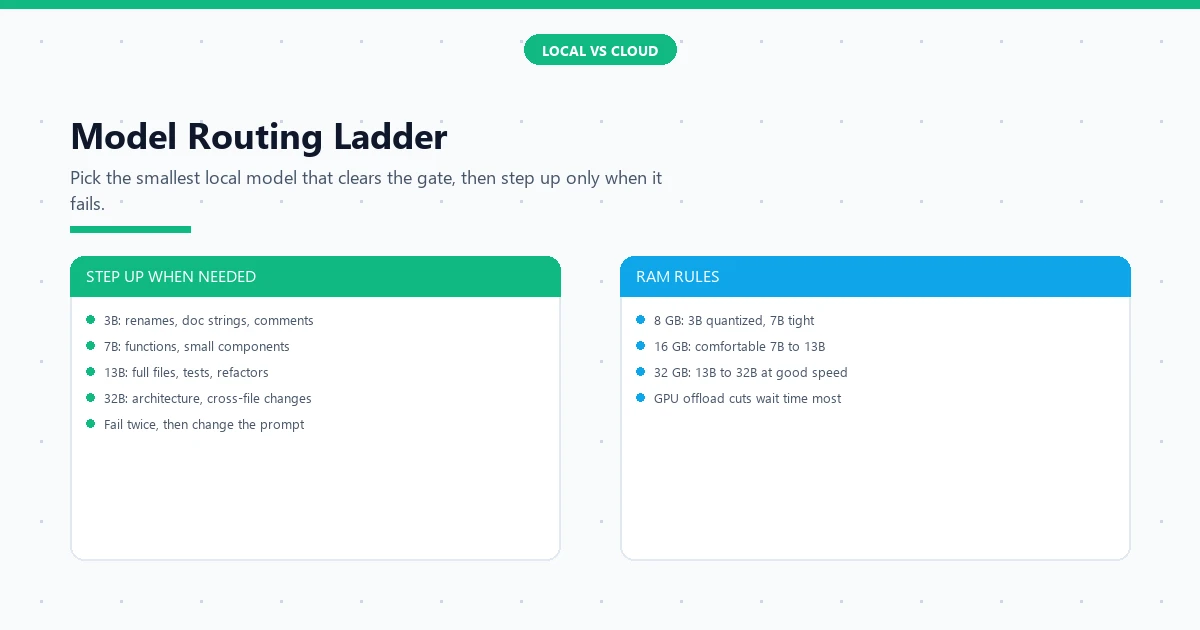
Four layers, each with a free option. The model layer is a local server: Ollama is the simplest start on Windows, macOS, and Linux, while llama.cpp suits older machines and fine control. Download one general model around 7 billion parameters in quantized form; it fits in 8 GB of RAM and handles everyday coding edits. The agent layer is your editor: VS Code paired with an agent extension such as Cline gives the planner-executor loop, file editing, and terminal commands. The verification layer is language tooling you install once: Node.js and PHP runtimes, linters, and small scripts that parse the agent’s output for structure before you read it. The memory layer is a project folder holding six files the agent reads every session: task list, project state, outline of modules, terminology lock, open questions, and a change log.
Expect an evening of setup, not a weekend. Install the model server, pull your first model, install the editor extension, point it at the local server address, and run a ten-line test task. A local AI agent workflow for software development earns its keep from the second project onward, because every later project reuses the same loop and the same ledger format. When you install a local AI agent workflow for software development this way, the second project starts with contracts and checklists already written, which is where the real speed comes from. Agencies that deliver client work with audited AI pipelines already think in stages and gates; see how an enterprise local setup organizes its toolstack for the bigger cousin of this workstation.
How do you structure the agent loop?
Keep five stages rigid and let only the content vary. The brief states the outcome in one paragraph plus acceptance checks. The planner produces a contract: files to touch, functions to add, and exact test commands. The executor edits files and nothing else; it may not redesign the plan mid-file. Verification runs the linters, the structure checks, and the project’s own tests. The checkpoint appends a row to the ledger: what changed, what passed, what failed, and the next planned step. This loop is the heart of a local AI agent workflow for software development, and its strictness is what compensates for smaller models.
A house rule prevents the most common failure: the executor gets a fresh, short context containing only the contract and the relevant files, never the whole session history. Long context makes small models wander; short context keeps them literal. When a stage fails twice in a row, the loop escalates instead of retrying forever: shrink the task, switch to a larger local model for that one step, or ask the planner for a different decomposition. Two failures, then a change. That rule alone saves more evenings than any new model release.
Where does a local workflow break?
It breaks in four places, all fixable. Weak models hallucinate APIs that do not exist, so verification scripts must check every import and function name against the real codebase, not against the model’s confidence. Slow hardware turns big edits into coffee breaks; the fix is the routing ladder, keeping most work on the 7B model and reserving the 32B for architecture only. Context drift creeps in on long tasks, so the ledger and the short-context rule from the previous section stay mandatory, not optional. And stale knowledge bites when libraries update: pin dependency versions in the contract and let the agent read the installed docs folder instead of recalling training data.
How much does a local setup really cost?
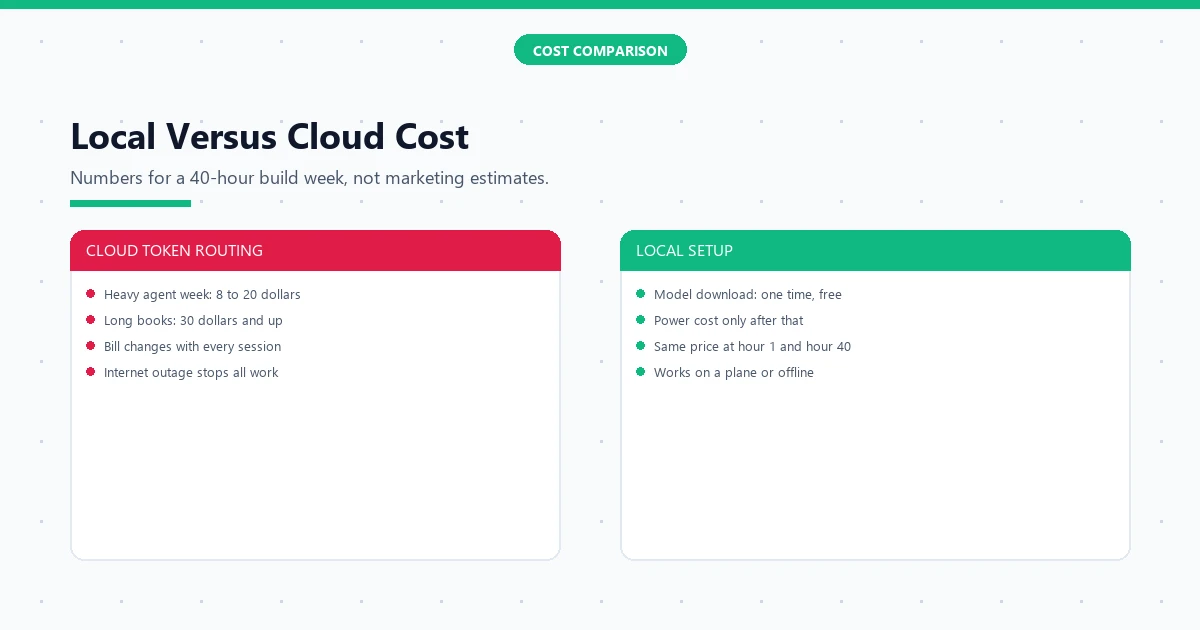
Add it up honestly: a machine you already own, a free model server, a free editor, and an agent extension with a free tier or a small one-time price. The only real line item is electricity and, on older machines, possibly a RAM upgrade that costs less than four months of mid-tier cloud subscriptions. For a 40-hour build week, a heavy cloud agent habit lands between 8 and 20 dollars in tokens, while the local run costs the power draw of a laptop. The gap widens on long books and multi-file refactors, exactly the projects where a local AI agent workflow for software development shines.
The subtler saving is attention. Cloud billing makes every experiment feel metered, so developers shorten sessions and skip verification runs to save tokens. Local runs make the thousandth retry free, so developers verify more, not less. Cheaper mistakes mean bolder refactors and cleaner final code. Developers comparing routes should also price the free cloud tier path; see how far free cloud models carry a non-programmer, then choose local when privacy, offline work, or flat cost tips the balance.
How do you keep quality high with smaller models?
Smaller models need smaller jobs and stricter gates, full stop. Cap each executor task at one file and one purpose; split anything bigger at the planner stage. Require the contract to name exact function signatures before code exists, because a local model invents less when the names are already fixed. Verify with scripts that parse structure rather than with the model’s own opinion: an AST check does not flatter. And keep the human review focused on the plan, not the code; a correct plan executed literally by a 7B model beats a vague plan executed brilliantly by a giant one. These habits mirror professional dual-pipeline practice at smaller scale; the planner-executor split for reliability explains why the separation works.
Measure quality the same way regardless of model size: tests pass, linters silent, structure checks green, ledger complete. A project built by a local AI agent workflow for software development should satisfy the same gates as any cloud-built project, and buyers will never know which machine produced it. Ship a local AI agent workflow for software development result beside a cloud result and the gates cannot tell them apart. That is the point. Local is not a compromise tier; it is the same engineering discipline with the network cable unplugged.
Which tools make up a reliable local stack?
Name them plainly so setup takes an evening. Ollama serves local models behind a simple HTTP API on all three desktop systems, and its model library page lists sizes with RAM guidance (the Ollama model library). VS Code hosts the agent extension and the terminal in one window, and its official docs cover agent-style coding workflows (VS Code documentation). Cline or a similar open-source agent extension provides the planner-executor loop with file tools. Node.js and PHP runtimes plus their linters form the verification layer. SQLite, already on most machines, holds the ledger; no server process, no account, one file per project that you can copy, back up, or inspect with any database browser.
Pin versions as you install: model tag, extension version, runtime version, all written into the project’s state file on day one. Pinned versions are what make the workflow reproducible across machines and months. A local AI agent workflow for software development that documents its own stack can move from a laptop to a desktop to a teammate’s machine with one evening of reinstalls, because every choice is written down instead of remembered.
When should work stay local, and when should it call the cloud?
Keep three kinds of work local always: anything under a client NDA, anything unreleased, and anything you will rerun fifty times while tuning. Send two kinds upward: rare architecture decisions that exceed your biggest local model, and research lookups that need the live web. This split keeps the privacy promise intact while refusing to martyr quality on principle. A local AI agent workflow for software development is a default, not a religion; the ledger records which steps ran where, so the boundary stays visible instead of drifting.
Make the handoff explicit in the contract. The planner marks each task local or cloud before execution starts, and the executor never improvises the routing mid-task. Cloud steps get the same short-context discipline as local ones: contract plus relevant files, nothing more, because pasting the repository “for context” defeats the privacy reason for going local. When a local AI agent workflow for software development calls the cloud for one hard step, the result returns into the local ledger like any other, and the next step continues at home. Most teams settle near ninety percent local within a month; the cloud becomes a specialist consultant, visited rarely and billed lightly.
Frequently asked questions
Can a local AI agent workflow run on an 8 GB laptop?
Yes, with quantized 3B to 7B models for everyday edits and the cloud or a bigger machine reserved for rare architecture steps. A local AI agent workflow for software development scales down gracefully: small tasks stay local, and only the hardest ten percent ever leaves the machine. Many developers run a local AI agent workflow for software development on exactly such a laptop for months before upgrading anything.
Do I need the internet at all for local agent work?
Only for the one-time model download and occasional updates. Daily planning, editing, verification, and checkpointing all run offline, which is the main reason teams with strict data rules choose this setup. Flights, outages, and dead zones change nothing once a local AI agent workflow for software development is installed.
Which local model should a beginner download first?
A general 7B quantized instruct model from a reputable maker, pulled through Ollama with one command. It handles functions, small components, and rewrites well enough to learn the full loop before you experiment with larger sizes. Learning a local AI agent workflow for software development on this size first means your planning and contract habits transfer to every larger model later.
Is local AI slower than cloud AI for coding?
Per token, usually yes on CPU-only machines, but per task the gap shrinks because verification and short-context rules cut retries. With GPU offload on a mid-range card, a 7B model feels interactive for most edits. Judge a local AI agent workflow for software development by finished tasks per evening, not tokens per second, and the scoreboard looks closer than benchmarks suggest.
Can local models handle WordPress plugin code?
Yes, PHP with WordPress APIs is well within a 7B to 13B model’s training. The contract should name hook names, nonce checks, and escaping functions explicitly, and the structure gate should parse the plugin header and settings registration. See how scoped AI builds stay shippable for the same discipline on browser extensions.
How do you update a local model safely?
Download the new tag beside the old one, rerun the project’s verification suite against both, and switch the state file only when the new tag passes everything. Never overwrite the working model in place; keep the proven file until its replacement earns the job.
What breaks when the project grows past 50 files?
Planner context overflows first. Split the project into module contracts with their own ledgers, and give the top-level planner only the module map. A local AI agent workflow for software development scales by decomposition, the same answer every engineering method gives, executed with files instead of meetings. Each module keeps its own ledger, and the map keeps the whole local AI agent workflow for software development coherent across all of them.
Decomposition is an old habit with new tooling: language-neutral guides such as the Python packaging tutorial teach the same split-into-modules discipline, and a local AI agent workflow for software development simply executes it with files instead of meetings.
How do you start a local AI agent workflow for software development this weekend?
Saturday: install Ollama, pull a 7B model, install the editor extension, and run the ten-line test task. Sunday: move one small real module into the five-stage loop with a ledger. By Sunday night your local AI agent workflow for software development has one green checkpoint row, and Monday’s real work starts from files instead of from zero.
One last habit separates hobby setups from production ones: the stack file. Record the model tag, extension version, and runtime versions in project state on day one, and a local AI agent workflow for software development stays reproducible for years. Machines change, drives fail, teammates join; the file keeps the workflow identical everywhere it runs.
Conclusion: unplug the cable, keep the discipline
Local-first building is not nostalgia; it is control over privacy, cost, and reproducibility. Set up the four layers in one evening, run the five-stage loop with short contexts and strict gates, and keep the ledger honest. Your code stays home, your bill stays flat, and your projects resume after any crash. That is the whole promise, and it fits on one desk.
Start tonight with the ten-line test task and the ledger beside it, run a local AI agent workflow for software development on that single task, and watch the checkpoint row appear. Tomorrow, move one real module into the loop. Within a week the loop feels ordinary, which is the point: a local AI agent workflow for software development should fade into the background like version control, present in every project and noticed in none. Unplug the cable when you are ready. The workflow will not notice.